Preview



Description
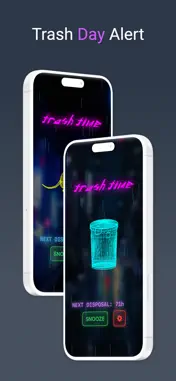
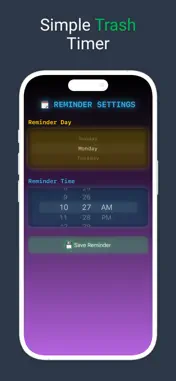
Never miss trash day again. Trash Time is a weekly garbage and recycling reminder with a neon cyberpunk look: a glowing countdown shows when pickup is, and a notification tells you when to roll the bin to the curb. HOW IT WORKS • Set your pickup day and time once. Trash Time reminds you every week. • The home screen counts down to the next pickup, for example 2D 10H 40M, with the day and time right below it. In the last hour, it turns red. • Running late? Snooze adds 15 minutes in the hour before pickup or right after the reminder goes off, and reminds you again when the snooze ends. • Use your reminder for whatever your city collects: trash, recycling, yard waste, or bulk pickup. HARD TO MISS • Each reminder puts a badge on the app icon until you open Trash Time. • Settings > Notifications checks how iOS will show your reminder and walks you through making the banner stay on screen until you swipe it away. MADE TO LOOK AT • Rotating 3D wireframe models: a garbage can, a mouse, a dumpster, and a garbage truck • Four themes: Neon Tokyo, Dark Grid, Synthwave, and Blade Runner • Optional rain, a cyberpunk soundtrack, and four notification sounds • Works with VoiceOver and Reduce Motion SMALL AND SIMPLE No account, no sign-up, and no ads. One screen tells you what you need to know, and Settings shows your reminder, theme, and sound at a glance. Made by indie developer Warren Hansen. Have an idea? Send it through the suggestion box in the app.
What's New
Version 1.4 2026-11-21
- A redesigned home screen puts the countdown front and center, with the pickup day and time right below it. - Snooze now works when you need it: in the hour be...- A redesigned home screen puts the countdown front and center, with the pickup day and time right below it. - Snooze now works when you need it: in the hour before pickup and the hour after the reminder goes off. Each tap adds 15 minutes, and you get a reminder when the snooze ends. - New in Settings: Notifications shows whether your reminder will stay on screen and walks you through making it hard to miss, step by step. - Reminders now put a badge on the app icon until you open Trash Time. - A cleaner Settings screen shows your reminder, theme, and sound at a glance. - Your weekly reminder now starts as soon as you allow notifications. - The garbage can no longer zooms in from the corner when the home screen opens. - Smoother changes between the 3D models, support for Reduce Motion, and a much smaller download. Technical Analysis
Package Overview Basic metadata
Bundle ID
com.swiftsense.TrashTime1 Current Version 1.4
Minimum iOS 18.5
Package Size App Store Size
Package Metadata 0 / 3 version records
Detailed binary, privacy manifest, framework, and Info.plist results have not been indexed for this package yet. The verified App Store and archive metadata above remains available.
Developer Information
Known Version Records
0 version records with stored package metadata • 3 known version records
Stored metadata does not guarantee a package is currently available to download.
| Details | Version / IDs | Version date | Action |
|---|---|---|---|
| Not archived | App Store ID: 880246952 | Unknown | Request Version |
| Not archived | App Store ID: 877756063 | Unknown | Request Version |
| Not archived | App Store ID: 877557869 | Unknown | Request Version |