
Preview







Description
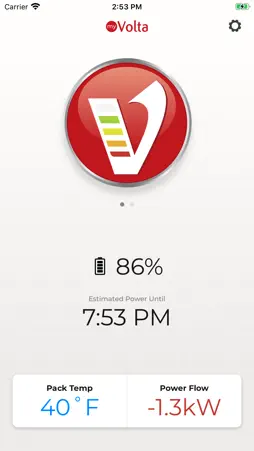
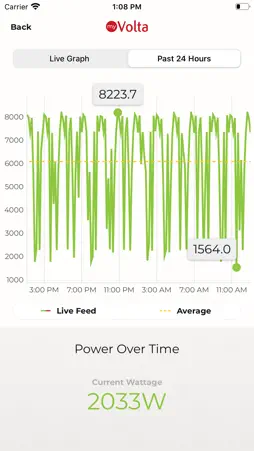
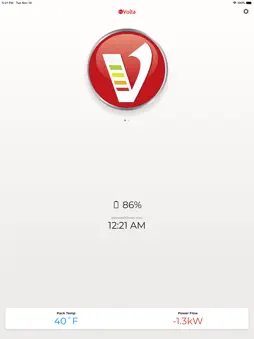
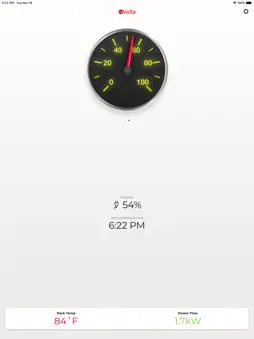
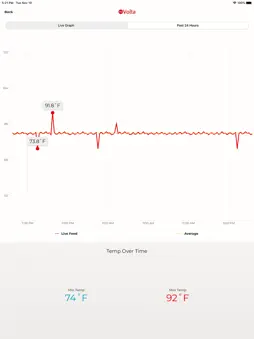
Integrated with the power system through the myVolta Bluetooth hardware (sold separately), users can monitor their system stats including: • Estimated Runtime Remaining • Pack Temperature • Charging Status • Power Usage • Performance Data • Warnings, Faults or Errors Introducing: myVolta Cloud Monitor Your Volta System Virtually Anywhere! The latest myVolta app update allows users to connect to myVolta Cloud, equipping them with: • The ability to monitor your system from virtually anywhere • Notifications for any alerts, status changes or low battery levels • Peace of mind knowing everything is safe and working while you’re away from the vehicle Using myVolta Cloud requires two internet-connected devices, one of which must remain connected with Bluetooth to the Volta module. How myVolta Cloud Works 1. Two devices must have the myVolta app downloaded, be signed into the same Volta account and have consistent internet access through data, campground WIFI, an in-van router, etc. 2. The device synced with the Volta module resides in the vehicle, within Bluetooth range of the module. 3. The synced device will send system information to the myVolta Cloud, allowing the second, unconnected device to access system data anywhere it can connect to the internet.
What's New
Version 3.0.14 2024-11-12
• Improved Bluetooth connectivity • Improved app stability • Inverter controls for systems using HED v3.0 and above Technical Analysis
Package Overview Basic metadata
Bundle ID
com.voltapowersystems.my-volta Current Version 3.0.14
Minimum iOS 13.0
Package Size App Store Size
Package Metadata 0 / 0 version records
0.0 / 5.0 (0 ratings)
Detailed binary, privacy manifest, framework, and Info.plist results have not been indexed for this package yet. The verified App Store and archive metadata above remains available.
Developer Information
Known Version Records
0 version records with stored package metadata
Stored metadata does not guarantee a package is currently available to download.
| Details | Version / IDs | Version date | Action |
|---|