
Preview






Description
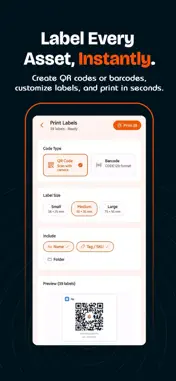
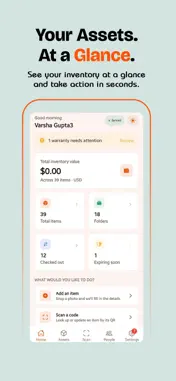
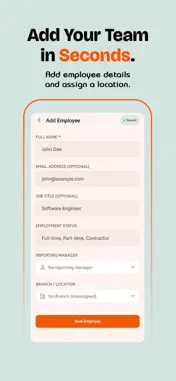
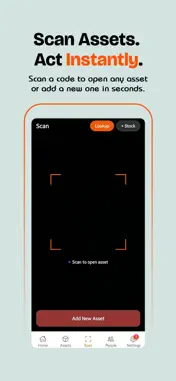
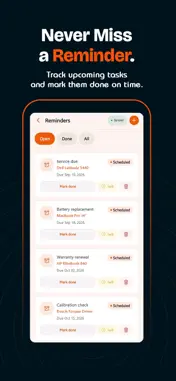
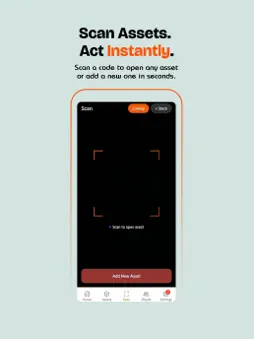
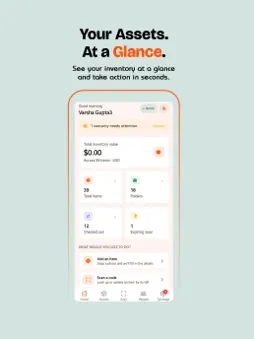
Print a QR label, stick it on, and scan it for the rest of that asset's life. Stackroom generates QR code and barcode labels in the app, prints one tag or a whole sheet, and turns every scan into a check-out, a check-in or an audit count. It is asset tracking for teams that hand equipment to people: laptops, phones, monitors, tools, test gear and vehicles. Issue an asset to a named person, capture their signature on the glass, and the record updates the moment it leaves the room. Scan it back in when it returns. No spreadsheet, no guessing who has what. WHAT YOU CAN DO • Scan — QR and barcode scanning from the camera. Point at a label to pull up the asset, issue it, or count it in an audit. • Issue and return — assign to a person with an on-screen signature and a due date, record condition on hand-back, and see everything currently out. • Print labels — generate QR or barcode labels in the app and print one tag or a whole sheet. No proprietary tags to buy. • Assets — a full register with categories, custom fields, tags, serial numbers, locations, departments and vendors. • Audits — walk the floor and count as you go. Discrepancies show up immediately rather than at the end. • Maintenance and warranties — log repairs and services, and get reminded before a warranty window closes. • Bookings — reserve shared equipment for a date range so two people don't plan around the same camera. • Ask Stackroom AI (paid plans) — "who has the MacBook Air?", "what's out to Priya?", "which warranties expire this month?" It answers from your own register, and can check an asset out or in, set a reminder, book equipment, change a status or move an asset between locations once you confirm. • Add by photo — where AI autofill is available on your plan, snap a photo and the form fills itself in. • People and permissions — invite your team, set roles, and control who can see and do what. • Import and export — bring your register in from CSV; export to CSV or a PDF fact sheet and share it from the app. • Activity — a running history of every movement, so any asset's past is one tap away. WORKS WHEN THE SIGNAL DOESN'T Store cupboards, basements and comms rooms are where signal goes to die. Changes you make offline are queued and upload the next time you open the app or make another change. WHO USES STACKROOM IT teams tracking laptops, desktops and phones issued to staff. Managed service providers tracking kit across client sites. Security, network and AV installers managing tools and test equipment. Agencies, studios and consultancies issuing equipment to staff and freelancers. Finance and operations teams who need a signed custody trail at audit time. PLANS The free plan covers the asset register, custody tracking and QR lookup, with limits on assets and locations. Paid plans raise those limits and add scan workflows, bookings, maintenance, audits, custom fields and Stackroom AI. Pricing is flat per organisation, never per user, and users are unlimited on every plan. Current limits are listed at stackroom.io/pricing. ACCOUNT REQUIRED Stackroom is used by organisations, so you'll create an organisation or join one with an invite. Sign in with email and password, a magic link, or Google. Questions? stackroom.io/contact
What's New
Version 0.1.23 2026-09-28
Print a QR label, stick it on, and scan it for the rest of that asset's life. Technical Analysis
Package Overview Basic metadata
Bundle ID
com.vocso.stackroom Current Version 0.1.23
Minimum iOS 15.1
Package Size App Store Size
Package Metadata 0 / 0 version records
Detailed binary, privacy manifest, framework, and Info.plist results have not been indexed for this package yet. The verified App Store and archive metadata above remains available.
Developer Information
Known Version Records
0 version records with stored package metadata
Stored metadata does not guarantee a package is currently available to download.
| Details | Version / IDs | Version date | Action |
|---|