
Preview



Description
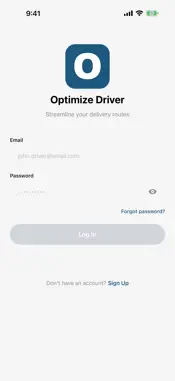
Drive on your own terms. Optimize Driver is the app for last-mile delivery drivers — apply from your phone, get approved, and start running routes. GETTING STARTED - Create your account right in the app — no invitation or employer code needed - Tell us who you are: name, phone, driver's licence number, state, and expiry - Upload your documents: licence (front and back), proof of insurance, and vehicle registration where asked - A dispatcher reviews your application and approves you onto a delivery network - Your first routes appear as soon as dispatch assigns them You can also apply on the web at desertacacia.com/courier and sign in with the same account. ROUTE MANAGEMENT - View all assigned routes with order counts, estimated distance, and duration - Start, progress, and complete routes with a single tap - Interactive map showing pickup location and numbered delivery stops - Track route progress with real-time completion stats - Browse route history with date filtering DELIVERY WORKFLOW - Step-by-step delivery flow: mark orders in transit, complete, or report failures - One-tap navigation to delivery addresses via Apple Maps - View recipient details, delivery instructions, and package items - Call or email recipients directly from the order screen - Automatic "Next Stop" navigation after completing a delivery - Support for direct dispatch (single-order) deliveries PROOF OF DELIVERY - Capture photo proof of delivery using your camera - Collect recipient signatures with the built-in signature pad - Add delivery notes for additional context - Configurable requirements per order — photo and signature can be required or optional FAILED DELIVERY REPORTING - Select from structured failure reasons: customer not home, wrong address, refused, damaged, access issue, weather, or other - Attach evidence photos and required notes explaining the situation PACKAGE SCANNING - Scan package barcodes with your camera to verify possession before delivery - Real-time scan progress tracking showing scanned vs. unscanned packages - Instant feedback confirming successful scans or flagging errors LOCATION TRACKING - Background GPS tracking while routes are active - Automatic batch location uploads for fleet visibility - Location data attached to delivery completions and status updates WORKS OFFLINE - Delivery completions, status updates, and scans are queued when offline - Automatic sync when connectivity is restored - No lost data — actions are persisted locally until confirmed NOTIFICATIONS - Push notifications for new route assignments, route updates, order changes, and support messages DRIVER PROFILE - Edit your profile, upload a profile photo, and set your timezone - Change your password, or delete your account and its data at any time - Built-in support ticket system with chat — get help without leaving the app SUPPORT - Create support tickets by category with detailed descriptions - Chat-style messaging with your support team - Track ticket status and unread message counts Optimize Driver is free. Deliveries are dispatched by the logistics companies on the Optimize platform, and a dispatcher reviews every application before routes are assigned.
What's New
Version 1.0.3 2026-10-27
Improvements and fixes: • Use a Bluetooth or USB barcode scanner on the scan screens • New Notifications tab for route and account updates • Reset your password... Technical Analysis
Package Overview Basic metadata
Bundle ID
com.vlolabs.optimizecourier Current Version 1.0.3
Minimum iOS 17.0
Package Size App Store Size
Package Metadata 0 / 0 version records
Detailed binary, privacy manifest, framework, and Info.plist results have not been indexed for this package yet. The verified App Store and archive metadata above remains available.
Developer Information
Known Version Records
0 version records with stored package metadata
Stored metadata does not guarantee a package is currently available to download.
| Details | Version / IDs | Version date | Action |
|---|