
Preview




Description
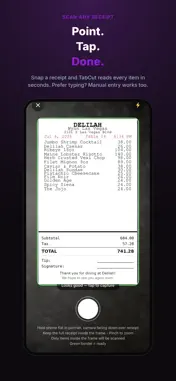
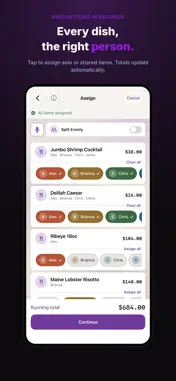
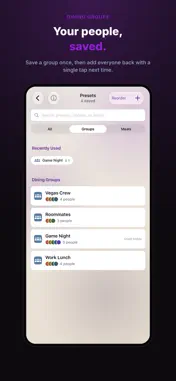
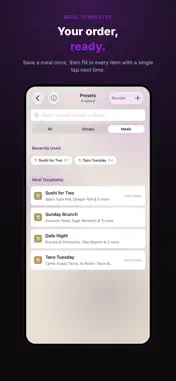
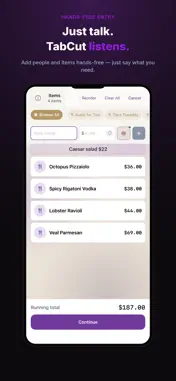
Nobody comes to dinner to do math. TabCut scans the receipt, assigns each item, and splits tax and tip by what people actually ordered. No accounts. No subscription. Pay once, split forever. HOW IT WORKS 1. Scan or enter items Point your camera at any restaurant receipt and TabCut automatically detects every item. Or type items in manually — whichever is faster at the table. Or load a saved Meal Template to add your usual order instantly. 2. Add your group Add everyone at the table. TabCut gives each person a unique color so you always know who ordered what. Or tap in a saved Dining Group to add everyone at once. 3. Assign items Tap an item and select who ordered it. Shared dishes like apps or dessert can be split across multiple people. 4. Set tax & tip TabCut splits tax and tip in proportion to what each person ordered, so nobody who ordered light pays for the steak. 5. Share instantly Tap any person's card to send them a full itemized invoice via iMessage, email, or any share destination. Includes payment links so they can pay you back in one tap. FEATURES • Dining Groups — save your regular crews, add everyone in one tap • Meal Templates — save your usual order, add it instantly • Voice Mode — add items and people hands-free, just by talking • Receipt scanning — point, tap, done • Manual item entry for when scanning isn't an option • Proportional or equal tax & tip splitting • Per-person itemized invoices (image or PDF) • Group summary with everyone's totals at a glance • Track Invoices — send, track, and mark payments as settled • Venmo, PayPal & Cash App payment links built in • Full split history — every dinner saved automatically • iCloud sync across all your devices • Bill payer designation — track who covered the table • Currency support — USD, EUR, GBP, CAD, AUD, JPY, and MXN • Now in 5 languages — French, German, Japanese, Portuguese, and Spanish (matches your device automatically) • No account required. No ads. No tracking. PRIVACY Everything stays on your iPhone and in your personal iCloud. TabCut never sees your receipts, your contacts, or your split history. Camera access is used only for scanning — no photos are stored or transmitted. ONE-TIME PURCHASE Try TabCut free for your first few splits. Unlock unlimited splits and all future updates with a single one-time purchase. No subscription. No renewal. Yours forever. Built by Newton Labs — newtonlabs.app
What's New
Version 2.0 2026-10-06
TabCut 2.0 is here — the biggest update yet. Dining Groups — Save the people you split with most and add everyone back with a single tap. Meal Templates — Orde...TabCut 2.0 is here — the biggest update yet. Dining Groups — Save the people you split with most and add everyone back with a single tap. Meal Templates — Order the same thing every time? Save it once, reuse it instantly. Voice Mode — Add people and items completely hands-free, just by talking. Multi-currency support — Splitting a bill abroad? Set the currency so every total reads right. New app icon and a refreshed look throughout. Bug fixes and performance improvements. Technical Analysis
Package Overview Basic metadata
Bundle ID
com.newtonlabs.TabCut Current Version 2.0
Minimum iOS 17.6
Package Size App Store Size
Package Metadata 0 / 0 version records
Detailed binary, privacy manifest, framework, and Info.plist results have not been indexed for this package yet. The verified App Store and archive metadata above remains available.
Developer Information
Known Version Records
0 version records with stored package metadata
Stored metadata does not guarantee a package is currently available to download.
| Details | Version / IDs | Version date | Action |
|---|