
Preview




Description
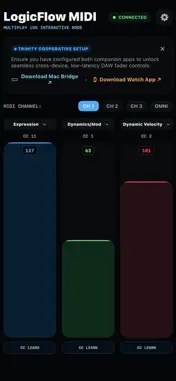
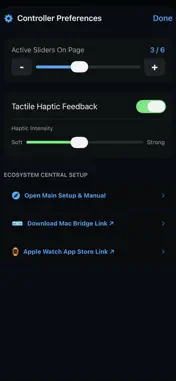
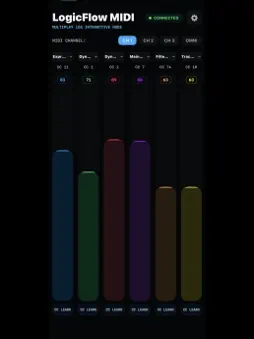
Three vertical touch faders. Any MIDI CC. Any Logic Pro parameter. LogicFlow Touch gives you three precision touch bars on your iPhone, each sending MIDI CC to Logic Pro in real time via the free LogicFlow DAW Bridge on your Mac. Play expression, velocity, and dynamics with your fingers while your hands stay on your instrument. TOUCH FADERS Three full-height vertical touch bars — drag up for more, down for less. Smooth, precise, 0 to 127 range. Each bar sends MIDI CC independently. ASSIGN ANY MIDI CC Long press any bar to reassign it instantly. 14 built-in presets: Expression (CC11), Modulation (CC1), Volume (CC7), Dynamics, Pan, Sustain, Reverb, Chorus, and more. Or enter any CC number 0 to 127 manually. MIDI LEARN Press Command-L in Logic Pro, click any parameter, move a touch bar. Logic learns it in one second. Assign to any plugin knob, fader, or instrument parameter without any setup. SWAP AND RELABEL Swap bar positions with one tap. Rename each bar to match your workflow. MIDI channel selector for channels 1 to 16. PART OF THE LOGICFLOW ECOSYSTEM Works alongside LogicFlow Pro (Apple Watch DAW controller) and LogicFlow DAW Bridge (free Mac companion app). All three apps connect to the same bridge — your Watch controls transport while your iPhone controls expression. REQUIREMENTS iPhone running iOS 16 or later. LogicFlow DAW Bridge (free, Mac App Store). Logic Pro on Mac. Bluetooth enabled. LogicFlo — Built for producers who move.
Technical Analysis
Package Overview Basic metadata
Bundle ID
com.vishwa.logicflowtouch Current Version 1.0
Minimum iOS 15.6
Package Size App Store Size
Package Metadata 0 / 0 version records
Detailed binary, privacy manifest, framework, and Info.plist results have not been indexed for this package yet. The verified App Store and archive metadata above remains available.
Developer Information
Known Version Records
0 version records with stored package metadata
Stored metadata does not guarantee a package is currently available to download.
| Details | Version / IDs | Version date | Action |
|---|