Preview





Description
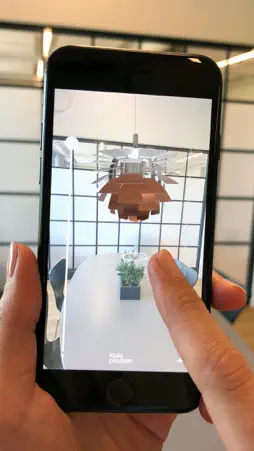
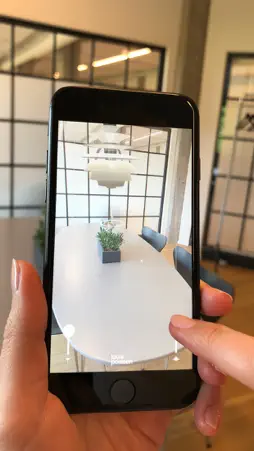
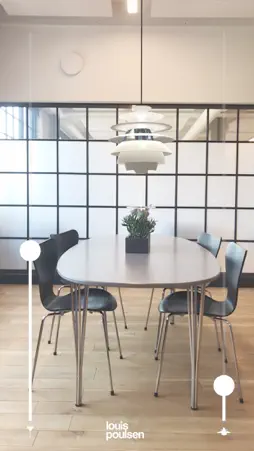
In 1924, Poul Henningsen created his influential Paris lamp for Louis Poulsen, and the origin of how we still design to shape light can directly be traced back to his views on the dualities of design and light. The lamps in this app were all originally designed by Poul Henningsen in 1958, celebrating 60 years anniversary in 2018. Founded in 1874, Louis Poulsen is a Danish lighting manufacturer born out of the Scandinavian design tradition where form follows function. The function and design of our products are tailored to reflect and support the rhythm of natural light. Every detail in the design has a purpose. Every design starts and ends with light. The app: With this app you have the opportunity to experience a selected range of iconic design pendants in your own home. The app is an augmented reality app presenting 4 lamps as 3D models in different sizes, colors and materials. Augmented reality allows for placing 3D models in your space, so the viewer through an iPhone can experience close-to what it will look like if one of these design lamps was placed in their own home. The measurements, location and size of the lamps gives you an indication of what it would look like in reality, but it is not to be seen as fully accurate. We hope you will enjoy the experience. Instructions - how to use the app: 1. Point your iPhone to the spot where you want to place a lamp and wait for the grid to appear 2. To place a lamp tap once on the desired location and an achor will apear 3. To change the height of the lamp swipe the right slider 4. To change the height of the cord swipe the left slider 5. To change lamp model swipe left and right 6. Tap and Hold the anchor to move the lamp About Louis Poulsen: We believe in passionate craftsmanship that produces quality lighting and design products that are pleasing to the eye and to the light. In close partnership with designers, architects and other talents like Poul Henningsen, Arne Jacobsen, Verner Panton, Øivind Slaatto, Alfred Homann, Oki Sato and Louise Campbell, we have established ourselves as one of the key global suppliers of architectural and decorative lighting. Defying traditional product categories, our products serve and span the professional and private lighting markets for both indoor and outdoor applications. Our means are simple and beautiful design. Our purpose is to create an attractive ambience that affects people and spaces. We design to shape light. Produced by: This augmented reality app was developed in partnership with: Virsabi - virtual reality in business www.virsabi.com
What's New
Version 2.0.5 2024-08-07
Performance improvements: - Fixed compatibility issue with latest iPhone models. - Massively increased robustness, improved image detection capabilities and loa... Technical Analysis
Package Overview Package analysis available
Bundle ID
com.virsabi.louispoulsen Current Version 2.0.5
Minimum iOS 13.0
Package Size App Store Size
Package Metadata 1 / 8 version records
UnityFramework
com.unity3d.framework v1.0iOS 13.0+50.25 MB
Developer Information
Known Version Records
1 version record with stored package metadata • 8 known version records
Stored metadata does not guarantee a package is currently available to download.
| Details | Version / IDs | Version date | Action |
|---|---|---|---|
 86.14 MB | v2.0.5 App Store ID: 867274696Build: 11 | 2024-08-05 11:45:38 | Get Version |
| Not archived | App Store ID: 851805004 | Unknown | Request Version |
| Not archived | App Store ID: 832377646 | Unknown | Request Version |
| Not archived | App Store ID: 828839697 | Unknown | Request Version |
| Not archived | App Store ID: 828701717 | Unknown | Request Version |
| Not archived | App Store ID: 828404410 | Unknown | Request Version |
| Not archived | App Store ID: 827252832 | Unknown | Request Version |
| Not archived | App Store ID: 825640459 | Unknown | Request Version |