
Preview







Description
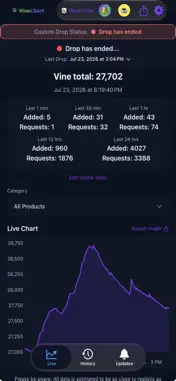
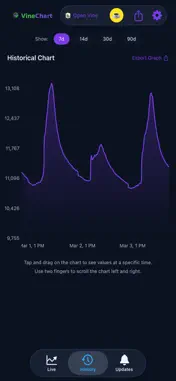
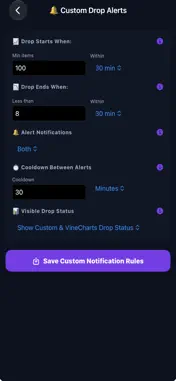
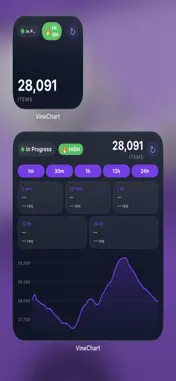
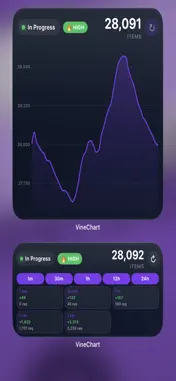
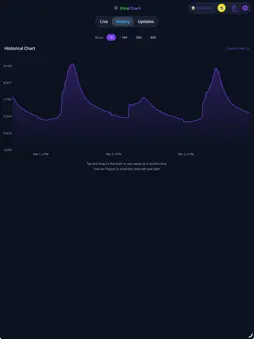
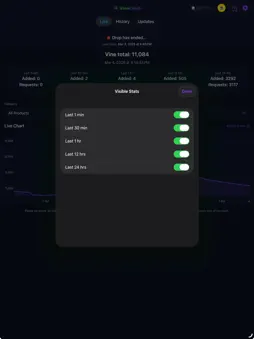
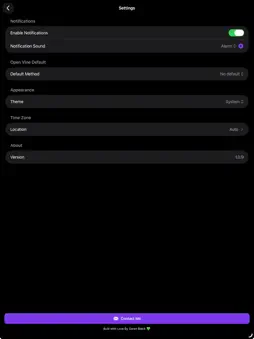
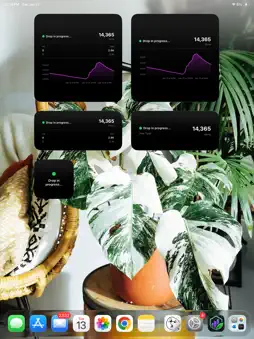
VineChart is a mobile app for tracking Amazon Vine product drops. It provides real-time updates and notifications so you don't miss new products. ----Features----- *Real-time tracking -Live updates on Vine drops with automatic polling -Interactive charts with touch-based data exploration -Real-time tooltip showing exact time, date, and item count on chart interaction -Historical data view with customizable time ranges (7 days, 14 days, 30 days, 90 days) -Live statistics including 1-minute and 24-hour request and addition counts -Latest news and updates on VineChart -New Badge indicator so you always know when there's an update -Direct access to vine.amazon.com -Ability to open Vine in Amazon App or Browser and set the default behavior -When opening Vine choose your default landing page (RFY, AFA, or AI) -Fully functional in both Portrait and Landscape on both iPhone and iPad -See the drop rate to know if it's High, Medium, or Low -View past drop times and dates -Get drop time estimates so you know when to watch for a drop *Data export and sharing: -Export chart data to CSV format with timestamped filenames -Share chart screenshots with automatic cropping and resizing -Export available for both live and historical data -Native iOS share sheet integration *Offline support: -Automatic data caching for offline viewing -View recent stats and charts without internet connection -Persistent data storage across app launches -Seamless sync when connection is restored *Push notifications: -Instant alerts for new drops -Customizable notification preferences -Badge count management -Server-side push notification support -Now customize what notification sound alerts you *Home screen widgets: -Choose from 4 designed widgets in multiple sizes -Drop status widget with current status indicator -Stats widget with 1-minute and 24-hour metrics -Graph widgets with mini chart visualizations -Full stats widget with comprehensive data display -Widgets update automatically even when app is closed -Independent data fetching for real-time updates -Refresh button to allow the user to refresh the widget stats *Native iOS experience: -Fully native iOS implementation on iPhone and iPad -Dark mode support (Light/Dark/System) -Smooth navigation and animations -Optimized performance with GPU acceleration -Background refresh capabilities -Proper iPad popover support for all share sheets -Responsive layouts for all device sizes -Coffee Button is now added with multiple platforms -Time Zone Selection -Customize the Stats to what you want to see -Add your own custom stat cards with your own time-frame -Drag and Drop the Stat cards in the order you want to see them *Interactive charts: -Touch and drag to explore data points -Instant tooltip display with detailed information -Smooth, fluid interactions with optimized rendering -Historical data filtering with instant switching -Adaptive X-axis labels based on time range -Scrollable charts for extended data viewing *Additional tools: -Settings: theme selection and notification controls -History view with day range selector -Export buttons for easy data sharing -Screenshot capture with automatic formatting -Full Spotlight tool explaining app functions and features -Sign up for email alerts when a drop starts -Sign up for SMS/Text alerts when a drop starts -Custom Drop alerts allowing the user to get notified based on thresholds they set *User-focused design: -Clean, modern interface using iOS 26 animations -Responsive layout that adapts to all screen sizes -Easy navigation with tab-based interface -Accessible design following iOS guidelines -Haptic feedback for enhanced user interaction VineChart helps you stay informed about Amazon Vine drops with real-time tracking, timely notifications, offline support, data export capabilities, and a straightforward interface designed for both iPhone and iPad.
What's New
Version 1.3.4 2026-09-10
[v1.3.4] - Drop Estimates On the home page you can now tap on "Drop Estimates" to get a breakdown showing you the past drop times and on average what the top 3 ...[v1.3.4] - Drop Estimates On the home page you can now tap on "Drop Estimates" to get a breakdown showing you the past drop times and on average what the top 3 most likely times that a Vine drop may begin! There is a visual graph as well as a heat map showing dates and times. You can choose to look as far back as 7, 30, 60, or 90 days! -Tour Update The Tour was updated to include the new Drop Estimates feature giving you a full step by step look at how it can help you better prepare for an incoming drop! Technical Analysis
Package Overview Basic metadata
Bundle ID
com.SBLabs.VineChart Current Version 1.3.4
Minimum iOS 16.0
Package Size App Store Size
Package Metadata 0 / 6 version records
0.0 / 5.0 (0 ratings)
Detailed binary, privacy manifest, framework, and Info.plist results have not been indexed for this package yet. The verified App Store and archive metadata above remains available.
Developer Information
Known Version Records
0 version records with stored package metadata • 6 known version records
Stored metadata does not guarantee a package is currently available to download.
| Details | Version / IDs | Version date | Action |
|---|---|---|---|
| Not archived | App Store ID: 886864588 | Unknown | Request Version |
| Not archived | App Store ID: 884626839 | Unknown | Request Version |
| Not archived | App Store ID: 883030482 | Unknown | Request Version |
| Not archived | App Store ID: 882294243 | Unknown | Request Version |
| Not archived | App Store ID: 882150435 | Unknown | Request Version |
| Not archived | App Store ID: 881188876 | Unknown | Request Version |