
Preview


Description
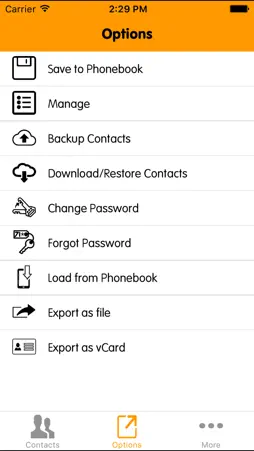
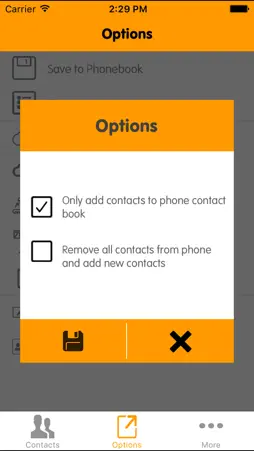
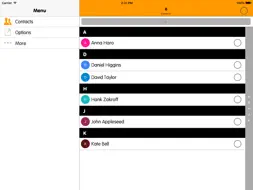
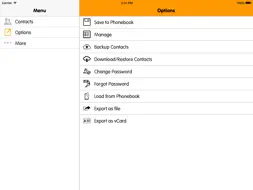
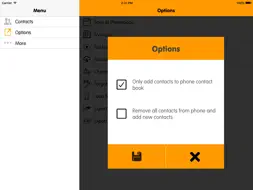
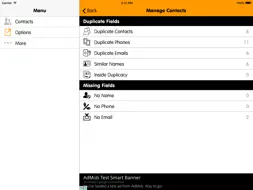
The eContacts is an application to backup and restore your contacts. It allows to store multiple versions of your contacts and get them back whenever you require it. It is a cross platform application, so you can get your contacts between multiple platform phones. Main functionalities of application are: 1. Backup contacts to server from phonebook. Every backup will create a new version on the server. 2. Download contacts from server to application and then save to phonebook. 3. Cross platform contacts transfer (Pro Version only). 4. Find & merge duplicate contacts (based on name, phone number, email). 5. Qucik merge option to merge all duplicate contacts on one click. 6. Save optimized contacts list to phonebook. 7. Find missing fields of contacts. 8. Export contacts as vCard or csv file and mail it. How to take contacts Backup? 1. Start the application. Your current phonebook contacts will be loaded and shown. If all your phonebook contacts are not available on the list, select all contacts and delete them. 2. Click the option button on top right corner. 3. If there are no phonebook contacts available, select 'Load From Phonebook' option. It will load all your phonebook contacts. 4. Click the 'Backup Contacts' option. This will show a pop over with three buttons. a) Sync: If you are an existing user from any platform, fill up your phone number and password and click 'Sync' button, this will save current contacts available within app to econtact server and backup of your contacts completed. b) New User: If you are a first time user for any platform, select this option, fill up your Email, phone number and password and click 'Sync' button, this will create a new user and save current contacts available within app to econtact server and backup of your contacts completed. If Email or Phone number is already registered, user will get error message. c) Cancel: If user needs to cancel the current process. How to Restore contacts in the eContacts app? 1. Start the application. Your current phonebook contacts will be loaded and shown. If you need only contacts from the last backup, select all contacts and delete them. 2. Click the option button on top right corner. 3. Select 'Restore Contacts' option. It will show version list screen. 4. On version list screen, a popup will be shown. Fill up mobile number and password, which you had used when contacts were saved to server. Then click 'Download' button. It will download all available contact version from server. Select any of the version, that version will start downloading and stored in the application. 5. The restored contacts will be available only in eContacts application. If you want to get those contacts in your phonebook, Select 'Save to Phonebook' option. It will restore contacts in your phonebook. We would neither share your contacts to any other nor use it for any kind of promotional/other work.
What's New
Version 2.1 2016-07-15
Design Changes Improved Algorithms Technical Analysis
Package Overview Basic metadata
Bundle ID
com.lps.contactmanagerlite Current Version 2.1
Minimum iOS 7.0
Package Size App Store Size
Package Metadata 1 / 6 version records
5.0 / 5.0 (1 ratings)
Detailed binary, privacy manifest, framework, and Info.plist results have not been indexed for this package yet. The verified App Store and archive metadata above remains available.
Known Version Records
1 version record with stored package metadata • 6 known version records
Stored metadata does not guarantee a package is currently available to download.
| Details | Version / IDs | Version date | Action |
|---|---|---|---|
| 27.18 MB | v2.1 App Store ID: 841466568Build: 2.1 | 2016-07-16 01:49:21 | Get Version |
| Not archived | App Store ID: 818134133 | Unknown | Request Version |
| Not archived | App Store ID: 796382676 | Unknown | Request Version |
| Not archived | App Store ID: 688102851 | Unknown | Request Version |
| Not archived | App Store ID: 644242711 | Unknown | Request Version |
| Not archived | App Store ID: 615142941 | Unknown | Request Version |