
Preview




Description
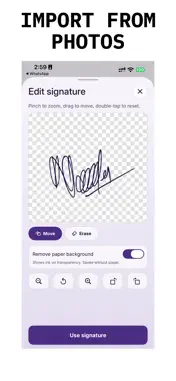
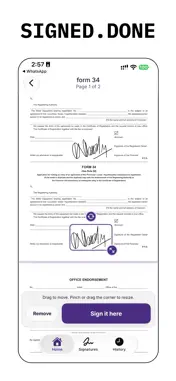
Signjar is a simple PDF signer. Sign a PDF on your iPhone and send it back. Open a PDF from Mail, Messages, Safari, or Files. Draw a signature, photograph one from paper, or import a photo. Place it where you want it, make it bigger or smaller, then tap Sign it here. That's all Signjar does. SIGN A PDF - Open PDFs from Mail, Messages, Safari, Files, and iCloud Drive - Draw a signature with your finger or Apple Pencil - Photograph a signature with the camera - Import a signature from a photo - Drag your signature anywhere on any page - Pinch or drag the corner to make it bigger or smaller - Turn it to match the page - Tap a signature again any time to adjust or remove it KEEP YOUR SIGNATURES - Save as many signatures as you need - Rename them, set a default, or delete them - Documents and signatures stay on your device, and saved signatures are kept in an encrypted file PREVIEW AND EXPORT - See the finished page before you save - Save a new copy or replace the original - Share the signed PDF to Mail, Messages, Files, or any other app - Reopen signed files from History WHAT IS FREE Processing and preview are free. An active subscription is required to save, share, or export. SUBSCRIPTION Signjar Pro is available as a Weekly or Yearly auto-renewing subscription. The price and period are shown on the paywall before purchase. Payment is charged to your Apple Account at confirmation. The subscription renews automatically unless canceled at least 24 hours before the current period ends. Manage or cancel in Settings, your name, Subscriptions. Any unused part of a period is not refunded. Signjar adds a visual signature to your PDF. It is not a certified or qualified electronic signature service. No account is required. Documents and signatures stay in the app on your device. Privacy Policy and Help: https://1kbapps.com/signjar/ Terms of Use (EULA): https://www.apple.com/legal/internet-services/itunes/dev/stdeula/
What's New
Version 2.0.1 2026-11-02
Fixes a crash that could close the app during onboarding and on the plans screen. Fixes text that was hard to read in dark mode. Technical Analysis
Package Overview Basic metadata
Bundle ID
com.1kbapps.SignDocuments Current Version 2.0.1
Minimum iOS 18.0
Package Size App Store Size
Package Metadata 0 / 2 version records
Detailed binary, privacy manifest, framework, and Info.plist results have not been indexed for this package yet. The verified App Store and archive metadata above remains available.
Developer Information
Known Version Records
0 version records with stored package metadata • 2 known version records
Stored metadata does not guarantee a package is currently available to download.
| Details | Version / IDs | Version date | Action |
|---|---|---|---|
| Not archived | App Store ID: 883176189 | Unknown | Request Version |
| Not archived | App Store ID: 881100680 | Unknown | Request Version |