
Preview










Description
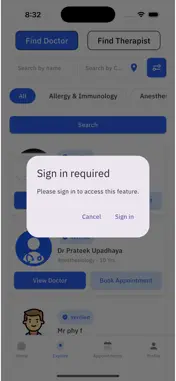
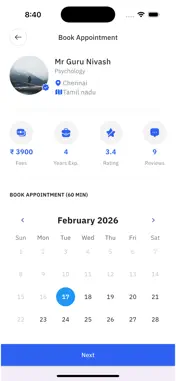
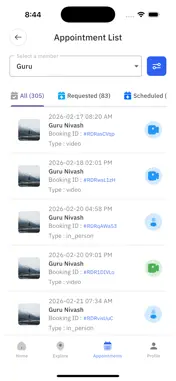
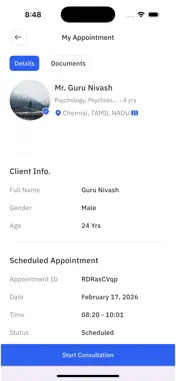
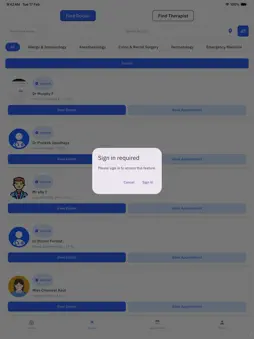
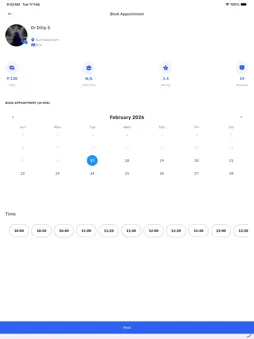
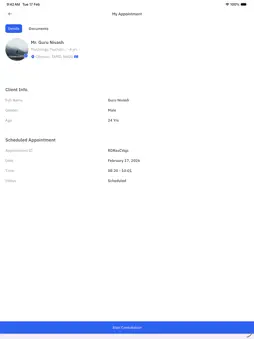
Are you looking to book an online appointment with a healthcare provider? We are here to help you with that, with reliableDrs app you can book online video and audio consultations with doctors specializing in multiple specialties. Here is a list of our app features: 1. Find nearby doctors: We can recommend doctors based on your location. (Available without login) 2. Personalized search: Get doctor recommendations based on availability, specialty and type of illness treated by the doctor. (Available without login) 3. Consultation reports and prescriptions are accessible to you for viewing/downloading. No more lost prescriptions! 4. Upload documents that you want to share with your healthcare provider. 5. Access your healthcare statistics via the profile section. 6. Delete or deactivate your account at your will. Simply follow these steps to book an appointment with reminder notifications:: 1. Sign up. 2. Once signed up, tap on explore page. 3. Search for any health care provider with filter options. 4. Tap on to find doctor or find therapist. 5. Tap on book appointment. 6. Select date and time slot. 7. Select if you would like a video or audio call. 8. Provide some info for reason for consultation. 9. Make payment and confirm the consultation. 10.You’ll receive a reminder notification 30 minutes before your consultation. Follow these steps to attend an appointment: 1. Tap on appointments page. 2. Tap on the appointment you have booked. 3. Tap on Start consultation. Follow these steps to Reschedule/update a appointment: 1. Access the appointment 2. Tap on Update 3. Select new date and time 4. Tap on update Follow these steps to cancel a appointment: 1. Access the appointment 2. Tap on Cancel 3. Tap on cancel again 4. Agree to the disclaimer Follow these steps to deactivate or delete the account: 1. Log into your account 2. Tap on Profile 3. Tap on Settings 4. Tap on Delete/Deactivate, you will be redirected out of the app 5. Enter your password and proceed with the deletion/deactivation. Going beyond online healthcare, we also facilitate means to manage your medical data from your visits to healthcare centers (Healthcare centers that have signed up with us). Your prescriptions and consultation reports from your visits to healthcare centers signed up with reliableDrs will be available for you on your account for viewing/download at any time.
Technical Analysis
Package Overview Basic metadata
Bundle ID
com.reliableDrs.patient Current Version 1.0
Minimum iOS 13.0
Package Size App Store Size
Package Metadata 0 / 1 version records
Detailed binary, privacy manifest, framework, and Info.plist results have not been indexed for this package yet. The verified App Store and archive metadata above remains available.
Developer Information
Known Version Records
0 version records with stored package metadata • 1 known version records
Stored metadata does not guarantee a package is currently available to download.
| Details | Version / IDs | Version date | Action |
|---|---|---|---|
| Not archived | App Store ID: 882498940 | Unknown | Request Version |