Preview






Description
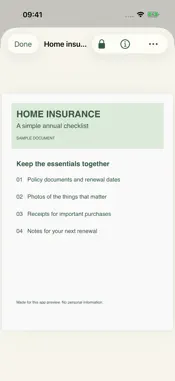
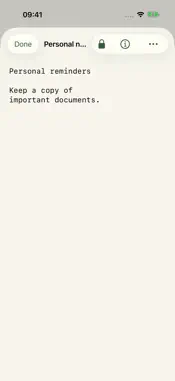
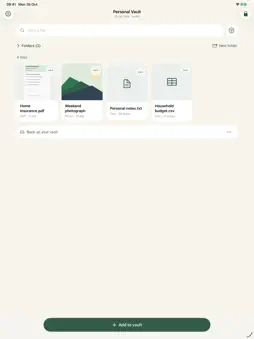
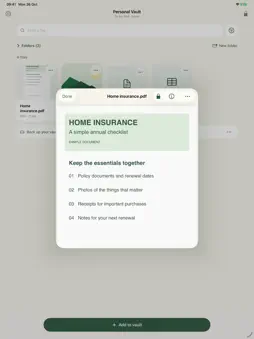
Keep personal documents close, in one private place. Locked Documents brings photos, PDFs, scans and everyday files into an encrypted vault. Choose On My iPhone or iCloud Drive, then unlock with your pattern or optional Face ID on a supported device. No app account is required. ADD WHAT MATTERS Import several photos or files together. Take a photo directly into your vault, or scan multiple pages into one PDF. Imported originals stay where they are; photos and scans captured in the app are not added to your Photos library. FIND IT AGAIN Browse your files, search their titles, and organize them with folders, favorites and private notes. Preview photos, PDFs, TXT and CSV. Word, Excel, ZIP, audio and other regular files can be stored and saved back to Files; they do not have an in-app preview or playback. KEEP CONTROL OF YOUR VAULT Your changes save to the same encrypted working file. Keep it locally, or choose iCloud Drive to access that file from your other devices. The app locks when you leave it. Face ID is optional and set up separately on each device. PLAN FOR RECOVERY Change your pattern in Vault settings. While you still know it, optionally set up a 24-word recovery phrase and keep that phrase separately. With the matching encrypted vault or compatible backup, the phrase lets you choose a new pattern if you forget yours. Without a usable unlock method, we cannot reset your vault. KEEP AN EXTRA COPY Export an independent encrypted backup and import it on another iPhone or iPad. Backups are manual snapshots; later changes are not added automatically. Make a fresh backup after changing your pattern or recovery settings. Older backups keep their original unlock methods. iCloud sync is not an independent backup. Up to 20 MiB per file and 200 items per vault. Requires iOS or iPadOS 26 or later. All devices editing the same vault should use the latest app version. Files saved outside the vault are outside its encryption.
What's New
Version 1.0.1 2026-10-28
Fixed an issue where drawing a pattern did not select dots when changing your vault pattern or setting a new pattern during recovery. You can now draw your patt...Fixed an issue where drawing a pattern did not select dots when changing your vault pattern or setting a new pattern during recovery. You can now draw your pattern or choose Tap input to select dots one at a time. Technical Analysis
Package Overview Basic metadata
Bundle ID
vedranv.lockeddocuments Current Version 1.0.1
Minimum iOS 26.0
Package Size App Store Size
Package Metadata 0 / 0 version records
Detailed binary, privacy manifest, framework, and Info.plist results have not been indexed for this package yet. The verified App Store and archive metadata above remains available.
Developer Information
Known Version Records
0 version records with stored package metadata
Stored metadata does not guarantee a package is currently available to download.
| Details | Version / IDs | Version date | Action |
|---|