
Preview





Description
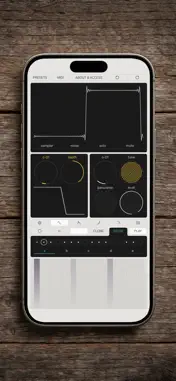
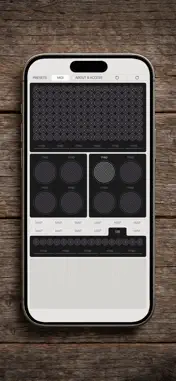
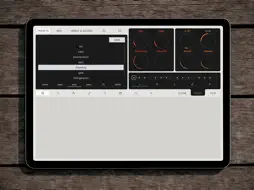
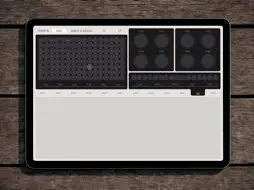
Universe This app utilizes a cellular automata field known as the 'universe' to generate complex signals that are easily controllable. These signals are employed to modulate parameters of each oscillator, saturation settings, filters, or echo effects. The signal from the 'universe' is linked to groups of 'populated' cells referred to as 'communes.' A 'commune' serves as an abstraction that interprets the state of a group of connected cells as a signal. The state of the 'universe' evolves through generations. Before each generation change, each cell counts the number of 'populated' cells among its eight neighboring cells and checks against the user-defined rules, which determine whether the cell will be populated in the next generation. Different modes allow you to interpret the 'communes' signal differently. For example, in 'choir' mode, if all the cells in the 'commune' are 'populated,' the signal will be at its maximum; if half are 'populated,' the signal will be average, and if none are 'populated,' the signal will be zero, and so on. In 'trigger' mode, if at least one cell in the 'commune' is 'populated,' the signal will be at its maximum, and if no cells are 'populated,' the signal will be zero. Modulations You can modulate the parameters of pitch, panorama, and volume for each oscillator, in addition to thermal voltage, emission coefficient, saturation current, and the ratio of raw and processed signals for the diode clipping effect. Moreover, you can control drive, cutoff frequency, and filter resonance through modulations, along with delay time, delay offset, feedback, and the ratio of raw and processed signals for the echo effect. Oscillators You can select one of the oscillators, choose the waveform with the initial phase, determine whether oscillators are in solo or mute mode, and adjust pitch, panorama, or volume for each of them. Voices Signals from the oscillators are summed up in the voice of each note. You can set the delay before the note starts, adjust note duration, change pitch, and set volume for the sum of all voices. Additionally, you can fine-tune a common envelope. Effects The synthesizer includes a DC saturation effect with the ability to control thermal voltage parameters, emission coefficient, saturation current level, and blend saturated sound with the original. You can also utilize a filter with type, drive, frequency, and resonance parameters. Furthermore, you can incorporate an echo effect with 'dry/wet' and feedback controls, along with delay time and offset adjustments for each channel. Sequencer For the ease of composing melodies and using the synthesizer on stage, utilize a step sequencer with five segments, each containing 16 elements, providing options to add, disable sound, select elements, or clone them. Each element of the sequencer is linked to the keyboard with MPE support, where you can add single notes or chords. Of course, you can control the BPM and tap the metronome to synchronize with other devices. Keyboard This module is designed for playing notes or editing them in selected elements of the sequencer. MIDI-mapper Module that maps Cellular application interface elements to the position of the currently selected target button and assigns them to the most recently modified MIDI controller — a pressed key, button, or moved slider. AUv3 Cellular supports the AUv3 standard, so you can use it with other applications simultaneously. Please note: Some features described above require an active subscription or one-time purchase. For more details, visit our website. Privacy Policy: https://www.valerymironov.com/privacy-policy Terms of Use: https://www.valerymironov.com/terms
What's New
Version 1.2.0 2026-03-03
* Three drawing modes are now combined into a single [BRUSH] button with selectable brush types. * The [AUTORESET] button has been split into [RESET] and [DYNAM...* Three drawing modes are now combined into a single [BRUSH] button with selectable brush types. * The [AUTORESET] button has been split into [RESET] and [DYNAMIC]. * Previous behavior combinations are preserved and accessible through the new controls. * [ATTACK] and [RELEASE] are now defined as percentages of the generation period rather than seconds. * The envelope range has been expanded (1%–10,000%). * Improved slider response for more precise adjustment. * Existing presets are automatically updated to the new system. * Enhanced internal diagnostics to simplify purchase validation and restoration. * Refined multi-level tab navigation for more predictable behavior. * The Store now opens as an overlay and correctly returns to the previous screen when closed. * Fixed edge cases when switching tabs. * Added two new presets: bass “tokio” and lead “horizon”. * Improved preset saving: longer names are supported, and the default category is selected correctly. * Fixed signal recalculation after loading presets and when changing the “Universe” in a static state. * Changed the maximum sample file length limit for the sampler. * Fixed mono summing when the filter is enabled. * Various UI and modulation display fixes. Technical Analysis
Package Overview Basic metadata
Bundle ID
com.valerymironov.cellular Current Version 1.2.0
Minimum iOS 12.0
Package Size App Store Size
Package Metadata 0 / 6 version records
4.8 / 5.0 (5 ratings)
Detailed binary, privacy manifest, framework, and Info.plist results have not been indexed for this package yet. The verified App Store and archive metadata above remains available.
Developer Information
Known Version Records
0 version records with stored package metadata • 6 known version records
Stored metadata does not guarantee a package is currently available to download.
| Details | Version / IDs | Version date | Action |
|---|---|---|---|
| Not archived | App Store ID: 882866989 | Unknown | Request Version |
| Not archived | App Store ID: 880971996 | Unknown | Request Version |
| Not archived | App Store ID: 880548484 | Unknown | Request Version |
| Not archived | App Store ID: 878855272 | Unknown | Request Version |
| Not archived | App Store ID: 877445097 | Unknown | Request Version |
| Not archived | App Store ID: 875383488 | Unknown | Request Version |