
Preview



Description
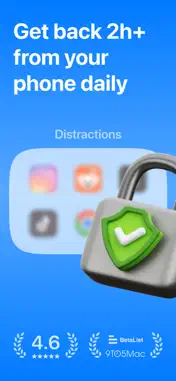
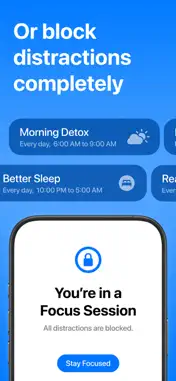
Inscreen is more than a screen time tracker. Inscreen helps you pause and reflect on your screen time at regular intervals throughout the day. Designed for simplicity and privacy, Inscreen has minimal features and a zero learning curve, helping you get started quickly. ⏵ HOW IS INSCREEN DIFFERENT? Unlike other screen time apps that completely block access, Inscreen draws on Cognitive Behavioural Therapy (CBT) to help you recognize your screen time habits through regular prompts and inculcate healthier behaviours without restrictions. ⏵ WHY IT WORKS? We tap into a few key psychological principles and behavioural patterns. Here’s why it works: - Awareness = Better Choices: Regular reminders to ask whether you're on your phone intentionally, encouraging healthier choices. - Guiding, not controlling: Instead of strict limits, scheduled subtle nudges to guide you toward mindful decisions, without the frustration of restrictions. - Accountability: Weekly progress, actionable insights and daily notifications leading to lasting behaviour changes. - Low barrier to entry: No drastic changes or restrictions, making it easy to integrate into daily life and gradually adjust over time. ⏵ FEATURES - Alerts to be intentional about your screen time. - Focus sessions to completely block distracting apps for a set routine, say, during work or winding down at night. - Strict daily limits to keep your screen time in control. - Notifications that help you track your daily activity. - Secure and private. All your data stays on your device. ⏵ HOW DOES THE SETUP WORK? 1. Choose the distracting apps or categories. 2. Set a daily limit. 3. Set up focus sessions (optional). ⏵ FINANCIAL AID We’re on a mission to solve phone addiction and distraction. We’re determined to help everyone. Our Financial Aid program offers a free 1 year subscription to individuals who are financially stretched but are in need. The link to apply is in the app. ⏵ ABOUT Inscreen is self-funded and run by two independent developers — Preet and Vaibhav. ⏵ LINKS Privacy Policy: https://github.com/theinscreenapp/ios/blob/main/privacy.md. Terms: https://github.com/theinscreenapp/ios/blob/main/terms.md. Support: https://github.com/theinscreenapp/ios/blob/main/support.md.
What's New
Version 1.6.1 2026-02-10
Release notes: 1. Bug fixes and improvements. Technical Analysis
Package Overview Basic metadata
Bundle ID
com.inscreen.app Current Version 1.6.1
Minimum iOS 17.6
Package Size App Store Size
Package Metadata 1 / 10 version records
Detailed binary, privacy manifest, framework, and Info.plist results have not been indexed for this package yet. The verified App Store and archive metadata above remains available.
Developer Information
Known Version Records
1 version record with stored package metadata • 10 known version records
Stored metadata does not guarantee a package is currently available to download.
| Details | Version / IDs | Version date | Action |
|---|---|---|---|
 10.31 MB | v1.6.1 App Store ID: 880694614Build: 1 | 2025-12-15 17:26:24 | Get Version |
| Not archived | App Store ID: 873275859 | Unknown | Request Version |
| Not archived | App Store ID: 873181026 | Unknown | Request Version |
| Not archived | App Store ID: 872540148 | Unknown | Request Version |
| Not archived | App Store ID: 872019915 | Unknown | Request Version |
| Not archived | App Store ID: 871539685 | Unknown | Request Version |
| Not archived | App Store ID: 871500002 | Unknown | Request Version |
| Not archived | App Store ID: 871360298 | Unknown | Request Version |
| Not archived | App Store ID: 871228286 | Unknown | Request Version |
| Not archived | App Store ID: 869827573 | Unknown | Request Version |