Preview









Description
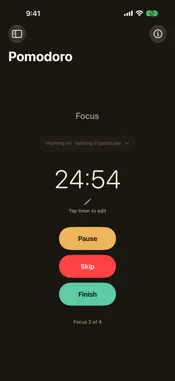
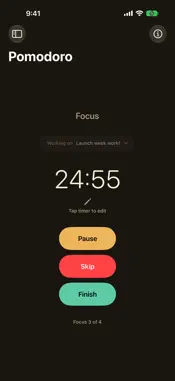
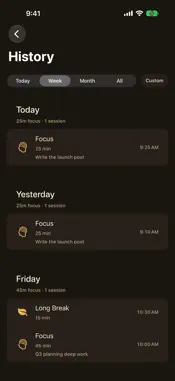
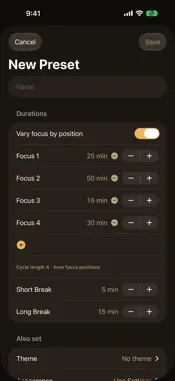
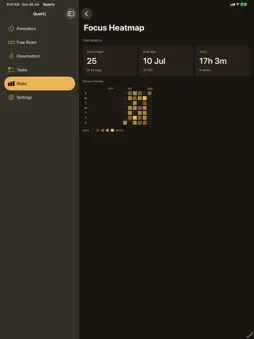
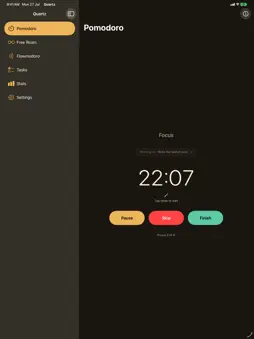
Quartz is a focus timer that fits the way you actually work — not the other way around. Three modes, one flow. Pomodoro — the classic cycle: focused sessions, short breaks, a long break when you've earned it. Fully adjustable, with named presets and sequences that vary session lengths across a cycle. Free Roam — an open-ended count-up for the days you just want to start and see where the focus takes you. Flowmodoro — work as long as the flow lasts, then take a break you earned: Quartz computes it from how long you focused. Switch between them anywhere — and Quartz always asks before ending a running session, on every device. Everywhere you work. iPhone, iPad, Mac, and Apple Watch — one purchase, everything included. Start and control any mode from your wrist. On the Mac, a menu-bar timer shows your session at a glance, with full controls one click away, and Quartz can open at login. Widgets, Lock Screen widgets, and Live Activities keep your session visible without opening the app. Attach your work. Create tasks and attach one to a session — your focus time is credited to the work it served. History keeps an honest record: finished sessions, skipped ones, and exactly how long each really ran. Understand your focus. Stats show your day at a glance. Quartz Pro adds Insights: completion rate, streaks, adherence, focus by task, your best hours and days, a focus heatmap, and per-device breakdowns — each with clear headline numbers, not just charts. Private by design. No account. No ads. No tracking. Your data lives on your device and in your own private iCloud — invisible to us, synced by Apple. You can even turn iCloud sync off per device. Free forever: the full Pomodoro experience, Free Roam, tasks, history, core stats, widgets, Live Activities, the Apple Watch app, the Mac menu bar, iCloud sync, Focus Filters, and Shortcuts. Quartz Pro (subscription or one-time lifetime, 7-day free trial): Flowmodoro, named presets and badged starters, sequences, custom presets, four premium themes, and the full Insights suite. Nothing you have is ever taken away. Made by one developer who wanted a timer that respects your time — and your data. Terms of Use: https://www.apple.com/legal/internet-services/itunes/dev/stdeula/
What's New
Version 1.1.1 2026-11-08
• Refreshed Stats and Insights with clearer charts, history and breakdowns. • Added Period Comparison with selectable date ranges to compare your focus activity...• Refreshed Stats and Insights with clearer charts, history and breakdowns. • Added Period Comparison with selectable date ranges to compare your focus activity. • Create a new task directly from the task selector. • Added a Presets guide that opens on your first visit and is always available from the info button. • Improved widget accuracy, layouts and readability at larger text sizes. • Improved reminder saving and preset application, with clearer feedback when an action cannot complete. Reminders and editing running or paused timers now require Quartz Pro. Editing idle and Ready timers remains available to everyone. Technical Analysis
Package Overview Basic metadata
Bundle ID
vaibhav.Quartz Current Version 1.1.1
Minimum iOS 17.0
Package Size App Store Size
Package Metadata 0 / 0 version records
Detailed binary, privacy manifest, framework, and Info.plist results have not been indexed for this package yet. The verified App Store and archive metadata above remains available.
Developer Information
Known Version Records
0 version records with stored package metadata
Stored metadata does not guarantee a package is currently available to download.
| Details | Version / IDs | Version date | Action |
|---|