Preview








Description
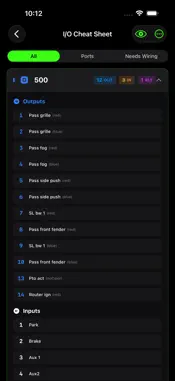
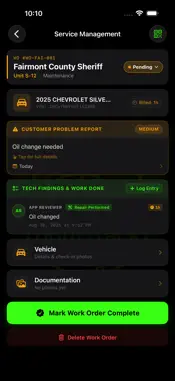
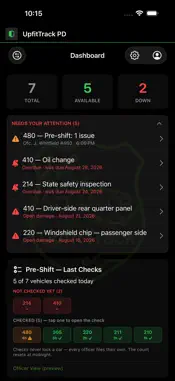
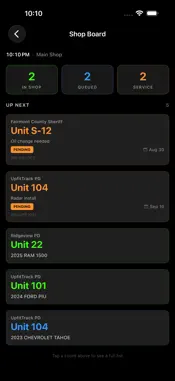
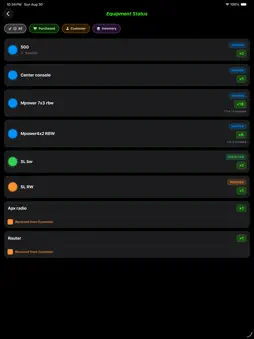
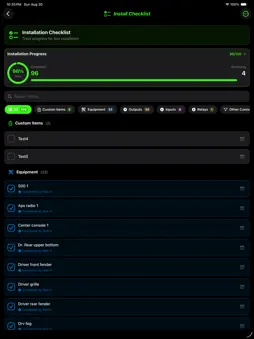
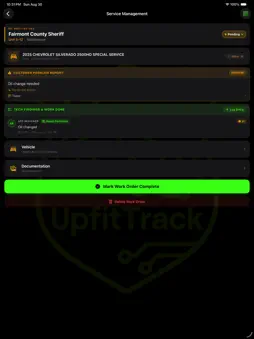
UpfitTrack is the job tracker built for police and emergency-vehicle upfitting shops — by a shop that does the work every day. FOR THE SHOP • Projects: one screen per vehicle, from check-in to completion, with phases for prep, setup, build and hand-off. • Lot Check-In: scan a VIN and check a car in the moment it arrives, then assign it to an upfit or service ticket. • Assign Techs: hand out jobs and tickets with a note and a day. Each tech gets My Day, and the Tech Board shows the whole shop's schedule. • Equipment: log every part with where it came from (shop purchased, customer supplied, or shop inventory) and whether it's new or reused. See at a glance what's shipped, received and installed. • Shelves & Totes: receive parts to shelves and totes, print stickers, scan to pull parts, and track damaged, missing and owed parts. • Wiring diagrams: place every device on a top, front, rear and side view of the vehicle, with call-outs that show the controller, output and wire color. Print them for the glovebox. WireTrack shows each wire route on the vehicle interior. • I/O cheat sheet: every controller output, input and relay on one page. • Install checklist: a live percent-done for each build, with who checked what. • Photos: mark up photos with arrows, lines and text, and add captions. The original is always kept. • Service work orders: a checklist of reported issues, tech notes, parts installed, photos and billed hours in one place. • Ready to Bill: techs submit finished work, admins sign off, and nothing finished gets missed on the invoice. • Completion Reports: a branded PDF for every finished job or service ticket, with your shop's logo. • Shop board: a live, TV-ready view of what's in the shop, what's on the lot and what's in for service. • Time tracking, shop calendar, product catalog with QR labels, and a knowledge base for your techs. FOR EVERY VEHICLE • A parts list that follows the car: serial numbers (read straight off the label with the camera), mounting locations, parts history, car notes, last mileage and last service. FOR THE AGENCY • Fleet dashboard: total, available and down at a glance, with what needs attention today. • Pre-shift checks: officers file a quick check from their phone; the fleet manager sees coverage for the day. • Officers can report a problem any time; it stays open until it's handled and can go straight to the upfitter. • Status Viewers: let agency contacts follow their vehicles' progress. • Reminders, damage reports, service history, documents and photos on every vehicle. Works offline on the shop floor and syncs when you're back on Wi-Fi. UpfitTrack is licensed to businesses. Accounts are set up by our team — visit upfittrack.com to get started.
What's New
Version 1.2.7 2026-11-04
What's New in Version 1.2.7 NEW • Close Out Totes: when a job is complete and parts are still in its tote, the tote appears on Shelves so an admin can mark eac... Technical Analysis
Package Overview Basic metadata
Bundle ID
com.upfittrack.app Current Version 1.2.7
Minimum iOS 18.2
Package Size App Store Size
Package Metadata 0 / 0 version records
Detailed binary, privacy manifest, framework, and Info.plist results have not been indexed for this package yet. The verified App Store and archive metadata above remains available.
Developer Information
Known Version Records
0 version records with stored package metadata
Stored metadata does not guarantee a package is currently available to download.
| Details | Version / IDs | Version date | Action |
|---|