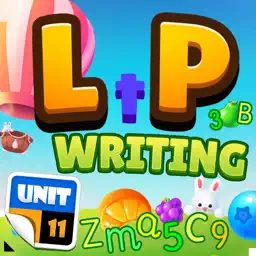
Preview


Description
Reward learning to write with a fun Fruit Swipe Game. Every schoolchild will need to learn the 3 foundations of writing in English, which include writing all lower-case letters, all upper-case letters and all everyday numbers; this Learn then Play App provides the opportunity for the child to develop all 3 skills in a progressive way whilst having fun too. All 26 lower-case and upper-case letters as well as the numbers 1 to 10 can be practised in any order and revisited repeatedly if desired. This enables the child to practice the letters they are learning at school at any time. If desired the exercises can be used to get ahead as once all the letters have been learned the child will be able to progress easily to writing whole words. For each letter or number there is an introduction how to draw the letter of number followed by 5 practices where the child draws the character following a clear template. Please note this is Letter Writing and to avoid any confusion Phonics are not used in this App, they are supported by other Apps. The child can earn tokens to play the Fruit Swipe Game by practicing their letter writing skills, with 100 tokens for a perfect set of 5 letters (or numbers) and 50 tokens if not all were correct. Revisiting the same exercises for more practice will earn more tokens. Unit 11’s Learn then Play Apps offer a new concept in Educational Apps where Learning is Rewarded with Play. Each learning session the child is rewarded with tokens which can be used to play a built-in game. The more time they spend learning and practising the more tokens they will earn and the more they can Play! As is the norm for Unit 11 Apps, there are NO adverts, NO in-app purchases and NO hidden costs and NO user information is collected by the App. Also help is readily on hand through the App support system in the unlikely case of any unforeseen issues. Have fun writing in the sand in Free Practice mode! Absolutely NO In-App Purchases! The only way to earn earn tokens for play is to practice writing letters or numbers... Other than your daily gift, make sure you come back everyday to collect it!
Technical Analysis
Package Overview Basic metadata
Bundle ID
com.RobbResearch.LTPWriting Current Version 1.0
Minimum iOS 12.0
Package Size App Store Size
Package Metadata 0 / 1 version records
Detailed binary, privacy manifest, framework, and Info.plist results have not been indexed for this package yet. The verified App Store and archive metadata above remains available.
Known Version Records
0 version records with stored package metadata • 1 known version records
Stored metadata does not guarantee a package is currently available to download.
| Details | Version / IDs | Version date | Action |
|---|---|---|---|
| Not archived | App Store ID: 869428709 | Unknown | Paid / Arcade |