Preview





Description
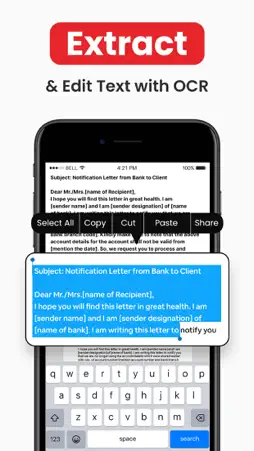
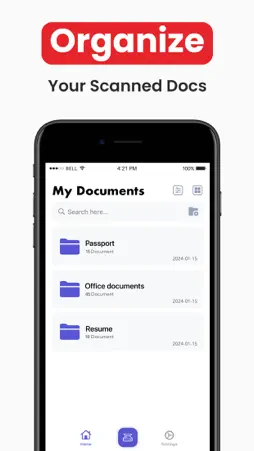
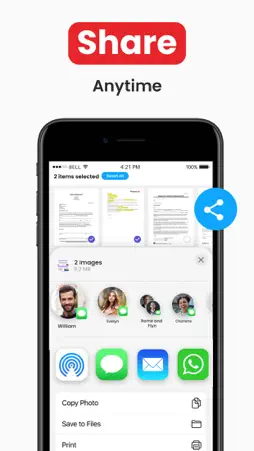
PDF Scanner or Scan documents free is a mobile app that will turn your iPhone into a powerful mobile scanner. Easy to use, accurate scanning, PDF editor and easy sharing. Scan documents l photo to pdf supports image processing and can transform, rotate, and sharpen your images, for the best document quality, combined with PDF Scanner’s top edge OCR engine. You can scan anything using this free scanner app and export it as a high-quality PDF or JPEG. Easily scan documents with this PDF scanner and edit them effectively using the PDF editor. SCAN :- Using only your iPhone camera you can easily scan, save and print any document including: - Contracts, Invoices, Bills, Tax Rolls, Business Cards, Letters - To-do lists, Paper Notes, Whiteboards, Receipts - Book Pages, Articles - ID cards, Credentials, Certificates - Text and documents that do not offer a digital copy can be easily scanned to PDF CONVERT :- Easily turn an image to editable text format with the OCR function. Extract text from a scanned document and edit it easily using this PDF editor and scanner. SIGN :- E-sign any docs by simply adding your signature to electronic documents with just a few taps. SAVE :- You can save documents in high quality as PD or JPEG via the free scanner app. SHARE :- Easily share documents with others via social media, messengers, or email attachments. Upload scans to cloud services like Dropbox or Google Drive or simply print them via any WI-FI printer. All scanned documents are stored locally on your device and are inaccessible to us and to any third party by using this scan document pdf scanner. Got questions or suggestions? We’d love to hear your feedback: [email protected] Privacy Policy: https://unglobal.tech/privacy Terms of Service: https://unglobal.tech/terms
What's New
Version 3.5 2025-05-22
This version allows you to import directly from the files. It includes several new changes for the editor and overall stability and bug fixes. Technical Analysis
Package Overview Basic metadata
Bundle ID
com.documentscan.pdf Current Version 3.5
Minimum iOS 14.0
Package Size App Store Size
Package Metadata 1 / 1 version records
4.5 / 5.0 (28 ratings)
Detailed binary, privacy manifest, framework, and Info.plist results have not been indexed for this package yet. The verified App Store and archive metadata above remains available.
Known Version Records
1 version record with stored package metadata
Stored metadata does not guarantee a package is currently available to download.
| Details | Version / IDs | Version date | Action |
|---|---|---|---|
 14.16 MB | v3.1 App Store ID: 864853592Build: 1 | 2024-03-31 21:21:32 | Get Version |