Preview


Description
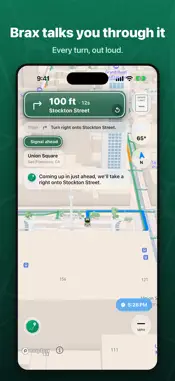
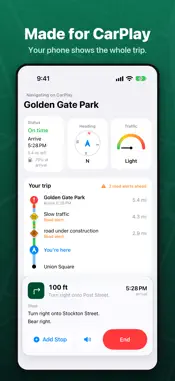
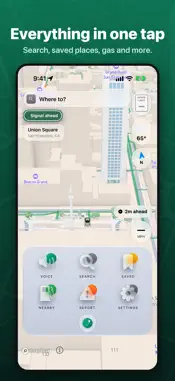
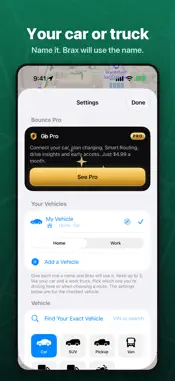
Ready for your drive. Ready to plug into your life. Other maps say "traffic ahead." Bounce tells you which lanes are closed, what it costs to skip them, and the faster way around. It reads real alerts from highway patrol and road crews. No guessing. READY FOR YOUR DRIVE • Get in and go. Bounce is on your car screen, your Lock Screen and your wrist. • Your next turn rides in the Dynamic Island, always in sight. • Brax, your voice guide, talks like a calm friend, not a robot. • SigAlerts in plain words: "SigAlert 2 miles ahead. Right two lanes closed." • Closures, crashes, weather and the real speed limit, right on your route. READY TO INTEGRATE • Your car: link your car account and Bounce sees your real fuel or battery and range. • Your calendar: meetings with a place show up as one-tap trips. • Siri: "Take me home with Bounce." Report a crash without touching your phone. • Shortcuts: build your own one-tap drives and reports. • Your fleet: Bounce reads hours, fuel and range from your ELD and takes stops straight from dispatch. • Your toll pass and carpool: Bounce plans every route around them. EXPRESS LANES, DONE RIGHT • See the minutes you save and the toll you pay before you pick. • Bounce knows when you are in the express lanes, so it never thinks you are lost. CHANGE YOUR MIND IN ONE TAP • Other ways glow on the map with their time, like "4 min faster." • Tap one. You are on it. No menus, no stopping. • Traffic changes? Brax tells you your new arrival time. MADE FOR THE NEWEST IPHONE • Live turns in the Dynamic Island and on the Lock Screen • A clear glass design that keeps the map in view • Brax gets smarter with Apple Intelligence • Your turns on Apple Watch in the Smart Stack • Full CarPlay with clear turn cards and alert icons SIGNS YOU ALREADY KNOW • Exit signs that look just like the big green ones on the highway • Bright yellow EXIT ONLY warnings, so you are in the right lane in time JUST LOOKING? THAT WORKS TOO • Search a place without starting a route • Look around the street or fly around it in 3D before you go IT NOTICES THE LITTLE THINGS • Stop for gas and Bounce fills your tank for you • A trip recap after every drive, even short ones • Tap a star and your feedback sends itself BUILT FOR TRUCKS • Routes for your truck's height, weight and load • Warnings for low bridges and weight limits • Your hours on the map, right from your ELD Bounce is free. Pro and Family plans add even more. Bounce shows hours from your ELD. Your ELD is the official record. Apple Intelligence needs a supported device. Car linking works with supported car makers. Please drive safely and follow road signs and local laws. Pro and Family are auto-renewing subscriptions, monthly or yearly. Payment is charged to your Apple Account. They renew unless you turn off auto-renew at least 24 hours before the period ends. Manage or cancel in your Apple Account settings. Terms of Use (EULA): https://bouncenav.com/license Privacy Policy: https://bouncenav.com/privacy
What's New
Version Mercury RC1 HF1 2026-10-23
Ready for iPhone Duo. Ready for everything. This update fixes problems you told us about, and adds a few things. FIXED • Bounce could close on the car screen w... Technical Analysis
Package Overview Basic metadata
Bundle ID
com.ced.bounce Current Version Mercury RC1 HF1
Minimum iOS 26.0
Package Size App Store Size
Package Metadata 0 / 0 version records
Detailed binary, privacy manifest, framework, and Info.plist results have not been indexed for this package yet. The verified App Store and archive metadata above remains available.
Developer Information
Known Version Records
0 version records with stored package metadata
Stored metadata does not guarantee a package is currently available to download.
| Details | Version / IDs | Version date | Action |
|---|