Preview




Description
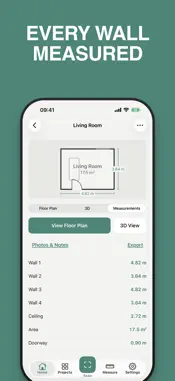
Turn any room into an accurate floor plan in seconds. Scan walls with a LiDAR equipped iPhone and skip the measuring tape, pencil and guesswork: room sizes, wall lengths and square footage you can hand straight to a client. Built for contractors, real estate agents, interior designers, renovators and homeowners, the app is a room planner, a laser distance measure and a project archive in one place. Scan and measure Walk around a room to detect walls, corners, doors and windows. Get wall lengths, room area and square footage, plus ceiling heights in meters or feet. Devices without LiDAR can measure rooms by tapping corners with ARKit. Create 2D and 3D floor plans Review the space in a clear 2D floor plan or explore it in 3D. Combine rooms into complete multi room layouts, a working home design sketch you can check before the work starts. Add photos and notes Attach photos and notes to each room so materials, damage, measurements and site instructions stay together. Create professional reports Export floor plans and measurements as PDF or PNG. Build reports with plans, photos, notes and project details for quotes and handovers. Export 3D models as USDZ for AR Quick Look. Measure with augmented reality Use the AR ruler as a laser distance measure to check distances and areas in real time. Organize your projects Save unlimited scans and keep every room and floor plan organized in one place. Private and offline Works without an internet connection. Your measurements and project data stay on your device. LiDAR scanning is supported on iPhone 12 Pro and later with iOS 16 or later. Camera access is required for LiDAR and ARKit measurements. Terms of Use (EULA): https://www.apple.com/legal/internet-services/itunes/dev/stdeula/ Terms of Service: https://tuse.app/terms.html Privacy Policy: https://tuse.app/privacy.html
What's New
Version 1.1.2 2026-10-28
• Fixed a crash that could happen right after launch, caused by the layout of the Scan button on the tab bar. • The Scan button now stays in place on every iPho...• Fixed a crash that could happen right after launch, caused by the layout of the Scan button on the tab bar. • The Scan button now stays in place on every iPhone size, so you can start scanning a room right away. Technical Analysis
Package Overview Basic metadata
Bundle ID
com.tuse.magicfloorplan Current Version 1.1.2
Minimum iOS 17.0
Package Size App Store Size
Package Metadata 0 / 0 version records
Detailed binary, privacy manifest, framework, and Info.plist results have not been indexed for this package yet. The verified App Store and archive metadata above remains available.
Developer Information
Known Version Records
0 version records with stored package metadata
Stored metadata does not guarantee a package is currently available to download.
| Details | Version / IDs | Version date | Action |
|---|