
Preview




Description
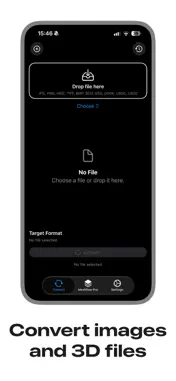
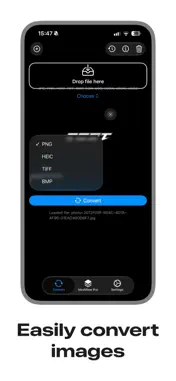
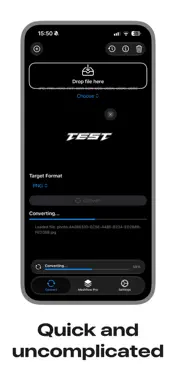
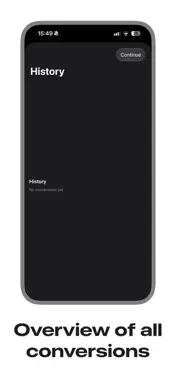
Meshflow is a fast image and 3D file converter designed for designers, 3D artists, and developers. Convert images, photos, and 3D files directly on your iPhone—quickly, securely, and entirely on-device. Whether you are preparing photos for a web project or converting 3D files for an AR workflow, Meshflow helps you get it done in just a few steps. No cloud processing and no file uploads. Your files remain on your device. Select, preview, convert, and export—all within a simple and efficient workflow. SUPPORTED FORMATS • Images: JPG, JPEG, PNG, HEIC, TIFF, and BMP • 3D files and scenes: SCN, USD, USDA, USDC, and USDZ KEY FEATURES Batch Processing Select multiple files or complete photo sequences and convert them together in a single batch. Live Preview Review your selected images and 3D files before conversion. Remove individual files or clear your entire selection with a single tap. Smart Format Suggestions Meshflow reads the available file information and recommends suitable target formats for conversion. File Size Comparison Compare file sizes before and after conversion to see how the selected format affects your files. Clear Conversion Results See which files were converted successfully and export your results directly from the results screen. Conversion History Quickly access previous conversions without having to search for your files again. Simple Export Share converted files using the native iOS share sheet or save them directly to the Files app. IN-APP PURCHASES AND SUBSCRIPTIONS Meshflow offers optional premium features through Premium and Ultimate subscriptions. A one-time lifetime unlock and consumable coin packs are also available. • Payment will be charged to your Apple Account when the purchase is confirmed. • Subscriptions renew automatically unless auto-renewal is turned off at least 24 hours before the end of the current billing period. • Your account will be charged for renewal within 24 hours before the end of the current billing period. • You can manage your subscriptions and turn off auto-renewal in your App Store account settings after purchase. • If a free trial is offered, any unused portion of the trial period will be forfeited when you purchase a subscription. LEGAL INFORMATION Privacy Policy: https://meshflowtermsofservice.tufancakir.com/ Terms of Use—Apple Standard EULA: https://www.apple.com/legal/internet-services/itunes/dev/stdeula/
What's New
Version 1.0.2 2026-09-20
Added support for iOS 27 Bug fixes and performance improvements Technical Analysis
Package Overview Basic metadata
Bundle ID
com.tufancakir.Meshflow Current Version 1.0.2
Minimum iOS 27.0
Package Size App Store Size
Package Metadata 1 / 2 version records
Detailed binary, privacy manifest, framework, and Info.plist results have not been indexed for this package yet. The verified App Store and archive metadata above remains available.
Developer Information
Known Version Records
1 version record with stored package metadata • 2 known version records
Stored metadata does not guarantee a package is currently available to download.
| Details | Version / IDs | Version date | Action |
|---|---|---|---|
| 5.18 MB | v1.0.1 App Store ID: 887865889Build: 1.0.1 | 2026-07-07 10:36:39 | Get Version |
| Not archived | App Store ID: 884937562 | Unknown | Request Version |