
Preview







Description
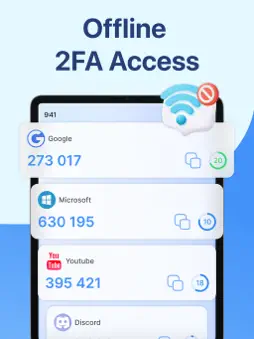
Stay Secure with ID & Password Authenticator Your trusted mobile app for protecting accounts, managing passwords, and securing digital identities with confidence. ID & Password Authenticator is a modern, easy-to-use security app designed to help you safeguard your online accounts in one secure place. Whether you’re managing personal logins, work accounts, or sensitive credentials, this authenticator app gives you strong protection without complexity. With a clean, intuitive interface inspired by modern design principles, ID & Password Authenticator makes digital security simple for everyone—from beginners to advanced users. Powerful Security Features Secure ID & Password Storage Safely store usernames, passwords, and account details using encrypted local storage. Your data stays private and protected on your device. Two-Factor Authentication (2FA) Generate time-based one-time passwords (TOTP) to add an extra layer of security to your accounts. Compatible with popular services that support authenticator apps. Fast Code Generation Instantly generate secure verification codes even when offline, ensuring reliable access anytime, anywhere. Simple Account Management Add, edit, organize, and remove accounts easily with a clean and user-friendly layout. Biometric Protection Use fingerprint or face unlock (supported devices) to protect access to your sensitive data. Privacy First Design Your security is our top priority. ID & Password Authenticator does not collect, store, or share your personal data. All information remains securely on your device, giving you full control over your privacy. Clean & Modern Interface Designed with clarity and usability in mind, the app features a minimal layout that helps you focus on what matters most—security. Navigate quickly, manage accounts effortlessly, and access codes in seconds. Network Security Monitoring View detailed information about Wi-Fi networks your device has connected to, including the currently active network. The app scans the connected Wi-Fi to evaluate its security level and determine whether it is safe for using features related to your personal and sensitive information. If an insecure or untrusted network is detected, the app will automatically hide protected data to prevent unauthorized access and keep your information safe. Why Choose ID & Password Authenticator? Strong protection for IDs, passwords, and authentication codes Simple setup with no complicated configuration Works offline for maximum reliability Lightweight, fast, and battery-friendly deal for personal, work, and business accounts Whether you want to protect social media accounts, email, banking apps, or work systems, ID & Password Authenticator gives you peace of mind in a digital world full of risks. Download ID & Password Authenticator today and take control of your digital security with confidence, simplicity, and trust. We'd very much appreciate your feedback and suggestions for improving this authentication tool. Your kind words encourage us a lot, thank you! PRIVACY & SUBSCRIPTIONS How we handle your data and full details of our in-app purchases and subscriptions are clearly explained at the links below: - Terms of Use (EULA): https://lequoctuan.netlify.app/terms - Privacy Policy: https://lequoctuan.netlify.app/policy
What's New
Version 1.0.4 2026-11-12
What's new in 1.0.4 • A fresh new look: redesigned home, settings and tools screens. • Easier setup: a guided start to set your PIN and add your first 2FA code...What's new in 1.0.4 • A fresh new look: redesigned home, settings and tools screens. • Easier setup: a guided start to set your PIN and add your first 2FA code in seconds. • Improved Wi-Fi Security, Cloud Backup and Password Keeper screens. • Premium now comes with a free trial for eligible users. • Bug fixes and stability improvements. Thank you for using our app. If you enjoy it, a rating helps us a lot! Technical Analysis
Package Overview Basic metadata
Bundle ID
com.mfa.authenticator.twofactor.security.guard Current Version 1.0.4
Minimum iOS 15.6
Package Size App Store Size
Package Metadata 0 / 1 version records
Detailed binary, privacy manifest, framework, and Info.plist results have not been indexed for this package yet. The verified App Store and archive metadata above remains available.
Developer Information
Known Version Records
0 version records with stored package metadata • 1 known version records
Stored metadata does not guarantee a package is currently available to download.
| Details | Version / IDs | Version date | Action |
|---|---|---|---|
| Not archived | App Store ID: 884062020 | Unknown | Request Version |