
Preview




Description
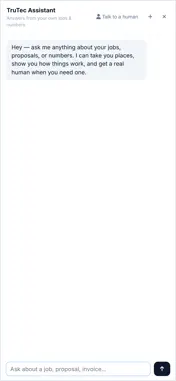
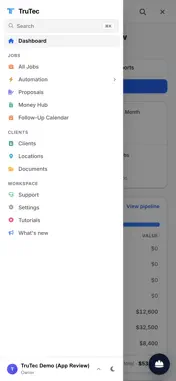
TruTec is the all-in-one platform for paving and exterior contractors — takeoffs, estimates, jobs, scheduling, and site documentation in one place. The TruTec mobile app puts your field work in your pocket: • Job-site photos, fast — a continuous capture camera that shoots as fast as you can walk a property. Tag and label photos as you go; shots upload in the background and wait out weak signal instead of failing. • GPS + compass stamping — every photo is pinned to the map where it was taken, so office and field always see the same site. • Jobs on the go — look up any job, check its status and history, and create new jobs from the truck. • Field crew tools — schedules, work orders, checklists, clock-ins, and job-site chat for crews. • Client-ready documentation — photos flow into branded reports, before/after timelines, and share links your customers can open with one tap. Optional crew location sharing lets your company’s office see where you are while you are clocked in, including when the app is closed or the phone is locked. Your company must enable it and you must choose to turn it on on your phone. Sharing stops on a break, at clock-out, or when you sign out. Location is not used for advertising. TruTec accounts are provisioned for contracting teams. Ask your workspace owner for an invite, or visit trutec.ai to schedule a demo.
What's New
Version 1.0.16 2026-11-20
Adds support for opening scoping links in TruTec and starting site assessments from the app. Technical Analysis
Package Overview Basic metadata
Bundle ID
ai.trutec.app Current Version 1.0.16
Minimum iOS 15.0
Package Size App Store Size
Package Metadata 0 / 0 version records
Detailed binary, privacy manifest, framework, and Info.plist results have not been indexed for this package yet. The verified App Store and archive metadata above remains available.
Developer Information
Known Version Records
0 version records with stored package metadata
Stored metadata does not guarantee a package is currently available to download.
| Details | Version / IDs | Version date | Action |
|---|