Preview

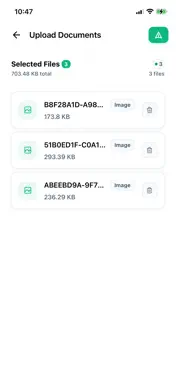
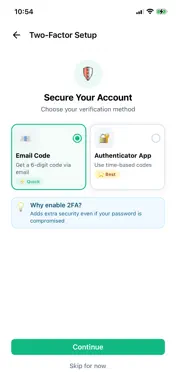


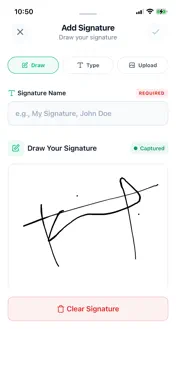


Description
Trustbox is a secure cloud storage and document management platform designed to help individuals, teams, and businesses store, manage, and share files with confidence. Built with privacy and security at its core, Trustbox provides a simple and reliable way to organize documents, share securely, and manage sensitive data from anywhere. Trustbox allows you to store your documents safely using industry-standard security. Files are protected using industry-standard security practices during transfer and storage, ensuring your data remains private and secure at all times. The platform supports comprehensive document management, allowing you to upload, organize, and manage documents, images, videos, audio files, and PDFs. You can create folders, rename files, move items, and quickly locate documents using advanced search and filtering options. With built-in e-signature support, Trustbox enables you to sign PDF documents directly within the app. You can create and save signatures, place them accurately on documents, and manage signed files seamlessly in one secure location. Secure sharing and collaboration features allow you to share files with controlled access permissions, giving you full control over who can view or manage your documents. Trustbox includes built-in file viewers for PDFs, images, videos, and audio files, allowing you to access content without leaving the app. The integrated PDF viewer provides smooth navigation and interaction for an enhanced reading experience. For added protection, Trustbox offers a secure vault feature that allows you to store sensitive documents in password-protected folders. Smart organization tools help you stay in control of your storage with duplicate file detection, advanced search and file filtering, sorting options by name, date, size, or type, storage usage monitoring, and real-time notifications for important actions. Designed with privacy-first principles, Trustbox supports compliance requirements such as GDPR, ensuring your files remain under your control at all times. Trustbox offers flexible subscription plans suitable for individuals, professionals, and organizations. You can manage your subscription and billing directly within the app. If you need assistance, Trustbox provides reliable support through the app or via email, helping you manage your files securely, efficiently, and confidently so you can focus on what matters most. Terms of Use: https://trustboxcloud.com/terms-of-service Privacy Policy: https://trustboxcloud.com/privacy-policy
What's New
Version 1.5.0 2026-10-12
Performance improvements and bug fixes. This version also adds an in-app prompt that tells you when a newer version is available. Technical Analysis
Package Overview Basic metadata
Bundle ID
com.trustbox.cloud Current Version 1.5.0
Minimum iOS 15.1
Package Size App Store Size
Package Metadata 0 / 0 version records
Detailed binary, privacy manifest, framework, and Info.plist results have not been indexed for this package yet. The verified App Store and archive metadata above remains available.
Developer Information
Known Version Records
0 version records with stored package metadata
Stored metadata does not guarantee a package is currently available to download.
| Details | Version / IDs | Version date | Action |
|---|