Preview




Description
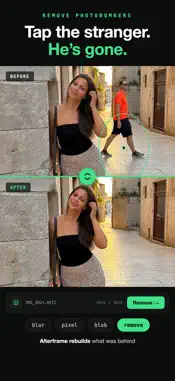
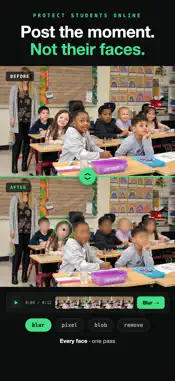
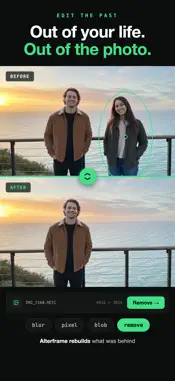
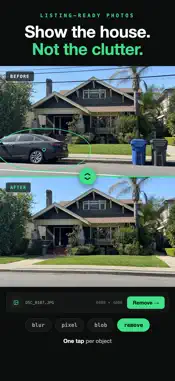
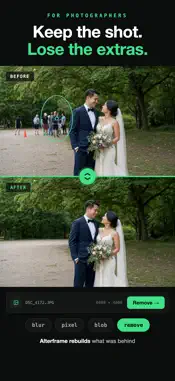
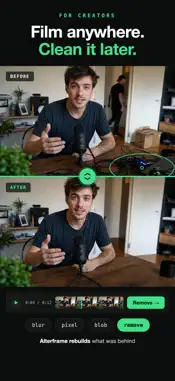
Tap what you want gone. Alterframe tracks it through every frame of your video — or works right on a photo — and blurs, pixelates, or removes it entirely, shadow included, background rebuilt. No timelines, no keyframes, no masks. You tap the thing once; Alterframe does the rest. WHAT IT DOES • Remove people and objects — the background is rebuilt so it reads as if they were never there • Blur or pixelate faces, license plates, phone screens, documents • Edit still photos too — tap or brush to select, then save a clean PNG. Your first 3 photo edits are free; any credit pack unlocks unlimited photo editing • Track up to 4 objects per video or photo, each with its own effect and strength • Handles motion, turns, and re-entries — add one extra tap if the subject leaves the frame and comes back • Original ⇄ edited comparison with a shared playhead • Save the finished MP4 or PNG to Photos, original audio kept HOW IT WORKS 1. Pick a video (MP4, MOV — up to 60 minutes) or a photo 2. Tap the person or object. An outline appears with a live preview of the effect 3. Press render and save the result NO ACCOUNT NEEDED Start editing the moment the app opens — no sign-up, no email. Your first 3 photo edits are free, and any credit pack unlocks unlimited photo editing for good — photos never spend credits. Video starts with 3 render credits; before your first pack those renders cover clips up to 10 seconds, and a pack lifts the limit at 1 credit per started minute. Credits follow your Apple ID across devices and reinstalls. PRIVATE BY DESIGN Your videos and photos are processed privately and stay yours. Deleting an edit deletes the files. There is no feed, no sharing, no watermark. Questions? https://alterframe.app/faq
What's New
Version 1.0.2 2026-08-01
• Two fingers pan the canvas while pinch still zooms — and two fingers never paint by accident. • The brush eraser is back with a clearer active state, and it n...• Two fingers pan the canvas while pinch still zooms — and two fingers never paint by accident. • The brush eraser is back with a clearer active state, and it no longer lets you erase before anything is selected. • Help is rebuilt: illustrated tips for tapping, blurring, removing an object with the background rebuilt behind it, and painting a selection on photos. • The render button now names what your selection will do — Blur, Remove, or Apply. • Render progress covers the whole frame, even when you are zoomed in. • History shows a delete on every row, and a failed edit can be reopened and retried. Technical Analysis
Package Overview Basic metadata
Bundle ID
app.alterframe.ios Current Version 1.0.2
Minimum iOS 17.0
Package Size App Store Size
Package Metadata 0 / 0 version records
Detailed binary, privacy manifest, framework, and Info.plist results have not been indexed for this package yet. The verified App Store and archive metadata above remains available.
Developer Information
Known Version Records
0 version records with stored package metadata
Stored metadata does not guarantee a package is currently available to download.
| Details | Version / IDs | Version date | Action |
|---|