Preview




Description
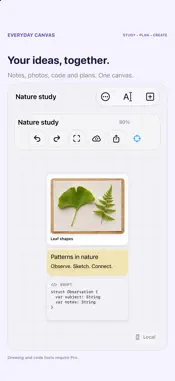
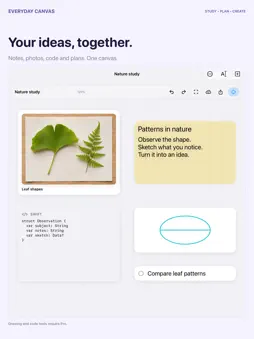
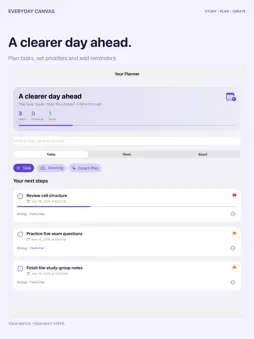
Your notes, photos and next steps belong together. Everyday Canvas is a visual workspace for iPhone and iPad: organize study plans, collect ideas and keep the context beside your tasks. MAKE ROOM FOR YOUR IDEAS Arrange notes, photos, links, shapes and tasks on an infinite canvas. Connect ideas with mind maps, labeled lines and flowcharts. Use a grid or dots, zoom out for the big picture and focus on the work in front of you. With Pro, add Apple Pencil drawings and code snippets. PLAN THE WORK. REMEMBER THE NEXT STEP. See tasks from your active canvases in Today, Week and Board views. Set deadlines, priorities and time estimates. Break work into checklist steps and track progress from To Do to In Progress to Done. Choose one-time, daily, weekday or weekly reminders, with multiple advance alerts, optional sound and snooze. Alerts are scheduled on your device and follow your notification settings. LEAVE MEETINGS WITH A PLAN Capture discussion notes and decisions, then turn action items into tasks with a follow-up deadline. Each task keeps a link to its meeting notes, so the reason behind the work stays close. TURN MATERIAL INTO AN EDITABLE STUDY PLAN Smart Plan works with typed notes, text recognized from a chosen photo or topics for an exam. Review proposed steps, edit them, choose what to keep and spread study sessions around your deadline and daily time budget. On supported devices, Apple Intelligence helps draft steps on device. AI generation requires iOS or iPadOS 26 or later, Apple Intelligence enabled and its model available. You can create steps directly from your own lines when AI is unavailable. Review suggestions before saving. READ, CONNECT AND RECALL WITH PRO Import PDFs and supported reference documents. Highlight PDF passages, add annotation notes and follow links back to the source page. Export annotated PDFs while keeping the original. Word, Excel and PowerPoint attachments support reference and preview, not Office editing. Create editable flashcards from notes, check your answers and schedule reviews with on-device spaced repetition. Use a focus timer for practice. Pro also includes formula tables, Mermaid diagrams, reusable templates and extended revision history. FIND YOUR WAY BACK Favorite important canvases, filter active and archived work, search notes and supported document text, and follow backlinks. Export an editable canvas archive, PNG, PDF or Markdown. START FREE Use one active canvas with up to 10 objects. Archive a canvas to start another or switch your active work. Existing work remains viewable and exportable. Document imports, drawing, code, flashcards and other advanced tools require Pro. Planning saves respect your canvas and object limits. CHOOSE YOUR UPGRADE Local Pro is a one-time purchase for Pro tools without iCloud sync. Monthly, annual and lifetime Pro include private iCloud sync. The separate Cloud Upgrade adds sync only; it does not unlock Pro tools or increase free limits. Prices and included features appear before purchase. Work saves locally; local use needs no account. Cloud-enabled purchases support manual sync using private iCloud storage and the same Apple Account. Internet access and available iCloud storage are required. Conflicting edits are kept as separate copies; deletions also sync. Live collaboration is not included. Subscriptions renew automatically unless canceled in Apple Account settings. Manage subscriptions and restore purchases in the app. The app interface is in English. Support: https://www.trisphereapps.com/contact Privacy: https://www.trisphereapps.com/privacypolicy Terms: https://www.apple.com/legal/internet-services/itunes/dev/stdeula/
What's New
Version 1.1.1 2026-11-18
Clearer App Store information in more languages. App features and your saved work are unchanged. Technical Analysis
Package Overview Basic metadata
Bundle ID
com.trisphereapps.Empty-Canvas Current Version 1.1.1
Minimum iOS 26.5
Package Size App Store Size
Package Metadata 0 / 0 version records
Detailed binary, privacy manifest, framework, and Info.plist results have not been indexed for this package yet. The verified App Store and archive metadata above remains available.
Developer Information
Known Version Records
0 version records with stored package metadata
Stored metadata does not guarantee a package is currently available to download.
| Details | Version / IDs | Version date | Action |
|---|