
Preview








Description
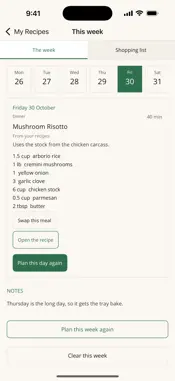
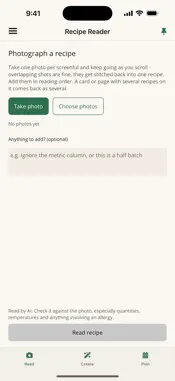
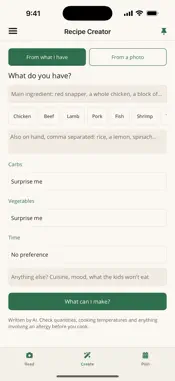
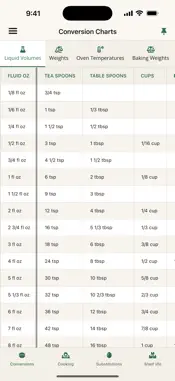
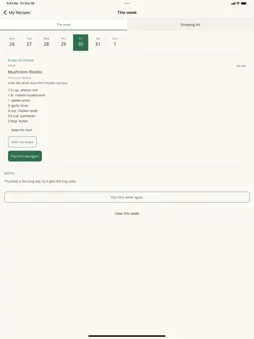
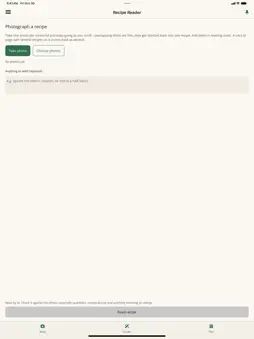
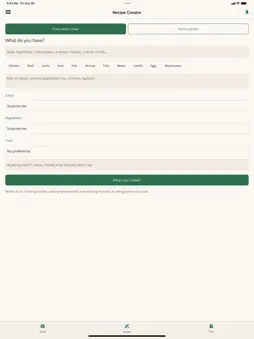
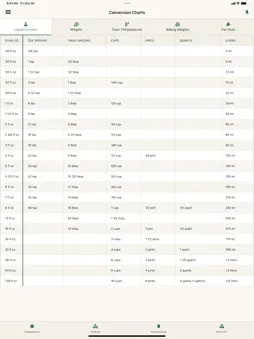
Over 1,500 recipes with photos, kitchen charts that answer the question actually in front of you, and tools that do the tedious parts of cooking for you. RECIPES LIBRARY Over 1,500 recipes, each with a photo: dinners, soups, salads, sides, breakfasts, baking, desserts, snacks, sauces and drinks, from 14 cuisines. Filter for quick, kid-friendly, vegetarian, easy, or one pot or pan to keep the washing up down. One tap leads to a quick dinner, a family meal, dinner for one or two, or a school lunch that packs well. Every recipe lists the cookware it needs, opens in cooking mode with its timers, and scales to the number you are cooking for. Bookmark the ones you like into My Recipes and let the Meal Planner build a week from them. The recipes and their photos are created with AI and checked against safe cooking temperatures, and each recipe says so. THE CHARTS - FREE, ALWAYS Cups to grams, ounces to milliliters, and back. Oven temperatures in Fahrenheit, Celsius and gas mark. Cake tins listed by what they hold, so you can tell which swap for which. What a cup of each ingredient weighs - a cup of flour and a cup of honey are nowhere near the same. Safe internal temperatures for every cut, with the difference spelled out: a whole steak and ground beef are not the same number. Cooking times for vegetables and seafood, how long food keeps on the counter, in the fridge and in the freezer, and substitutions with the amounts - and the recipes they will not work in. YOUR RECIPES Write a recipe by hand, or photograph one and have it typed out: ingredients, steps and timings, ready to save. Screenshots taken as you scroll are stitched into one recipe, and if something looks missing between two photos you are told, rather than given an invented step. Switch any recipe between imperial and metric, amounts and oven temperatures both. Save a recipe from Safari or any other app with Share - three a month free, more with the Recipe Reader. Share yours by message, email or AirDrop, or click Send to phone on kitchentools.app and scan the code. COOKING MODE AND TIMERS One step at a time in large type, with the screen kept on. One tap starts a step's timer; several run at once, and on iOS 26 and later they ring like alarms, even on silent. The step and its timers follow you to the Lock Screen, the Dynamic Island, a widget and Apple Watch. Kitchen timers start from a widget too. PLANNING AND SHOPPING A week of dinners built from your saved recipes and the Library, laid out as a calendar so you can replan one night without disturbing the rest. Kids' menus are part of the plan, and allergies and special diets shape the whole week. One shopping list with the quantities properly added up: two recipes that both want onions come out as one line. SHORTCUTS AND WIDGETS Widgets open any chart or page in one tap. Pin a chart or a recipe to the app icon's menu or a Siri phrase. Light or Dark, in English, German, French, Spanish and Italian; the Library's recipes are in English. The charts and your own recipes are free, with no account and no limit, and there are no ads. The monthly plans and the Recipes Library start with a 3-day free trial. SUBSCRIPTIONS The Recipe Reader, the Recipe Creator and the Meal Planner are auto-renewable subscriptions, by the week or by the month, with an Everything plan covering all three. The Recipes Library is a monthly auto-renewable subscription of its own and comes with every other plan. The length and price of each are shown in the app before you buy. Payment is charged to your Apple Account when you confirm the purchase. A subscription renews automatically unless auto-renew is turned off at least 24 hours before the end of the current period, and your account is charged for the renewal within 24 hours of the end of that period. You can manage or cancel a subscription in your Apple Account settings after buying. Privacy Policy: https://kitchentools.app/privacy/ Terms of Use: https://kitchentools.app/terms/
What's New
Version 3.6 2026-10-31
Recipes Library. Over 1,500 recipes, each with a photo, under a new menu item. Filter by course, by cuisine - 14 of them, from Italian and Mexican to Scandinavi... Technical Analysis
Package Overview Basic metadata
Bundle ID
com.triangulum.kitchen.tools Current Version 3.6
Minimum iOS 15.0
Package Size App Store Size
Package Metadata 0 / 2 version records
Detailed binary, privacy manifest, framework, and Info.plist results have not been indexed for this package yet. The verified App Store and archive metadata above remains available.
Developer Information
Known Version Records
0 version records with stored package metadata • 2 known version records
Stored metadata does not guarantee a package is currently available to download.
| Details | Version / IDs | Version date | Action |
|---|---|---|---|
| Not archived | App Store ID: 858382734 | Unknown | Request Version |
| Not archived | App Store ID: 858339191 | Unknown | Request Version |