Preview




Description
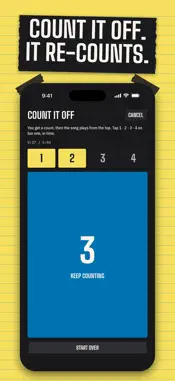
It counts. You play. Play a song into your phone or add the file. In seconds RUN IT DOWN gives you the key, the tempo, the meter, where bar 1 is, and every section with its bar count. Made by drummer and MD Trevor Lawrence Jr. for every gig where the band gets the song an hour before downbeat. WHAT YOU GET KEY · TEMPO · METER in big type, with half time, double time and the relative key one tap away. Bar 1, found for you. Anything before it is the pickup (+1, +2), so the lead-in never counts as a bar. THE LINE: the whole form on one card, like INTRO 8 · V1 16 · HOOK 8 · BRIDGE 4 · VAMP · OUTRO. Odd-length sections, like a 7-bar bridge or a 10-bar outro, are marked in red so you see the watch-outs before you play them. THE STRIPS: one strip of tape per section, as long as its bar count and colored by repeat, so you see what comes back. Tap a strip to play from its bar 1. A bar counter while it plays that counts what THE LINE shows: V1 · 11/16, and HOOK 8 ×2 counts 1 to 8 twice. Section names in the band's words (INTRO, V1, PRE, HOOK, BRIDGE, VAMP, OUTRO and more), or type your own: SHOUT, MODULATION, DRUM BREAK. Your names come back as buttons on every song. EVERY METER, BAR BY BAR 2/4 to 12/8. It hears odd meters like 5/4, 7/8 and 11/8 and counts the bars in them, and on a steady song it finds the bars the band plays in another meter, like two bars of 4/4 in a 7/8 tune. Set the time for a section, or for just THESE BARS: the bars after them move along, the way the band plays it. Count 7/8 your way: 2+2+3, 3+2+2 or 2+3+2. CLICK, COUNT IN and the counter follow, bar by bar. COUNT IN plays the first bar's meter or any meter you pick. RIDE Live take that rushes and drags? Turn RIDE ON and the bars, the counter and the click follow the band's own tempo. Or TAP IT IN: tap the beat through the part that floats, and RIDE lays the beats on your taps. RIDE OFF puts the steady count back. TWO WAYS IN LISTEN: play the song in the room, through the mic or an interface. It stops when the band stops and trims the silence. It tells you when to move closer. ADD SONG: any audio or video file, or share one from Files or Voice Memos. Apple Music and Spotify songs are locked to those apps: play them out loud and LISTEN. THE ONE Beat turned around? ◀ BEAT · TURN IT AROUND · BEAT ▶ moves bar 1 for the whole song; TRY THE OTHER ONE jumps to the app's second choice. Or COUNT IT OFF: tap the count on bar one with the record and every section re-counts from your one. PLAY + PRACTICE Back a bar, forward a bar, next section, and a strip of the song to scrub. Beat lights under the counter. LOOP the part you're learning. PRACTICE SPEED 50–100%, same pitch. CLICK is locked to the record's beat and plays straight 8THS or the BEAT, accents on or off, at every speed. FIX IT It's a fast first read, and your ears get the last word. Name any section (all its repeats at once, or just this one), set it to any length from 1 to 32 bars, add a note for the stand (HITS ON 4), split, merge, change the time signature, flip the key to its relative, halve or double the tempo. Every change is one tap to UNDO. When it's right, tap LOOKS RIGHT. MUSIC STAND Tap THE LINE and the whole song fills the screen with your notes, no scrolling. The part playing now is lit. The screen stays on, and playback keeps going if the phone locks. THE SET Your songs for the gig, in order. SAVE SET for Sunday, pull it back from SETS, CLEAR the pad for the next gig. COPY SHORTHAND One tap copies the title, key, tempo and the line as text, ready to paste in the group chat. PAD OR STAGE A yellow legal-pad look for the day, a dark STAGE look for the stage. NOTHING LEAVES YOUR PHONE No account. No sign-in. No ads. Every song is counted on-device and never uploaded, and it works in airplane mode. The microphone is on only while LISTEN is recording. PRICE The first 3 songs are free. After that, one payment of $0.99 unlocks every song, forever. No subscription, nothing renews.
What's New
Version 1.2.1 2026-10-29
NEW IN 1.2.1 LISTEN TELLS YOU WHERE TO STAND • After about 10 seconds of music, LISTEN reads the room: GOOD SPOT, CLOSER IS BETTER, or TOO MUCH ROOM · MOVE CLOS... Technical Analysis
Package Overview Basic metadata
Bundle ID
com.trevbeats.runitdown Current Version 1.2.1
Minimum iOS 26.0
Package Size App Store Size
Package Metadata 0 / 0 version records
Detailed binary, privacy manifest, framework, and Info.plist results have not been indexed for this package yet. The verified App Store and archive metadata above remains available.
Developer Information
Known Version Records
0 version records with stored package metadata
Stored metadata does not guarantee a package is currently available to download.
| Details | Version / IDs | Version date | Action |
|---|