
Preview








Description
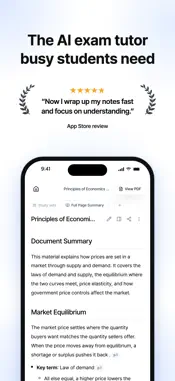
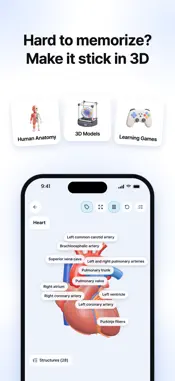
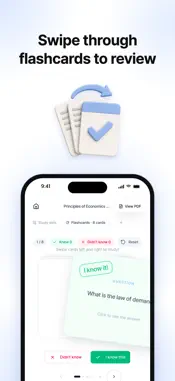
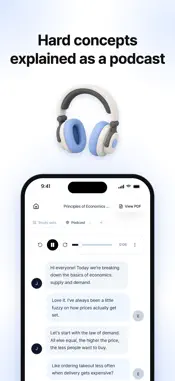
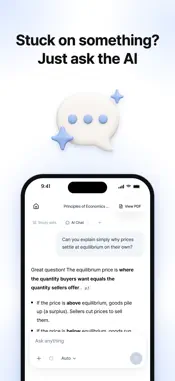
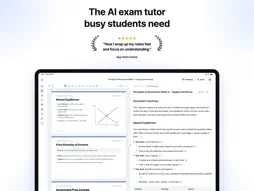
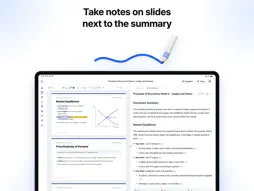
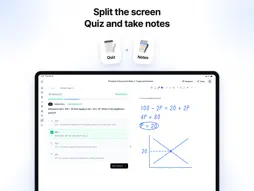
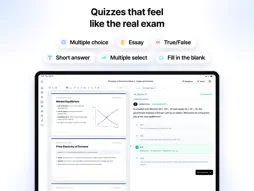
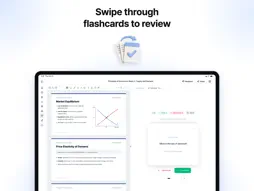
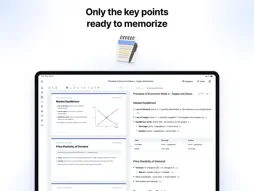
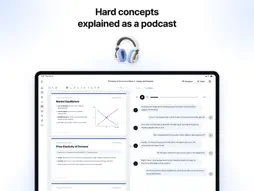
NEW: Study with Apple Pencil on iPad Write directly on your PDFs and summaries, and split the screen to solve a quiz on one side while taking notes on the other. Spent so much time organizing lecture materials and notes that you haven't even started studying for your exam? Stdy AI is an AI study app that summarizes your lecture materials, lecture recordings, and YouTube lectures, creates questions likely to appear on your exam, and carries you through memorization and review, all in one place. 1. Lecture Recording & Live Transcription As you record, the lecture turns into text in real time. When you finish, the whole transcript is polished once more: speakers are separated and sentences are cleaned up. During playback, the sentence being spoken is highlighted, so you can jump straight to the part you want. Fix any misheard words and your summary updates too, and you can upload lecture videos or audio files you've already recorded to turn them into text. 2. iPad Handwriting & AI Summaries On iPad, write directly on PDFs and summaries with Apple Pencil using pens, highlighters, and shapes. Upload PDF, PowerPoint, Word, or image files to get just the key points, and summarize the whole file or only the pages you need. Tailor summaries to your style by describing the tone you want or points that must be included, and add detailed explanations that break down concepts along with illustrations that aid understanding. Each summary ends with an "At a Glance" table that recaps the essentials, and tapping a page number or timestamp in the summary takes you straight to that part of the original. You can edit summaries yourself or export them as PDFs. 3. Quizzes, Mock Exams & Past Exam Analysis Create questions likely to appear on your exam from your own materials. Choose the question types and difficulty you want, including multiple choice, true/false, fill-in-the-blank, essay, and calculation problems. Essay answers are graded by AI, which gives you a score and tells you what your answer is missing. Explanations cite the page numbers they're based on, and you can retry missed questions in your wrong-answer notes. Take mock exams built from multiple materials, or upload past exams and old test papers to get detailed solutions and similar practice questions. 4. Flashcards, Memorization Notes & Mind Maps Use flashcards to repeat only the concepts that confuse you, and Memorization Notes to collect just what you need to memorize and practice with blanks covering the key words. Mind maps show the flow of an entire chapter at a glance. 5. AI Chat & AI Podcasts Stuck while studying? Ask the AI right away, with answers based on your own materials. Attach a PDF or photo to start a conversation about that file instantly, and tap a page number in an answer to open the original right beside it. You can also turn your materials into a podcast in which two hosts explain them in conversation, and listen on the go. 6. Notes & Split Screen In Notes, mix typed text and handwriting to organize what you learn. On iPad, split the screen to keep a quiz on one side and your notes on the other, so you can take notes while you solve. 7. YouTube Lectures & Combined Study Just paste a YouTube lecture link to get a summary and a quiz, and tap a timestamp in the summary to watch from that moment. You can also combine multiple materials, such as PDFs, recordings, and YouTube videos, and study them together at once. 8. Folders, Study Calendar & Study Lab Organize materials into folders by subject and note your exam dates in the Study Calendar. Share materials with friends through a link, and in Study Lab, rotate 3D models of human anatomy, cells, and molecules to learn their structures. Continue studying on iPhone, iPad, and the web (stdyai.com) with the same account. Terms of Use: https://stdyai.com/terms/en Privacy Policy: https://stdyai.com/privacy/en
What's New
Version 1.0.11 2026-10-25
New features are here, and existing ones got a big upgrade! • iPad handwriting: Write directly on your PDFs and summaries with Apple Pencil. • Notes & Split Sc...New features are here, and existing ones got a big upgrade! • iPad handwriting: Write directly on your PDFs and summaries with Apple Pencil. • Notes & Split Screen: Take notes that mix typing and handwriting, and study with a quiz on one side of the screen and your notes on the other. • AI essay grading: AI grades your written answers, giving you a score and showing what you missed. • Summary editing: Edit your summaries yourself and view them with illustrations that make concepts easier to understand. • Transcript corrections: Fix misheard words and your summary updates to match. You can also upload lecture videos you've recorded. • Fixed an issue where only a white screen appeared when reopening the app after a long break, and an issue where the top of the screen was cut off on iPad. Technical Analysis
Package Overview Basic metadata
Bundle ID
com.sngmapp99.stdyai Current Version 1.0.11
Minimum iOS 15.0
Package Size App Store Size
Package Metadata 0 / 8 version records
Detailed binary, privacy manifest, framework, and Info.plist results have not been indexed for this package yet. The verified App Store and archive metadata above remains available.
Developer Information
Known Version Records
0 version records with stored package metadata • 8 known version records
Stored metadata does not guarantee a package is currently available to download.
| Details | Version / IDs | Version date | Action |
|---|---|---|---|
| Not archived | App Store ID: 888740168 | Unknown | Request Version |
| Not archived | App Store ID: 887768703 | Unknown | Request Version |
| Not archived | App Store ID: 886733009 | Unknown | Request Version |
| Not archived | App Store ID: 885797085 | Unknown | Request Version |
| Not archived | App Store ID: 885548164 | Unknown | Request Version |
| Not archived | App Store ID: 885507480 | Unknown | Request Version |
| Not archived | App Store ID: 885405094 | Unknown | Request Version |
| Not archived | App Store ID: 883649662 | Unknown | Request Version |