Trello: Daily Task Tracker App Icon

Trello: Daily Task Tracker

Productivity • Trello, Inc.
4+ v2026.22 Recorded price: Free App Store →
★★★★★
★★★★★
(7,030 App Store ratings)
🏆 Best: #43 Free (SGP)
IPA Analysis
Technical Specs
Bundle ID com.fogcreek.trello
Version 2026.22
App Store Size 220.23 MB
Minimum iOS 18.6
Devices iPhone, iPad, iPod touch
Catalog release date 2011-09-13
Latest recorded version date 2026-10-27
Features & Support
Vision Pro
Advisory 4+
Languages (21)
English, Czech, Dutch, Finnish, French, German, Hungarian, Italian, Japanese, Norwegian Bokmål, Polish, Portuguese, Russian, Simplified Chinese, Spanish, Swedish, Thai, Traditional Chinese, Turkish, Ukrainian, Vietnamese
Top In App Purchases
No In App Purchases Listed

Preview

Trello: Daily Task Tracker screenshot 1 Trello: Daily Task Tracker screenshot 2 Trello: Daily Task Tracker screenshot 3 Trello: Daily Task Tracker screenshot 4 Trello: Daily Task Tracker screenshot 5 Trello: Daily Task Tracker screenshot 6 Trello: Daily Task Tracker screenshot 7 Trello: Daily Task Tracker screenshot 8 Trello: Daily Task Tracker screenshot 9 Trello: Daily Task Tracker screenshot 10 Trello: Daily Task Tracker screenshot 11 Trello: Daily Task Tracker screenshot 12 Trello: Daily Task Tracker screenshot 13 Trello: Daily Task Tracker screenshot 14 Trello: Daily Task Tracker screenshot 15 Trello: Daily Task Tracker screenshot 16 Trello: Daily Task Tracker screenshot 17 Trello: Daily Task Tracker screenshot 18

Description

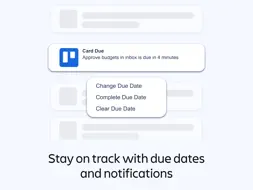
Work smarter and do more with your personal productivity powerhouse, Trello. Capture, organize, and tackle your to do checklist from anywhere. No more chaotic schedules, lost sticky notes, or searching for bookmarked messages across apps. Stay organized and efficient with Trello Inbox, Boards, and Planner. Every personal or work-related to-do, idea, or responsibility—no matter how small—finds its place, keeping you at the top of your game. Smarter task list management, all from your mobile device. Trello lets you create a daily planner of tasks, ideas, and notes right from your phone into a Trello board, card, or to-do list. Add due dates, comments, checklists, descriptions, files, and more to your task dashboard. Save messages from popular work apps like Slack or Microsoft Teams, snap a photo, and forward emails within Trello. Paid subscriptions have access to features that use AI to summarize your saved to-dos into a Trello card so that nothing slips through the cracks. Everything captured lands as a card in your Trello Inbox, making it easy to review, prioritize, and organize your work across boards. Plan your day around your schedule; view what’s booked on your Google or Outlook calendars right from your task board. Standard and Premium users can also enable Planner to schedule focus time for completing saved to-dos. Get reminders that work for you by setting up push notifications for your personal tasks and daily to dos. Get timely alerts for the updates you care about, like due dates or changes to your card. Create beautiful, flexible Trello boards. Organize your captured cards into customizable kanban boards and lists, tailored to your workflow. Trello’s tactile, visual mobile interface, with drag-and-drop gestures and smooth transitions between boards offers a natural way to plan your work on a mobile device. TASK MANAGEMENT MADE EASY - Capture, edit and sort your to do checklists. - Seamlessly enable Trello with your Google or Outlook calendar. - See what you have scheduled with your daily planner (and set aside focus time on what you’ve captured in Trello cards to get done later). - Use the Trello widget to add more to your checklists without ever opening the app. - View all your to-dos from multiple boards in one place. SCHEDULE ORGANIZER & DAILY PLANNER - Add reminders, forward emails, and save messages in your Trello Inbox. - No-code automation is built into every Trello board for intelligent task management. - Place your top tasks into your calendar, and make time for what truly matters in your daily planner. - Custom Kanban board views to visualize your way. - Get timely alerts for the updates you care about, like due dates or changes to your card. - Capture notes or ideas, and update boards even without internet. Your changes sync automatically when you’re back online for seamless task management. - Subscriptions can unlock features that summarize your saved to-dos into a Trello card and streamline daily planning. PERSONAL PRODUCTIVITY TOOLS - Task dashboard tools allow you to manage tasks with ease. - Create a plan of action, a checklist, or simply gain clarity on what needs to be done. - Generate, summarize, and improve spelling and grammar of work, copywriting, or personal content. - You can even go beyond a daily planner and task organizer. Paid subscriptions can access AI tools that allow you to brainstorm new content based on topics you provide. Download Trello and experience a new era of personal productivity management. It’s free! When you use features that require your device’s photos, camera, microphone, or contacts, we will request permission before accessing that data.

What's New

Version 2026.22 2026-10-27
Fixed several crashes and hangs associated with account switching, login, board cards, and inbox state restoration. Minor bug fixes in planner, board menu styli...Fixed several crashes and hangs associated with account switching, login, board cards, and inbox state restoration. Minor bug fixes in planner, board menu styling, and offline comments. Removed support for picking Jira and Confluence attachments.
Version 2026.21 2026-10-13
Bye bye bugs! We’ve fixed up a few things for better flow so you can keep on being productive (and awesome).
Version 2026.20 2026-09-29
Bye bye bugs! We’ve fixed up a few things for better flow so you can keep on being productive (and awesome).
Version 2026.13.1 2026-06-25
This releases fixes a bug that was preventing cards from being created from templates.

App Store User Reviews

RAJakola 2023-06-29
★★★★★
★★★★★

Useful tool for my team

We use Trello at work and it’s really, really good for what we need it to do. You should customize it a ton to work best for you, and there’s a lot of options a...We use Trello at work and it’s really, really good for what we need it to do. You should customize it a ton to work best for you, and there’s a lot of options and ways to do that. Card automation, date reminders, and at a glance card labeling are some of the most useful tools we use on a day to day basis. The reason for 4/5 stars is because I use the desktop version and the app version of Trello- and the app lags behind the desktop, literally and figuratively. Sometimes I’ll need to close and reopen the app once or twice before lists update with moved cards and comments. One this that isn’t inherently the fault of devs but just the fault of phones, is that the UI isn’t always ideal- one of the best things about Trello’s boards is being able to see things all lined up next to each other in your different columns, but on mobile you can really only see one column at a time. Overall I like Trello a lot and the app a little bit less. One of my recent problems, though, is the color changes. I quite dislike them, and for a while you could choose between the only and new colors, but I’ve lost the ability to choose on desktop, and I think the next update implements the same on mobile. I’ve gotten used to the shorthand of certain colors being attached to certain labels, and now there’s not really good equivalence to even change them back to. I understand wanting an updated look, but I do wish there was an option to keep the old style. The customization is one of the top points of Trello, and not only is our old customized options being overwritten, there’s not a good way to get back it. And on a personal note, I think the new theme is an eyesore. The color pallet for the labels does not work, and there seems to be a shade change to the base card color, which is off putting and also doesn’t work with the other tones in the theme.
Lyphsex 2019-01-16
★★★★★
★★★★★

Pretty good but could be better

Good overall but there a few seemingly minor-to-add things that would be significant quality of life improvements. These are what’s missing that I think wouldn’...Good overall but there a few seemingly minor-to-add things that would be significant quality of life improvements. These are what’s missing that I think wouldn’t be hard to add that would be big improvements: ability to sort by due date on the app (this one is hugely irritating since this feature is available on the browser version), ability to select a default auto sorting (like to always have it sorted by due date instead of having to resort it every time after adding new cards), ability to set the times that reminders are sent (as it is it’s just auto set to send a reminder 24 hours before the due date set, and that’s not useful for a lot of things that I need reminders for in school). It would be nice if there was a setting that marked cards as completed in the due date box when they are moved to my “Done” column area, instead of needing to manually do it. It would also be nice if the icon for the checklist on the collapsed cards wasn’t checked off unless all the items on the checklist are checked off; it’s counterintuitive for the box to be shown checked off when I don’t have anything checked off on the checklist. Would be easier to manage what’s done and what’s not visually if the box were not checked until the checklist is completed. I still have to supplement this app with other reminder apps and google calendar and tasks because of the lack of ability to set reminders at specific times/days.
jony5b 2020-01-08
★★★★★
★★★★★

Can’t live without it

Trello has run my life for more than 5 years. The tool is so flexible and simple at the same time, the main limitation is your imagination. Recently the AI has ...Trello has run my life for more than 5 years. The tool is so flexible and simple at the same time, the main limitation is your imagination. Recently the AI has started to make itself more obvious and helpful to my workflows. I’m enjoying an app that has been a core part of my life mainly in the past on web/desktop, now across web, phone and tablet even more than I have ever enjoyed it before. I have used similar and arguably more power tools like AirTable extensively. I might find my way back to that tool for some use cases, maybe such as programming integrations... but Trello is my home for what to do next, quarterly and yearly planning, goals, ideating, basic project management and recently it has sort of evolved into a personal diary of the day gone past. If I could ask one thing of the Trello team, it would be to have the power to turn off/toggle features/UI elements per board. Everything from labels, to activity, due date and members. This would make the tool comparable to airtable where you can customize the noise/size of each card to minimize unnecessary visual data overload per the specific task/data set you are utilizing the tool for. Thanks Trello Team. 💕💕 Trello so much, I even bought the yearly gold subscription even though I don’t need it.
ToMa 10 2018-01-29
★★★★★
★★★★★

Great!

I have been using Trello for about a month—for personal and project management at work. It’s best on a desktop, but the app is great too. The app feels a lot li...I have been using Trello for about a month—for personal and project management at work. It’s best on a desktop, but the app is great too. The app feels a lot like the desktop version which is nice. Trello is flexible, with a simple interface, but has lots of power under the hood if you choose to use it. My boss likes it too, and I’m finally realizing my dream of having a shared company task list. This is definitely more than just a task list though. I’ve tried lots of productivity apps, and I like this one the best by far. Downsides: Desktop version does not work offline. Mobile does, so I use my tablet or phone as sort of a back up. I also wish it was a little quicker (less steps) to do some of the functions on the mobile app, especially to archive (delete) a card. You can drag it to a “done” list though and then archive all the cards in that list from time to time. That works fine, but once in a while I miss a checkbox style way of deleting that would be quicker. The widget allows a pretty quick card add function for doing a quick GTD style item-to-inbox capture, but if that was streamlined even more (less steps) that would be great. All in all I really love Trello a lot and have recommended it to others.
Jwill531 2017-10-03
★★★★★
★★★★★

Great App

I NEVER rate apps when promoted, but I LOVE THIS APP! It works across the board on browser, Microsoft App, and Apple App seamlessly. You can always access all t...I NEVER rate apps when promoted, but I LOVE THIS APP! It works across the board on browser, Microsoft App, and Apple App seamlessly. You can always access all the information that this program has helped you do. It’s incredible. If you have a team or a boss that tracks updates or information is handed off to team members or otherwise at different stages of the project, this app makes it happen with no fumbles. It is about to replace all my daily recap emails that I send to my boss at the end of my day. He uses my updates as a reminder to him to make sure he doesn’t forget, but even if it is to make sure that an employee is actually completing their work properly, the presence of this app completely removes that “micro-managing” feeling. As a project manager, I am constantly asking a wide variety of people for things and then constantly following up. If I forget to follow up, then that blame is on me at the end of the day. This app lays the whole spectrum out for me and I don’t have to go digging in my email or set a ton of tasks that go off like ticking time bombs. Every step on every project is constantly in front of me and nothing goes unnoticed or forgotten if I have done my job and imputed the info. Obsessed.
Kelcom 2018-12-22
★★★★★
★★★★★

So easy to use to organize most anything!

I use this to plan and organize my goals and task list for business as well as for personal financial planning ideas and moves. I also have it for the Grocery ...I use this to plan and organize my goals and task list for business as well as for personal financial planning ideas and moves. I also have it for the Grocery where my wife and I add items off a staples list and other lists to a needed items grocery list. I have a basket list so while I’m the grocery you just slide items off the need list to in your basket list until all needed items are off the needed items list. I can even add items from home while my wife is shopping. A great communication tool also with my siblings to coordinate care for our parents. It keeps everyone up to date. No more trading emails. The uses of Trello are limited by your imagination. My problem is I have a large number of Trello lists that itself is manageable with a means of looking at all cards coming due chronologically across numerous lists. Now, if I can keep my wife from adding to my to Do house maintenance list I would have more time to relax. Seriously, give Trello a try! It’s so easy to use you have no excuse if you want to be more organize and get things done, including planning.
MacelinCane 2023-06-19
★★★★★
★★★★★

Mobile App deficiencies not clear

I’ve been a big fan of trello for a long time. Long before Atlassian acquired them, which I have mixed feeling about. Atlassian development is painfully slow an...I’ve been a big fan of trello for a long time. Long before Atlassian acquired them, which I have mixed feeling about. Atlassian development is painfully slow and now so will TRELLO’s. That said one of the big most recent complaints is that there are all sorts of docs about how to do this and that, and not one of them that I’ve found tells you WHERE you must be to see that, at all. Example. There is no way via tbe mobile app to leave a guest board. But it’s very easy on a desk. I found this out the hard way, and on my own. No docs mention this. When I asked for help NO ONE bothered to ask, or mention that I could easily accomplish this on a desk, where I RARELY go to use trello. When people can’t find something and you should know it’s different in different places, that’s question number 1. “How are you accessing the tool?” followed by “what you’re looking for may only be available via the desktop app or browser” all frustration would have been abated by that simple response or addendum to docs.
Brebeebre 2018-06-14
★★★★★
★★★★★

Trouble with Notifications

Trello is a pretty decent reminder app. If you're someone who's an intense organizer, this app gives you options such as creating boards that you can use to org...Trello is a pretty decent reminder app. If you're someone who's an intense organizer, this app gives you options such as creating boards that you can use to organize your lists in. It gives you little extras like including files, checklists, due dates, etc. and you can also create teams in this. However, there's one major issue I'm having and I'm not sure if it's just how the app is or if it's only me. The whole point of a reminder app is to, well, remind you, and this app isn't doing the job for me. It's great for creating lists of things you can easily forget about, but where are the notifications? I turned mine on but it doesn't work well. For an example of how this can become annoying, I constantly am forgetting that I must return my library books because it's not allowing me to ask for reminders set for specific times where I will remember to do something about my books before they'll be late and I fear I won't get them in on time because of this problem for me. Despite how amazing this app is for someone like me, I just can't accept no real notifications. If you're fine without them though then I highly suggest this app.
Kwoodward21 2018-04-30
★★★★★
★★★★★

Takes Some Time if You are Old School

I started out 40 years ago using Day Timers to keep track of my Engineering efforts. I have seen other time management tools come and go, but I could always cou...I started out 40 years ago using Day Timers to keep track of my Engineering efforts. I have seen other time management tools come and go, but I could always count on my personal setup. I have seen some Kanban board wannabes that disappeared quickly. The only time management tool that keyed my interest in the meantime was Getting Things Done. Pushed into the iPhone age, I really hadn’t found a tool that was digitally based that allowed me to keep track like I wanted. I was getting a young engineer into GTD because I wanted him to be able to keep track of the information that was being pushed his way. In the course of his studies in GTD, he came across Trello and suggested I try it. I am happy to report that I have finally found my lost digital tool. I am able to keep track like I want and have it available 24/7. It’s also lighter. It’s now an obsession since I have nearly 100 balls in the air right now. I actually getting sleep as well. Good product, great feature set, lots of platforms, etc. I highly recommend.
Batmanö 2021-01-30
★★★★★
★★★★★

The most creative productivity app

My brother showed me this app 3 years ago. Every week, I seem to add more of life’s work onto the apps shoulders. The app never crashes, there’s usually never a...My brother showed me this app 3 years ago. Every week, I seem to add more of life’s work onto the apps shoulders. The app never crashes, there’s usually never any bugs. It’s very simply created. The developers really thought this out very well! It’s a neat interface! I use the app almost with muscle memory I don’t have to think about anything whenever I work on there. I use it on all platforms. If you design it right, you could spend an entire day on the app just planning your life out. The best part I like about Trello - it’s free. It’s free for functions that I would normally pay for! I have boards for all aspects of my life. I use the checklist function most often. I can plan my life on here and it has happily become a very important part of my life. I have never come across an app like this that allows you to map out exactly how you want to map it out. You’ve probably heard this before, but the developers did an amazing job! And they continue to do so! Dhruv Sarin (Customer since 2017!)

Technical Analysis

Package Overview Package analysis available
Bundle ID com.fogcreek.trello
Current Version 2026.22
Minimum iOS 18.6
Package Size App Store Size
Package Metadata 6 / 338 version records
CardBack com.atlassian.trello.cardback
v2025.25.1iOS 18.0+4.55 MB
MMWormhole com.atlassian.trello.mmwormhole
v2025.25.1iOS 18.0+127.98 KB
ReactiveCocoa com.atlassian.trello.reactivecocoa
v2025.25.1iOS 13.0+591.03 KB
Sentry io.sentry.Sentry
v8.57.1iOS 100.0+41.64 KB
Smartling com.atlassian.trello.smartling
v2025.25.1iOS 18.0+95.7 KB
TrelloAPIKit com.atlassian.trello.apikit
v2025.25.1iOS 18.0+1.38 MB
TrelloApp com.atlassian.trello.trelloapp
v2025.25.1iOS 18.0+30.11 MB
TrelloCommerce com.atlassian.trello.commerce
v2025.25.1iOS 18.0+179.65 KB
TrelloCommon com.atlassian.trello.debug.common
v2025.25.1iOS 18.0+13.74 MB
TrelloDependencies trellodependencies.TrelloDependencies
v1.0iOS 17.0+25.27 MB
TrelloKit com.atlassian.trello.trellokit
v2025.25.1iOS 18.0+13.3 MB
TrelloLunchables com.atlassian.trello.lunchables
v2025.25.1iOS 18.0+2.24 MB
TrelloMetrics com.atlassian.trello.mobile.metrics.TrelloMetrics
v1.0iOS 12.0+5.12 MB
TrelloMetricsDependencies trellodependencies.TrelloMetricsDependencies
v1.0iOS 17.0+72.84 KB
TrelloSocketKit com.atlassian.trello.debug.socketkit
v2025.25.1iOS 18.0+375.3 KB
TrelloStorageKit com.atlassian.trello.debug.storagekit
v2025.25.1iOS 18.0+21.23 MB
TrelloUI com.atlassian.trello.ui
v2025.25.1iOS 18.0+2.97 MB
TrelloUIKit com.atlassian.trello.debug.uikit
v2025.25.1iOS 18.0+10.48 MB

Developer Information

Known Version Records

6 version records with stored package metadata • 338 known version records

Stored metadata does not guarantee a package is currently available to download.

Details Version / IDs Version date Action
Trello: Daily Task Tracker icon
Not archived
v2026.22
App Store ID: 893238093Build: 2026.22
2026-10-27 19:37:26 Request Version
Trello: Daily Task Tracker icon
Not archived
v2026.21
App Store ID: 892363621Build: 2026.21
2026-10-13 13:08:19 Request Version
Trello: Daily Task Tracker icon
Not archived
v2026.20
App Store ID: 892014972Build: 2026.20
2026-09-29 16:52:15 Request Version
Trello: Daily Task Tracker icon
Not archived
v2026.19
App Store ID: 890766309Build: 2026.19
2026-09-15 14:14:10 Request Version
Trello: Daily Task Tracker icon
213.15 MB
v2026.18
App Store ID: 890516844Build: 2026.18
2026-09-01 02:53:01 Get Version
Trello: Daily Task Tracker icon
Not archived
v2026.17
App Store ID: 889569492Build: 2026.17
2026-08-19 06:12:25 Request Version
Trello: Daily Task Tracker icon
Not archived
v2026.16
App Store ID: 889090172Build: 2026.16
2026-08-10 17:10:36 Request Version
Trello: Daily Task Tracker icon
117.22 MB
v2026.15
App Store ID: 888058234Build: 20260716.193753
2026-07-16 20:08:18 Get Version
Trello: Daily Task Tracker icon
Not archived
App Store ID: 887972316 Unknown Request Version
Trello: Daily Task Tracker icon
Not archived
v2026.14
App Store ID: 887804973Build: 2026.14
2026-07-09 13:07:30 Request Version
Trello: Daily Task Tracker icon
Not archived
v2026.13.1
App Store ID: 887297641Build: 2026.13.1
2026-06-25 02:38:48 Request Version
Trello: Daily Task Tracker icon
Not archived
v2026.13
App Store ID: 887099826Build: 2026.13
2026-06-21 21:47:24 Request Version
Trello: Daily Task Tracker icon
Not archived
v2026.12.1
App Store ID: 886796373Build: 2026.12.1
2026-06-15 13:27:29 Request Version
Trello: Daily Task Tracker icon
Not archived
v2026.12
App Store ID: 886543284Build: 2026.12
2026-06-09 14:15:46 Request Version
Trello: Daily Task Tracker icon
122.95 MB
v2026.11
App Store ID: 885981829Build: 20260513.191211
2026-05-13 21:34:18 Get Version
Trello: Daily Task Tracker icon
122.35 MB
v2026.10.1
App Store ID: 885586607Build: 20260513.155745
2026-05-13 16:17:54 Get Version
Trello: Daily Task Tracker icon
Not archived
v2026.10
App Store ID: 885250694Build: 2026.10
2026-05-12 15:12:11 Request Version
Trello: Daily Task Tracker icon
Not archived
v2026.9.1
App Store ID: 885167468Build: 2026.9.1
2026-05-04 18:37:58 Request Version
Trello: Daily Task Tracker icon
Not archived
v2026.9
App Store ID: 884905388Build: 2026.9
2026-04-28 17:09:20 Request Version
Trello: Daily Task Tracker icon
Not archived
v2026.8
App Store ID: 884253492Build: 2026.8
2026-04-14 19:43:18 Request Version
Trello: Daily Task Tracker icon
Not archived
v2026.7
App Store ID: 883469305Build: 2026.7
2026-03-31 16:01:28 Request Version
Trello: Daily Task Tracker icon
124.88 MB
v2026.6
App Store ID: 883072988Build: 20260312.133104
2026-03-12 17:51:56 Get Version
Trello: Daily Task Tracker icon
125.3 MB
v2026.5
App Store ID: 882644951Build: 20260304.032359
2026-03-04 03:51:52 Get Version
Trello: Daily Task Tracker icon
Not archived
v2026.4.1
App Store ID: 882578917Build: 2026.4.1
2026-02-18 21:53:34 Request Version
Trello: Daily Task Tracker icon
Not archived
v2026.4
App Store ID: 882203308Build: 2026.4
2026-02-17 13:43:23 Request Version
Trello: Daily Task Tracker icon
Not archived
v2026.3
App Store ID: 881982686Build: 2026.3
2026-02-05 17:11:55 Request Version
Trello: Daily Task Tracker icon
Not archived
App Store ID: 881563486 Unknown Request Version
Trello: Daily Task Tracker icon
Not archived
App Store ID: 881131905 Unknown Request Version
Trello: Daily Task Tracker icon
Not archived
App Store ID: 880854903 Unknown Request Version
Trello: Daily Task Tracker icon
Not archived
App Store ID: 880087313 Unknown Request Version
Trello: Daily Task Tracker icon
Not archived
App Store ID: 879950558 Unknown Request Version
Trello: Daily Task Tracker icon
Not archived
App Store ID: 879778021 Unknown Request Version
Trello: Daily Task Tracker icon
Not archived
App Store ID: 879593453 Unknown Request Version
Trello: Daily Task Tracker icon
Not archived
App Store ID: 879035716 Unknown Request Version
Trello: Daily Task Tracker icon
Not archived
App Store ID: 878843322 Unknown Request Version
Trello: Daily Task Tracker icon
Not archived
App Store ID: 878237036 Unknown Request Version
Trello: Daily Task Tracker icon
Not archived
App Store ID: 877973839 Unknown Request Version
Trello: Daily Task Tracker icon
Not archived
App Store ID: 877778590 Unknown Request Version
Trello: Daily Task Tracker icon
Not archived
App Store ID: 877383379 Unknown Request Version
Trello: Daily Task Tracker icon
Not archived
App Store ID: 876641068 Unknown Request Version