
Preview


Description
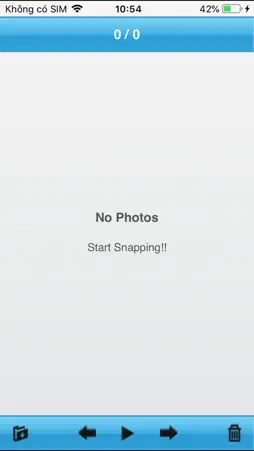
See the photos from your camera on your iPhone a few seconds after you take them. FlashAir Instant WIFI connects to your FlashAir™ or Flucard Wi-Fi SD card and downloads new photos automatically while you shoot. IMPORTANT: This app needs a FlashAir™ or Flucard Wi-Fi SD card in your camera. It only shows photos from the card. HOW TO START 1. Put the FlashAir™ card in your camera and turn the camera on. 2. On your iPhone, open Settings > Wi-Fi and join the card's Wi-Fi (the default name is "flashair"). 3. Open the app and tap Allow when it asks to find devices on your local network. 4. Take a photo. It appears in the app in a few seconds. FEATURES • New photos download automatically while you shoot • Copy photos that were already on the card with one tap • Swipe between photos, pinch or double tap to zoom • Slideshow • Save one photo or all photos to your photo library (saved photos get a check mark) • Delete one photo or all photos • Your photos stay in the app when you close it • Portrait and landscape • English and Japanese • VoiceOver and larger text support NO PHOTOS? • Check that your iPhone is on the card's Wi-Fi, not your home Wi-Fi. • Check Settings > FlashAir WiFi > Local Network is on. If the app cannot reach the card, a red banner shows. Tap it to open Settings.
What's New
Version 2.0 2026-11-16
A big update. The app has been rebuilt for the latest iOS. NEW • Fresh new look with a new app icon • Copy photos that were already on the card with one tap • ...A big update. The app has been rebuilt for the latest iOS. NEW • Fresh new look with a new app icon • Copy photos that were already on the card with one tap • Your photos stay in the app when you close it • Saved photos get a check mark, and Save All only saves new photos • Pinch and double tap to zoom • Portrait and landscape • VoiceOver and larger text support FIXED • Photos not showing after joining the card's Wi-Fi • Crashes when opening the app or after a photo arrives • Photos shown cut in half • Photos with lowercase .jpg names not downloading IMPROVED • Faster and smoother with big camera photos • A banner shows when the app cannot reach the card. Tap it to turn on Local Network in Settings. Requires iOS 15 or later. Technical Analysis
Package Overview Basic metadata
Bundle ID
sg.com.trek2000.FLASHAIRINSTANT Current Version 2.0
Minimum iOS 15.0
Package Size App Store Size
Package Metadata 0 / 2 version records
Detailed binary, privacy manifest, framework, and Info.plist results have not been indexed for this package yet. The verified App Store and archive metadata above remains available.
Price History (USA store)
2 recorded price change points. These are historical observations, not a guarantee of the current price.
| Recorded at | Price | Currency |
|---|---|---|
| 4.99 | USD | |
| 0.0 | USD |
Known Version Records
0 version records with stored package metadata • 2 known version records
Stored metadata does not guarantee a package is currently available to download.
| Details | Version / IDs | Version date | Action |
|---|---|---|---|
| Not archived | App Store ID: 829011354 | Unknown | Request Version |
| Not archived | App Store ID: 8145654 | Unknown | Request Version |