
Preview









Description
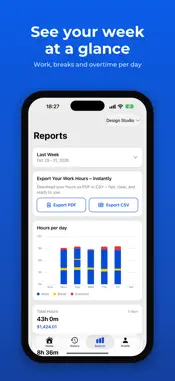
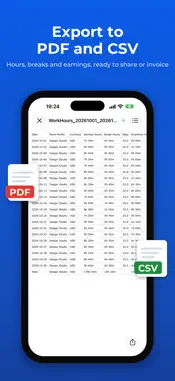
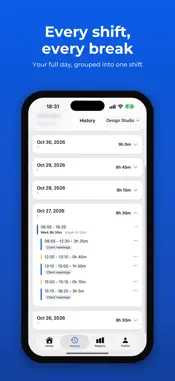
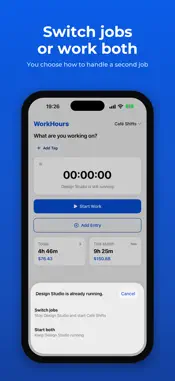
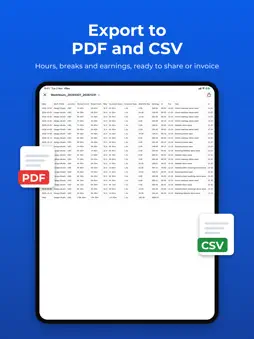
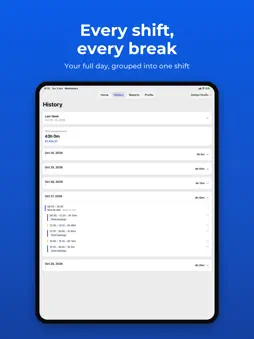
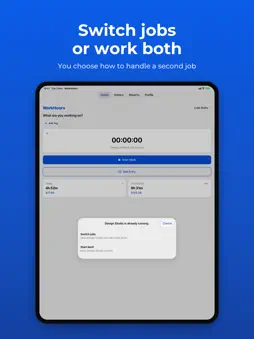
WorkHours makes it effortless to track your working time — and know exactly what it's worth. Tap once to start the timer, tag the task or client you're working on, and pause or stop whenever you like. Forgot to start it? Add a session manually in seconds. Your hours, and your earnings, update live as you work. WHY WORKHOURS • One-tap time tracking with a live timer • Tag your work by task or client • Pause, resume, and stop with a single tap • Add or edit past sessions manually • See today's and this month's hours and earnings at a glance • Set your own currency and hourly rate • Notification reminders help you remember when a work session is still running • Works offline — sessions sync automatically once you're back online • Sign in to keep your hours safe and access them from any device • Available in English, French, Spanish, German, Portuguese (Brazil), Italian, Turkish, Simplified Chinese, and Japanese MULTI-JOB TRACKING (PRO) • Create and manage multiple jobs separately • Track work sessions for different jobs, clients, or projects • Run multiple job timers at the same time POWERFUL REPORTS & CHARTS • Pick a range: this week, last week, this month, last month — or any custom dates • Total hours, daily average, and earnings for the period • Task breakdown that shows where your time really goes • Understand your work patterns with clear reports and a stacked bar chart showing daily working hours across your selected period. OVERTIME TRACKING • Automatically calculate overtime based on your daily or weekly working hours. • Set custom overtime thresholds and pay rates, track regular and overtime hours, and keep your estimated earnings accurate — even when adding or editing hours manually. EXPORT YOUR TIMESHEETS (PRO) • Export clean, professional timesheets as PDF or CSV • Ideal for invoicing clients, payroll, or your own records • Custom date-range reports WORKHOURS PRO Unlock multi-job tracking, exports (PDF & CSV), custom date-range reports, priority support, and early access to new features. • 7-day free trial for new subscribers • Then billed monthly — cancel anytime Whether you're a freelancer, contractor, or simply want an honest picture of where your hours go, WorkHours keeps your time — and your income — crystal clear.
What's New
Version 1.3 2026-11-04
• Overtime pay – Set a daily or weekly hour limit and an overtime rate for each job. Hours above the limit are paid at the higher rate, and your reports show re... Technical Analysis
Package Overview Basic metadata
Bundle ID
app.workhours.ios.WORKHOURS Current Version 1.3
Minimum iOS 16.0
Package Size App Store Size
Package Metadata 0 / 1 version records
Detailed binary, privacy manifest, framework, and Info.plist results have not been indexed for this package yet. The verified App Store and archive metadata above remains available.
Developer Information
Known Version Records
0 version records with stored package metadata • 1 known version records
Stored metadata does not guarantee a package is currently available to download.
| Details | Version / IDs | Version date | Action |
|---|---|---|---|
| Not archived | App Store ID: 887038986 | Unknown | Request Version |