
Preview





Description
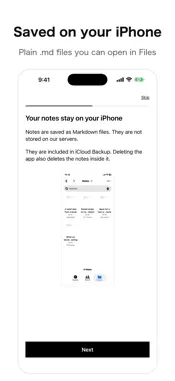
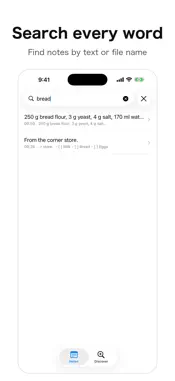
Just write, and AI sorts your notes so you can find them later. A Markdown notepad. BijaVault is a Markdown note app. What you write stays on your device as a plain text file, and you can access it in the Files app at any time. Nothing is locked into a private format, so your files remain readable even if you stop using the app. WRITE WHAT YOU SEE Write headings, bold text, lists, tables, and code without typing markup yourself. Everything is saved as Markdown. FIND IT LATER Filter by the type and tags written at the top of each note, then search the text and file names from there. This keeps your results precise, avoiding standard searches that match too many similar notes at once. Two-character Japanese words are searchable too. LET IT SORT ITSELF BijaVault reads each note and writes its type, title, and tags at the top of the file. Anything already written stays as it is. When two notes look alike, it suggests merging them or deleting one. Deleted notes move to a trash folder, so you can bring them back within 30 days. Organizing runs through the server while you are signed in. The text of your notes passes through the server to be organized. It is not stored there and is not used to train AI. If you don't sign in, your note text is not sent anywhere. Organizing requires sign-in and consent to send note text, and usage limits apply. SEND THINGS IN Share a URL or text from Safari or another app, and it arrives as a note. JAPANESE AND ENGLISH The interface is available in both languages. WHAT YOU GET Subscribe to Pro and creating and editing are always open. Eligible new subscribers get one month free. After that, the subscription renews automatically at the paid price unless canceled. Without a subscription, watching one rewarded ad unlocks creating and editing for three days. Reading, searching, and exporting the notes in your list does not require a subscription. Not paying never locks you out of your own notes. If you still cannot create or edit notes twenty days after the free period ends, or thirty days after your subscription expires, your notes are removed from the list. They are not deleted: they move to a dated Archive folder in Documents. Archived notes no longer appear in in-app search, but you can open them from the Files app. WHERE YOUR NOTES LIVE In Documents/Notes inside the app, as plain .md files. Terms of Use: https://bija-vault.com/terms/en/ Privacy Policy: https://bija-vault.com/privacy/en/
What's New
Version 1.0.1 2026-10-11
The AI consent text is easier to read: it now lists what is sent and what is not. Notes shared from YouTube now include the channel name in the title. Notes sha... Technical Analysis
Package Overview Basic metadata
Bundle ID
com.serotoninmax.BijaVault Current Version 1.0.1
Minimum iOS 17.0
Package Size App Store Size
Package Metadata 0 / 0 version records
Detailed binary, privacy manifest, framework, and Info.plist results have not been indexed for this package yet. The verified App Store and archive metadata above remains available.
Developer Information
Known Version Records
0 version records with stored package metadata
Stored metadata does not guarantee a package is currently available to download.
| Details | Version / IDs | Version date | Action |
|---|