Preview



Description
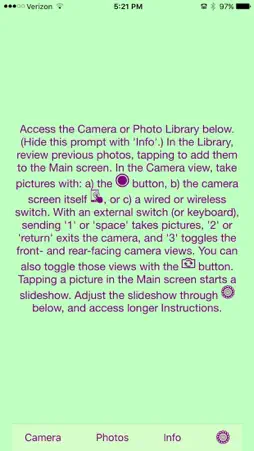
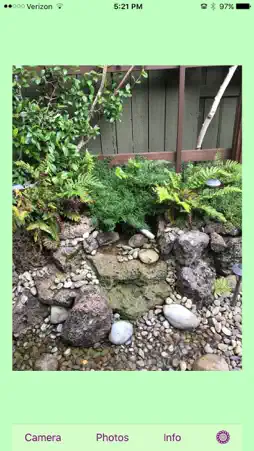
“Switch Access Training with a Camera” treats most of the touchscreen as a button for triggering the camera shutter, and it also provides picture-taking access for wired or wireless external switches (including a keyboard). Currently, page navigation still relies on partner participation, but the primary function (i.e., taking pictures) is directly switch accessible. Picture taking is a preferred activity for some people, where this app can help to familiarize a student with cause-and-effect relationships, perhaps on the way to their using switch access for an augmentative and alternative communication device (AAC); in fact, that AAC might even be provided on the same sort of device on which the switch-access training occurred. (See the app: "Switch Access Training with Music") You access the Camera and Photo Library with the buttons on the main page. In the Camera, you can take pictures with either: a) the camera button icon, b) the camera screen itself (with the touchscreen acting as a button), or c) a wired or wireless switch. In the Photo Library, you can review previously taken photos, tapping them to add photos to the set currently displayed on the Main screen. (There is no checkmark to indicate whether or not a picture has been selected, as I will be creating a separate app for making actual presentations.) Tapping a photo in the Main view will start a slideshow with a default 3-second delay between photos. Adjust the slideshow through the Settings icon, where you can decide to have each tap: a) advance the album by one picture, or b) start/stop the slideshow. This is also where you can adjust the delay interval between the slides (from 1 to 5 seconds). With an external switch (or keyboard), sending '1' or 'space' takes pictures, '2' or 'return' exits the camera, and '3' toggles the front- and rear-facing camera views. You can also toggle these two views with the camera view button.
What's New
Version 1.09 2022-01-11
• updated info to match new website for Clyr Ink Press Technical Analysis
Package Overview Basic metadata
Bundle ID
com.clyrinkpress.Switch-Access-Training-with-a-Camera Current Version 1.09
Minimum iOS 12.0
Package Size App Store Size
Package Metadata 0 / 3 version records
5.0 / 5.0 (2 ratings)
Detailed binary, privacy manifest, framework, and Info.plist results have not been indexed for this package yet. The verified App Store and archive metadata above remains available.
Developer Information
Known Version Records
0 version records with stored package metadata • 3 known version records
Stored metadata does not guarantee a package is currently available to download.
| Details | Version / IDs | Version date | Action |
|---|---|---|---|
| Not archived | App Store ID: 846489599 | Unknown | Request Version |
| Not archived | App Store ID: 845760152 | Unknown | Request Version |
| Not archived | App Store ID: 841639890 | Unknown | Request Version |