
Preview




Description
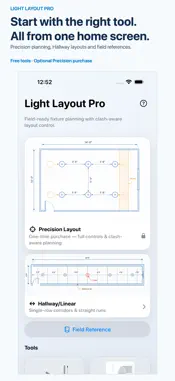
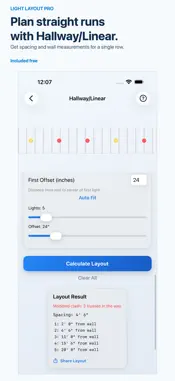
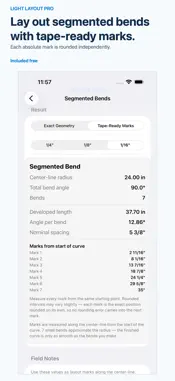
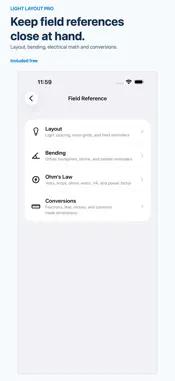
Plan recessed lights around the framing and ceiling items you measure, before you mark or cut. Light Layout Pro is an iPhone planning tool for electricians working on remodel, retrofit, and new-construction lighting layouts. Compare fixture spacing, review modeled conflicts, and carry wall-to-fixture measurements to the ceiling. Hallway/Linear, six field tools, and the Field Reference are free. Precision Layout unlocks with one in-app purchase. No subscription, no account, and no ads. PRECISION LAYOUT • Enter room dimensions, fixture count or grid dimensions, measured joist or truss lines, can diameter, and Safety Buffer. • Compare centered single-row, multi-row, and grid patterns. • Add measured HVAC registers, return grilles, access panels, speakers, detectors, and other rectangular or round ceiling items, including their sizes, positions, and coordination clearances. • Review modeled fixture-to-framing and fixture-to-ceiling-item conflicts, spacing, clearances, and wall measurements. • Fine-tune spread and whole-layout shift while the diagram and measurements update together. • Share your result as text or an image. HALLWAY / LINEAR Plan a centered row through a corridor or straight run. Enter the first-light offset you measured, compare alternate offsets and nearby fixture counts with Auto Fit, and review each fixture position. SIX FREE FIELD TOOLS • Bend Calculator: offsets, three-point saddles, and four-point saddles. • Rolling Offset: rise and roll in one layout. • Segmented Bends: equal bend shots and tape-ready marks from your radius and angle. • Fraction Calculator: tape-measure arithmetic with fractional inches. • Electrical Math: single-phase volts, amps, ohms, watts, VA, power factor, and VAR. • Bender Profile: your own take-up, gain, and deduction values. The Field Reference includes layout methods, bend multipliers, Ohm's law, and common trade conversions. The free tools use geometry, arithmetic, or physics from values you enter. Verify results against your bender, materials, plans, job specifications, and applicable local requirements. IMPORTANT LIMITS Light Layout Pro models only the measurements you enter. It does not scan for or detect concealed framing, and a clear modeled result does not confirm hidden conditions. Verify framing, piping, ductwork, wiring, manufacturer clearances, adopted codes, local amendments, plans, and job specifications before installation. Fixture count is your input, not a lighting-design recommendation. The app does not calculate illumination levels. Calculations run on your device. There are no analytics or tracking. Your current layout stays on your device unless you choose to share it.
What's New
Version 1.0.1 2026-10-02
Set Number of lights directly in Desired Layout, or use the minus and plus buttons to update your layout live. Requested counts stay exact, including odd number...Set Number of lights directly in Desired Layout, or use the minus and plus buttons to update your layout live. Requested counts stay exact, including odd numbers. If your selected arrangement cannot fit that count, Precision explains why and offers an explicit alternative. Saved Grid rows and columns now survive reopening the planner. Clear All resets the Grid controls, and a layout that cannot be calculated clears the previous preview. Technical Analysis
Package Overview Basic metadata
Bundle ID
Toyz2k.com.Light-Layout-Pro Current Version 1.0.1
Minimum iOS 18.4
Package Size App Store Size
Package Metadata 0 / 0 version records
Detailed binary, privacy manifest, framework, and Info.plist results have not been indexed for this package yet. The verified App Store and archive metadata above remains available.
Developer Information
Known Version Records
0 version records with stored package metadata
Stored metadata does not guarantee a package is currently available to download.
| Details | Version / IDs | Version date | Action |
|---|