Preview

Description
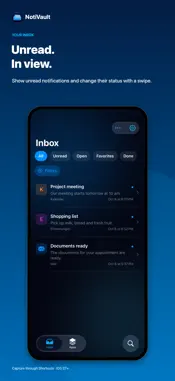
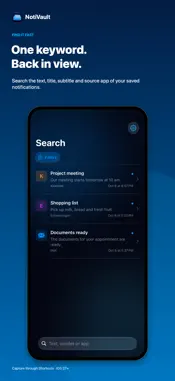
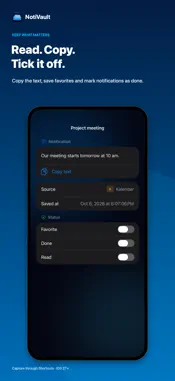
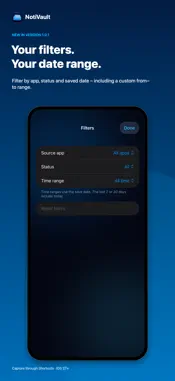
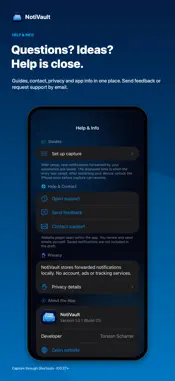
Swiped away. Still here. NotiVault keeps new notification text that you forward through Apple’s Shortcuts app. Read important information later, find it with search and keep track of unfinished tasks. FIND AND ORGANIZE • Local notification history with no artificial time limit • Search text, titles, subtitles and source apps • Filter by source app, status and save date, including a custom date range • View unread notifications directly in the inbox • Swipe to change read/unread status • Copy notification text directly • Group entries by app • Favorites, read and done status • Delete entries • Select multiple shown entries to mark read/unread or done/open, add or remove favorites, and delete after confirmation • Neutral app symbols with app names • Improved readability with larger text and clearer VoiceOver descriptions • Suggest missing neutral symbols with an optional support email draft • Language selection: German, English or iPhone language • Open settings from the gear in Inbox, Apps and Search • Find help, privacy, the website, a feedback page and optional support email in one place SET UP ONCE A Shortcuts template includes the notification trigger and NotiVault save action. Choose your apps first; the template has no preselected apps. Setup shows the last saved real entry and helps you test capture with a new notification. Troubleshooting steps are available if no new notification arrives. Your existing automation continues working with regular app updates. YOUR NOTIFICATIONS STAY LOCAL No account, no ads, no tracking and no cloud service of our own. Neutral symbols are created locally on your iPhone; no data is transmitted for them. Depending on your settings, iOS may include app data in a device backup. BEFORE YOU START NotiVault requires iOS 27 or later and a configured Shortcuts automation. It only captures new notifications forwarded by your automation. Earlier notifications cannot be imported from Notification Center. Available fields depend on the source app and automation. Photos and audio files are not archived; their notification text can be saved. After restarting your device, unlock the iPhone once before capture can resume. All features in this version are free.
What's New
Version 1.0.3 2026-11-02
• A completely empty handoff from Shortcuts is skipped without an automation error. No entry is created when no content is provided. Your saved notifications a...• A completely empty handoff from Shortcuts is skipped without an automation error. No entry is created when no content is provided. Your saved notifications and existing Shortcuts setup are retained. All features in this version are free. Technical Analysis
Package Overview Basic metadata
Bundle ID
de.app.scharrer.notivault Current Version 1.0.3
Minimum iOS 27.0
Package Size App Store Size
Package Metadata 0 / 0 version records
Detailed binary, privacy manifest, framework, and Info.plist results have not been indexed for this package yet. The verified App Store and archive metadata above remains available.
Developer Information
Known Version Records
0 version records with stored package metadata
Stored metadata does not guarantee a package is currently available to download.
| Details | Version / IDs | Version date | Action |
|---|