Preview




Description
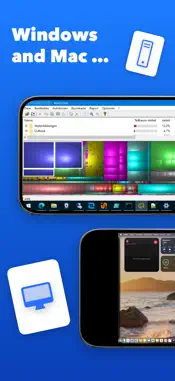
Your Windows PC, your server and your Mac, always with you on iPhone and iPad. Remote Pal connects you to Windows via Remote Desktop (RDP) and to your Mac via Screen Sharing (VNC). Directly from device to device, no account and no cloud in between. WORK LIKE ON A COMPUTER • Control it your way: as a trackpad with a mouse pointer, directly with your finger, or with Windows Touch and multi-finger gestures • Keyboard with special keys such as Ctrl, Alt, Esc and the Windows key • Hardware keyboard, mouse and Apple Pencil work right away • Windows always gets the right resolution, even when you rotate • On a monitor or TV: the desktop on the big screen, your iPhone becomes the trackpad ALL YOUR COMPUTERS AT HAND • Keep several sessions open and switch with a single tap • Two sessions side by side, for example Windows on the left and Mac on the right • Quick Connect: reach a computer instantly without adding it first • Connect As: sign in briefly with a different account • Set up credentials and gateways once and use them for all your computers BUILT FOR THE OFFICE NETWORK • Network Level Authentication (NLA) and Active Directory • Microsoft RD Gateway for access from outside • Workspaces and RemoteApp: individual programs instead of the whole desktop • Open .rdp files directly from Mail or the Files app • Redirect clipboard, sound, camera, microphone and folders • Easy switch: import connections from Royal TS, mRemoteNG and Remote Desktop Manager • TeamViewer devices in the same list, one tap opens the TeamViewer app MADE FOR IPHONE DUO • Folded for a quick look, unfolded to work like on a laptop. The resolution adapts instantly as you fold • Laptop mode: half open, desktop on top, trackpad and keyboard below • Two monitors if you like, left and right of the fold • Two sessions side by side, split at the fold • Controls stay clear of the fold and the camera SECURE AND PRIVATE • Passwords are stored only in the keychain, optionally protected with Face ID or Touch ID • App lock with Face ID or Touch ID • Remote Pal shows unknown certificates with their fingerprint before connecting • Backup of all connections, encrypted with your own password • No ads, no tracking GOOD TO KNOW On the same network, connecting works right away. On the go, you need access to your network, easiest via VPN, for example using your router's VPN feature. Windows computers can also be reached through an RD Gateway. Windows must allow Remote Desktop, which the Pro, Enterprise and Server editions offer. On your Mac, turn on Screen Sharing in System Settings.
What's New
Version 1.1 2026-11-21
New in version 1.1 MULTIPLE SESSIONS • Two sessions side by side, split at the fold on iPhone Duo. Swap sides with a tap • Dedicated button for all open sessio...New in version 1.1 MULTIPLE SESSIONS • Two sessions side by side, split at the fold on iPhone Duo. Swap sides with a tap • Dedicated button for all open sessions, with a count and a checkmark on the current one • Disconnect all sessions at once CONNECT FASTER • Quick Connect: reach a computer without adding it first. Save it later from the session menu • Connect As: sign in briefly with a different account • TeamViewer devices in the list, one tap opens the TeamViewer app CLEARER OVERVIEW • New list view alongside the tiles • Sort by name or last connected • Select and delete several devices at once • Full screen is now the default, with a main switch in Settings EASY SWITCH • Import connections from Royal TS, mRemoteNG and Remote Desktop Manager • Backup and import in one place in Settings ALSO • Send feedback and wishes by email right from the app • Files from OneDrive, iCloud Drive and Dropbox now open reliably • Many small improvements and bug fixes Technical Analysis
Package Overview Basic metadata
Bundle ID
qLAppz.RemotePal Current Version 1.1
Minimum iOS 27.1
Package Size App Store Size
Package Metadata 0 / 0 version records
Detailed binary, privacy manifest, framework, and Info.plist results have not been indexed for this package yet. The verified App Store and archive metadata above remains available.
Known Version Records
0 version records with stored package metadata
Stored metadata does not guarantee a package is currently available to download.
| Details | Version / IDs | Version date | Action |
|---|