
Preview





Description
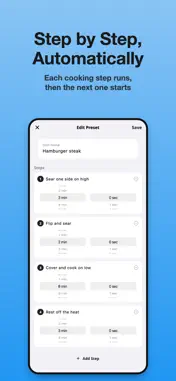
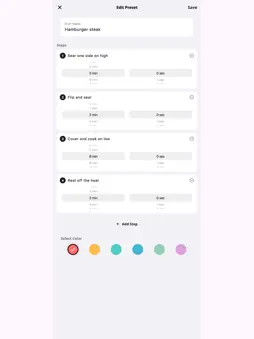
You set the timer. Put the phone down. Came back to overcooked pasta. One alarm isn't enough when you're cooking three things at once. Cook Timer runs multiple named timers side-by-side — pasta, chicken, veggies — all on one screen. Nothing gets forgotten because each timer tells you exactly what it's counting down for. [What Changes When You Use Cook Timer] • Multiple dishes in progress — nothing overcooked, nothing burnt • Each timer is labeled with the dish name — no more "which timer is that?" • Large countdown display readable from across the kitchen [Timers That Actually Go Off] - Double alert: vibration + a looping alarm sound - With the app open, the alarm sounds even when the silent switch is on - Background and lock screen compatible — keep cooking, we've got the timing "I've had timers not ring when my phone was locked or on silent." — Cook Timer schedules a system notification for every timer, so you're alerted on the lock screen and in the background. With the app open, the alarm sounds even in silent mode. "My last timer app broke after an update — right in the middle of dinner." — Core timer functionality is the one thing that cannot break. Cook Timer's alerts and countdown logic don't change with updates. "I opened my usual app and got a full-screen ad before I could even set the timer." — Cook Timer doesn't interrupt you at the moment you need it most. Open the app — the timer screen is already there. "Is it free?" — Up to 3 simultaneous timers, all built-in dish templates and up to 5 saved presets are free. Premium Subscription: Upgrade to Premium to run up to 10 timers at once and save up to 50 presets, with no ads. Monthly, annual, and lifetime plans are available. The current price is always shown in the app before you confirm your purchase. - Payment charged to Apple ID account at purchase confirmation - Subscription automatically renews unless canceled 24 hours before period end - Manage subscriptions in Apple ID Account Settings Privacy Policy: https://cook-timer-prod.web.app/privacy.html Terms of Use: https://cook-timer-prod.web.app/terms.html Cook confidently. Everything lands on the table on time. [From the Kitchen Series — Related Apps] - FridgeCook AI (AI Recipe Generator): Use what's in your fridge, then time it perfectly with Cook Timer - Fastivo – Fasting Timer: Manage your eating window and cook your best meal when it opens Search each app name on the App Store. You might also like - FridgeCook AI - Recipe Finder: 3-Second Recipe. No Thinking. - SweetLog - Cafe Sweets Diary: AI Writes Your Cafe Instagram. Search for these apps by name on the App Store.
What's New
Version 1.0.14 2026-10-28
We've reviewed the app's text in every language so it reads more naturally. Ads no longer pop up when you switch screens, for a smoother experience. We've also ... Technical Analysis
Package Overview Basic metadata
Bundle ID
cook.timer Current Version 1.0.14
Minimum iOS 15.0
Package Size App Store Size
Package Metadata 1 / 6 version records
Detailed binary, privacy manifest, framework, and Info.plist results have not been indexed for this package yet. The verified App Store and archive metadata above remains available.
Developer Information
Known Version Records
1 version record with stored package metadata • 6 known version records
Stored metadata does not guarantee a package is currently available to download.
| Details | Version / IDs | Version date | Action |
|---|---|---|---|
| 108.4 MB | v1.0.12 App Store ID: 887817817Build: 1.0.12 | 2026-09-03 23:29:13 | Get Version |
| Not archived | App Store ID: 887762239 | Unknown | Request Version |
| Not archived | App Store ID: 886332482 | Unknown | Request Version |
| Not archived | App Store ID: 885769899 | Unknown | Request Version |
| Not archived | App Store ID: 885488926 | Unknown | Request Version |
| Not archived | App Store ID: 884076352 | Unknown | Request Version |