Preview




Description
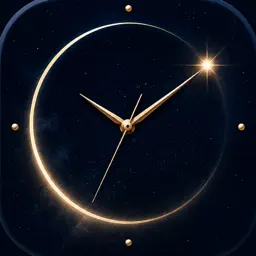
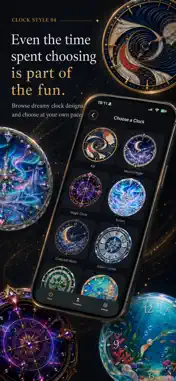
A Clock For You lets you put the clock face you like on your Home Screen. ■ 81 clock faces 42 analog and 39 digital faces are included, from antique and Japanese styles to fantasy, cute, mechanical and nature designs. ■ Home Screen widget The face you pick is shown in the Home Screen widget (small and large). Touch and hold a widget and choose "Edit Widget" to set a different face for each widget you place. Analog second hands move once a second in the iPhone app and widget. ■ Desk clock mode Tap the clock to fill the screen with it - the tab bar and status bar go away, leaving only the clock. The screen does not dim while the clock is full screen, so you can stand your iPhone on a desk and use it as a desk clock while it charges. Tap again to go back. Turn on "Keep Screen On" in Settings to also stop the screen dimming when the Clock tab is open but not full screen. The clock shifts by a few points every couple of minutes to avoid burn-in. ■ Digital faces are adjustable For each digital face you can set: - 12-hour or 24-hour time - The digit typeface (35 to choose from) - The text color (hue, saturation and brightness sliders) Each face remembers its own settings, so switching faces does not reset them. ■ Apple Watch clock app Show the clock selected on your iPhone in the Apple Watch app. Choose and purchase clocks on your iPhone. The Watch also uses your 12/24-hour format, text color and background brightness settings. When disconnected, it displays the last clock settings it received. Analog second hands move once a second while the app is active and are hidden in the dimmed Always On state. The Watch app includes clock display and connection status. ■ Hourglass A sandglass made for watching, with no numbers at all. Choose 30 seconds, or 1, 3, 5, 10, 15, 20, 45 or 60 minutes. Repeat up to five times: when the sand runs out the glass turns itself over. An optional gentle tap tells you when the last run ends. No sound. Tap the screen while it runs and the controls disappear, leaving the glass. The screen stays on while it runs. Leave the app and time keeps going; come back to see the sand where it should be. No notifications. ■ Hourglass designs Twenty-two hourglasses. Walnut & Brass is free from the start. Plain Walnut, Black Lacquer, Sakura, Bronze, Midnight, Frost, Azure, Royal, Gold, Navy Silver, Coral Sea, Rose, Deep Sea, Sapphire, Rose Quartz, Aquamarine, Amethyst, Ruby, Platinum, Obsidian and Emerald can each be bought on their own. Every one is a one-time purchase. Independently choose one of six sand styles: Natural Sand, Gold Dust, Silver Sand, Night Star Sand, Pink Sand or White Sand. ■ Clock packs The free Starter Pack gives you 8 faces to begin with. More faces come as packs you can buy: - Classic (15 faces) - Wa Modern (14 faces) - Fantasy (13 faces) - Cute (11 faces) - Mech & Pop (11 faces) - Nature (9 faces) Every pack is a one-time purchase. There is no subscription. You can see how any face looks before you buy the pack it belongs to. ■ About this app - No ads - No account needed - No personal information collected - Nothing is sent to our own servers Requires iOS 26.0 or later. The Apple Watch app requires watchOS 10.0 or later and a paired compatible iPhone. For iPhone and Apple Watch.
What's New
Version 1.1 2026-10-28
- Three new digital faces are now free for everyone: Walnut, Carbon and Concrete. Find them in the Starter Pack. - The hour and minute hands on the Antique widg...- Three new digital faces are now free for everyone: Walnut, Carbon and Concrete. Find them in the Starter Pack. - The hour and minute hands on the Antique widget now keep time more reliably. - The Edit Widget screen is simpler, with a new "Same as App" option that shows the clock chosen in the app. Technical Analysis
Package Overview Basic metadata
Bundle ID
com.catbunbun.clockapp Current Version 1.1
Minimum iOS 26.0
Package Size App Store Size
Package Metadata 0 / 0 version records
Detailed binary, privacy manifest, framework, and Info.plist results have not been indexed for this package yet. The verified App Store and archive metadata above remains available.
Known Version Records
0 version records with stored package metadata
Stored metadata does not guarantee a package is currently available to download.
| Details | Version / IDs | Version date | Action |
|---|