Preview


Description
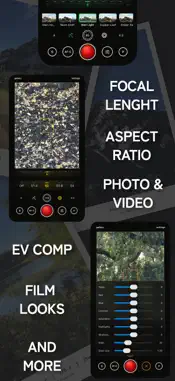
EMST Camera is a film-inspired camera app you operate like a camera. Not a filter you drop on afterwards. Pick a look, set your exposure, aperture and focal length, and shoot. Live preview of the settings directly in viewfinder. YOUR CONTROL • A dial-based shooting interface: one scroll wheel drives exposure, aperture, focal length and aspect ratio. • Aperture dial with depth-of-field rendering. • Focal length presets pinned to your iPhone's real lenses. • Mirrorless-style autofocus: a persistent AF box, tap to move it, AF lock to recompose. • Grid and level overlays when you want them, nothing when you don't. YOUR LOOK • Built-in film-inspired looks, from warm evening color to cool dusk tones and true monochrome + Natural for a clean, untouched capture. • Every look is tunable: grain, halation, vignette, clarity and color temperature. PRIVATE BY DESIGN • No account, no ads, everything happens on your device. Open the camera straight from control center or lock screen with shortcut extension. EMST Camera iOS app from Emaki Studio, a small independent photo toolkit.
What's New
Version 1.2 2026-10-11
Video has arrived, with your looks baked in. • Video mode: switch the mode button to V and the shutter records a clip with the selected look, grain, halation a... Technical Analysis
Package Overview Basic metadata
Bundle ID
dev.pixltd.cameraapp Current Version 1.2
Minimum iOS 26.0
Package Size App Store Size
Package Metadata 0 / 0 version records
Detailed binary, privacy manifest, framework, and Info.plist results have not been indexed for this package yet. The verified App Store and archive metadata above remains available.
Known Version Records
0 version records with stored package metadata
Stored metadata does not guarantee a package is currently available to download.
| Details | Version / IDs | Version date | Action |
|---|