Preview








Description
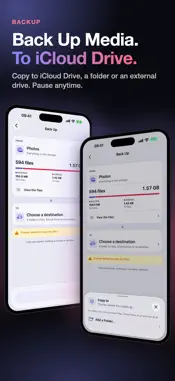
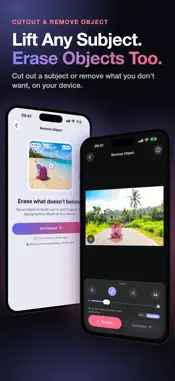
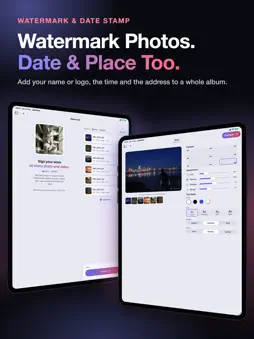
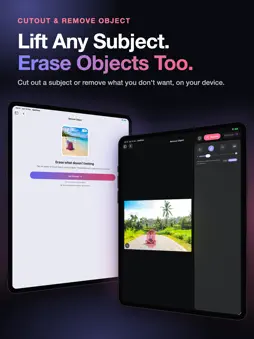
OptiPixel shrinks photos and videos to a fraction of their size — one file or a whole batch — and runs every tool right on your iPhone or iPad. Your photos and videos are never uploaded, and no account is needed. Scan paper into Word or Excel, convert HEIC to JPG or PDF, watermark, clean up storage, back up to any folder, and turn photos into 23 AI styles. AI TOOLS • AI Transform: turn photos into anime, 3D cartoon, watercolor, sketch, comic and painting styles. 23 styles to choose from. • Cutout: lift the subject off its background in one tap. • Face Blur: find faces automatically and blur them before you share. • Remove Object: brush, tap or Lasso anything away, or tap Remove people to clear every person at once. COMPRESS & FREE UP SPACE • Compress photos and videos to a fraction of their size, or resize to exact pixels — one file or a whole batch. • Storage: find the heaviest videos, largest photos, duplicates, screenshots and QR codes, and clear them. EDIT & CREATE • Color Filter: film looks with Fade and Grain, for photos and videos. • Crop, Shape Crop and Collage. • Watermark photos and videos with your text or logo; Time Marker stamps the date, place and contact details. • Scan & Convert: scan paper or import photos and PDFs, and turn them into editable Word or Excel files, a searchable PDF or plain text. CONVERT & PRIVACY • Convert HEIC, JPEG, PNG, MP4, MOV and more; trim and resize videos. Audio convert and trim are included too. • Metadata: view or remove location and camera details from photos and videos. FILES & SHORTCUTS • Quick actions: save the settings you use most and run them from Home in one tap. • Add files from Photos, Files, a link, or your computer over Wi-Fi. Share to OptiPixel from Photos or any other app. Every job runs in a background queue, so you can keep working while it finishes. Some features need an in-app purchase, which also removes ads. Terms of Use: https://optipixel.nightaris.com/terms/ Privacy Policy: https://optipixel.nightaris.com/privacy/
What's New
Version 1.6.2 2026-11-20
- Photo tools now keep your photo's format: a HEIC stays HEIC and a PNG stays PNG. Compress does too; use Convert when you want another format. - Edited photos ...- Photo tools now keep your photo's format: a HEIC stays HEIC and a PNG stays PNG. Compress does too; use Convert when you want another format. - Edited photos are saved at 100% quality by default. You can choose another quality on Review. - AI Transform keeps your photo's full resolution. - HDR photos stay HDR in every photo tool. - Video Compress, Video Resize and Video Convert keep the video's codec, HDR and Dolby Vision, and an MP4 keeps its camera details. Video Compress still makes videos smaller while keeping their format; choose HEVC for an even smaller file. - Compress tells you when a photo or video can't get any smaller at your settings, keeps the original and saves no duplicate. - Audio Convert and Audio Trim keep the bit depth, tags and cover art. - Review shows every change before you run, from format and quality to HDR, metadata and tracks, and says what a format can't keep. - Backup copies the originals from Photos, including the Live Photo video. - Photos taken with the in-app camera are saved as HEIC with their details. - Fixes: folders from other apps show their own names instead of "Documents"; SVG files are no longer listed as photos; a photo converted to PDF is saved next to its original instead of replacing it; Storage compares every likely duplicate pair; and counts read correctly in every language ("1 photo", not "1 photos"). Technical Analysis
Package Overview Basic metadata
Bundle ID
com.thenightsoft.optipixel Current Version 1.6.2
Minimum iOS 17.0
Package Size App Store Size
Package Metadata 0 / 0 version records
Detailed binary, privacy manifest, framework, and Info.plist results have not been indexed for this package yet. The verified App Store and archive metadata above remains available.
Developer Information
Known Version Records
0 version records with stored package metadata
Stored metadata does not guarantee a package is currently available to download.
| Details | Version / IDs | Version date | Action |
|---|