
Preview






Description
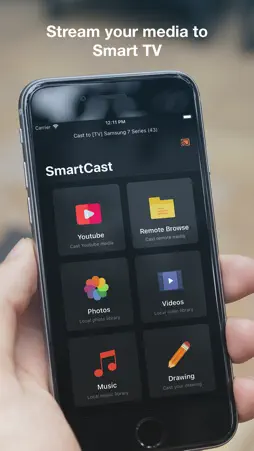
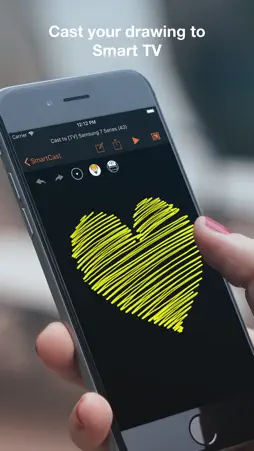
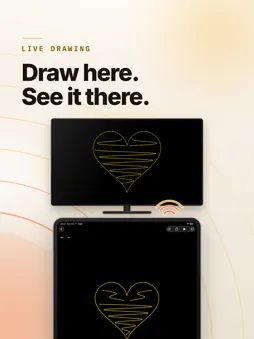
Your phone is where the photos and videos live. The TV is where everyone can actually see them. Smart TV Cast sends them straight across your Wi-Fi — no cable, no account, no upload to anyone's server. SEND WHAT IS ALREADY ON YOUR PHONE Photos, videos and music from your library play on the TV in a tap. The file streams directly from your phone over your own network. Nothing is copied to the cloud first, and nothing leaves your home. BROWSE YOUR NAS AND HOME SERVER If you keep media on a NAS or any DLNA/UPnP media server, the app finds it on your network and lets you browse it folder by folder — then cast straight from there. Synology, QNAP, Plex's DLNA endpoint, a router's USB share: if it speaks DLNA, it shows up. WORKS WITH THE TV YOU ALREADY OWN Built on ConnectSDK, so it talks to the protocols TVs actually ship with: DLNA, Google Cast, DIAL, LG webOS and Netcast, Sony Android TV, Roku and AirPlay. Most smart TVs made in the last decade need nothing installed on the TV side. WATCH VIDEOS FROM THE WEB A built-in browser opens video sites on your phone and hands the stream to the TV, so the phone is the remote rather than the screen. DRAW ON THE BIG SCREEN Sketch on your phone and it appears live on the TV. Useful for explaining something to a room, or for keeping a child busy with a canvas bigger than a tablet. A PROPER NOW PLAYING SCREEN Play, pause, stop, skip fifteen seconds either way, scrub the timeline and set the volume — from the phone, without getting up. Playback keeps going while you browse for what is next. PRIVATE BY DESIGN No account. No sign-up. No analytics profile. The app needs your local network to find TVs, and your photo library to send photos — and that is the whole list. FREE TO USE Casting is free. Pro removes the upgrade prompts and unlocks everything, as a one-time purchase or a monthly subscription with a three-day trial. Restore works across every device on your Apple Account. SUPPORT Something not working with your TV? Write to [email protected] with the make and model and we will look at it. SUBSCRIPTION Pro is available as a one-time purchase or as an auto-renewing monthly subscription with a three-day free trial. Prices are shown in the app for your region. Payment is charged to your Apple Account at confirmation of purchase. A subscription renews automatically unless auto-renew is turned off at least 24 hours before the end of the current period, and your account is charged for renewal within 24 hours of the end of that period. You can manage or cancel your subscription in your Apple Account settings after purchase. Any unused portion of a free trial is forfeited when you buy a subscription. Terms of Use (EULA): https://www.apple.com/legal/internet-services/itunes/dev/stdeula/ Privacy Policy: https://www.tinacinc.com/SmartTVCast/privacy_policy.html
What's New
Version 2.1.0 2026-10-31
Made for iPhone Duo. • Unfold it and the app fills the whole display, in landscape too. The home screen splits neatly at the fold. • Folded, the buttons sit in...Made for iPhone Duo. • Unfold it and the app fills the whole display, in landscape too. The home screen splits neatly at the fold. • Folded, the buttons sit in the side bar, where the rest of iOS puts them. • The upgrade screen and the TV picker now fit every screen size. • Ready for iOS 27. Technical Analysis
Package Overview Basic metadata
Bundle ID
com.tinacinc.smarttvcast Current Version 2.1.0
Minimum iOS 18.0
Package Size App Store Size
Package Metadata 0 / 14 version records
Detailed binary, privacy manifest, framework, and Info.plist results have not been indexed for this package yet. The verified App Store and archive metadata above remains available.
Developer Information
Known Version Records
0 version records with stored package metadata • 14 known version records
Stored metadata does not guarantee a package is currently available to download.
| Details | Version / IDs | Version date | Action |
|---|---|---|---|
| Not archived | App Store ID: 859632457 | Unknown | Request Version |
| Not archived | App Store ID: 851453590 | Unknown | Request Version |
| Not archived | App Store ID: 848758690 | Unknown | Request Version |
| Not archived | App Store ID: 837288564 | Unknown | Request Version |
| Not archived | App Store ID: 837194164 | Unknown | Request Version |
| Not archived | App Store ID: 836631470 | Unknown | Request Version |
| Not archived | App Store ID: 836565332 | Unknown | Request Version |
| Not archived | App Store ID: 833982362 | Unknown | Request Version |
| Not archived | App Store ID: 832467173 | Unknown | Request Version |
| Not archived | App Store ID: 832416752 | Unknown | Request Version |
| Not archived | App Store ID: 832392686 | Unknown | Request Version |
| Not archived | App Store ID: 832326532 | Unknown | Request Version |
| Not archived | App Store ID: 832135329 | Unknown | Request Version |
| Not archived | App Store ID: 832088973 | Unknown | Request Version |