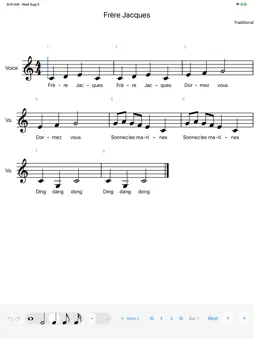
Autograph turns handwriting into engraved music notation. Write a note with Apple Pencil and it becomes a properly engraved note right where you wrote it: on the staff, at the right pitch, in the right place in the bar. WRITE THE WAY YOU THINK • Handwrite notes, rests and more with Apple Pencil • Or tap to place notes, type with the number keys, or play them in from a MIDI keyboard. Every method makes the same edits. • Pencil writes, finger scrolls and zooms, so the page never gets in your way NOTATION THAT LOOKS PUBLISHED • Engraved with the Bravura music font • Automatic beaming, spacing, accidentals and page layout • Multiple voices, chords, ties, slurs, tuplets, grace notes and rolled chords • Time and key signatures, clefs, dynamics, articulations and repeats • Lyrics, including multiple verses, and chord symbols • Piano and multi-staff scores HEAR IT AND SHARE IT • Play your score back and follow along bar by bar • Export to PDF for printing • Import and export MusicXML and MEI, to work with other notation software PAY ONCE Autograph is free to download. Every feature is unlocked for 28 days. After that, a single one-time purchase keeps editing unlocked for good, with no subscription. Reading, playback and export stay free forever, so your scores are never locked away. Autograph works on iPad, and supports the first-generation Apple Pencil.
What's New
Version 1.7 2026-11-02
AUTOGRAPH 1.7: WHAT'S NEW SPACING • Long notes no longer take room in proportion to their length. A half note gets about one and a half times a quarter's room ...AUTOGRAPH 1.7: WHAT'S NEW SPACING • Long notes no longer take room in proportion to their length. A half note gets about one and a half times a quarter's room and a whole note about twice, as in printed music, so a bar of whole notes is no longer as wide as a bar of quarters. Empty bars keep their full width to write in. • Notes of the same length within a beat stay evenly spaced under a long word. The group widens a little instead of one gap opening up before the word. WORDS • Type = instead of - to set the next syllable right against this one with no dash, so a word split over two quick notes prints as one word: con= ce- do gives conce-do. On iPad it is A= above the keyboard. The two notes also come a little closer where nothing else happens between them. MusicXML and MEI export it as an ordinary hyphen. COURTESY ACCIDENTALS • Choose which octaves are reminded in Score Details, under Remind. Every octave reminds the note in any octave, in the next bar and later in the same bar. Same octave reminds only the octave the accidental was in. New scores start on Every octave; your existing scores keep Same octave. BEAMS • A staff can give every note its own flag instead of beaming by the beat, as older vocal editions do. In Score > Staves, tap the part and choose Don't beam. Notes you join with Beam Together stay beamed, so a melisma can still be beamed by hand. • A beamed group shared between the two hands of a piano is now one beam in the gap between the staves, with stems reaching it from each side, instead of a row of flagged notes. • Beam a figure that passes from one hand to the other without moving any notes: select its notes on both staves and choose Beam Together. Each note stays in its own hand, and the beam runs between the staves. SHARED STEMS • A note can share its stem and flag with the chord on the other staff of a piano while its head stays where it is. Choose Notes > Cross Staff > Join Stem to Staff Below or Above, or on iPad press and hold the note and use the Stem to row. Separate Stem undoes it. • Beamed, the joined notes and the chord on the other staff are one beam, drawn at the end of the shared stem. Beam Together, Unbeam and Automatic act on both together. • Stems Up or Down on any note of a joined beam turns every note in it, on both staves. • MEI keeps the shared stem and the beam. MusicXML keeps them for Autograph; other programs show the note with its own stem. THE AI ASSISTANT (MAC) • The assistant can write and read words joined with =, and can change which octaves courtesy accidentals remind. FIXED • With the Pencil, a note written on the other staff of a piano, level with a note just written, is now its own note. It was taken as part of a chord and refused. • Grace notes after one note and before the next, in the same gap, no longer crowd each other. • Cross to Staff Above on a note that had been crossed below brings it back to its own staff.
Technical Analysis
Package Overview Basic metadata
Bundle IDcom.timothywilliams.Autograph
Current Version1.7
Minimum iOS17.0
Package SizeApp Store Size
Package Metadata0 / 0 version records
Detailed binary, privacy manifest, framework, and Info.plist results have not been indexed for this package yet. The verified App Store and archive metadata above remains available.