
Preview




Description
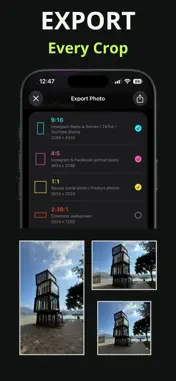
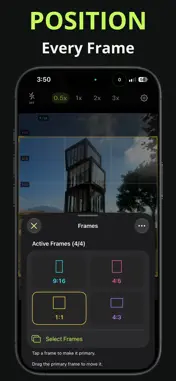
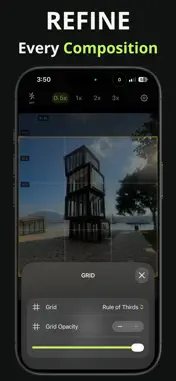
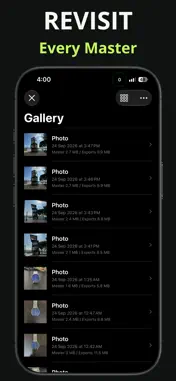
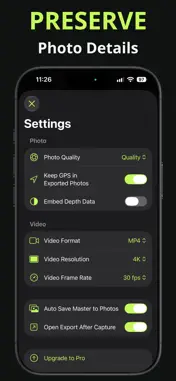
FrameSleek is a minimalist photo and video camera built for creators who publish across multiple formats. See several aspect-ratio guides together on the live camera preview, frame your subject with confidence, and create platform-ready crops from one master capture. MULTI-FRAME COMPOSITION Plan for vertical video, social posts, square feeds, cinematic widescreen, iPhone wallpapers, and more without guessing how each crop will look. - Display up to four aspect-ratio frames simultaneously - Choose from built-in formats including 9:16, 4:5, 1:1, 2.39:1, 16:9, 4:3, and more - Compose with a Wallpaper frame matched to your current iPhone - Preview Minimal Clock, Large Clock, Clock + Widgets, or Conservative wallpaper guides - Create custom aspect ratios for specialized workflows - Tap an active frame to make it primary - Reposition the primary frame and reset frames to center at any time - Use rule-of-thirds or golden-ratio grids - Adjust grid and matte opacity for a clearer composition view CAMERA CONTROLS Stay focused on the shot with a streamlined camera HUD and controls that adapt to your device. - Capture photos and videos - Switch between available cameras and zoom levels - Apply live creative filters - Control exposure, ISO, focus, focus peaking, aperture, and flash where supported - Select photo quality and MOV or MP4 video format NON-DESTRUCTIVE EXPORTS FrameSleek keeps the master media separate from generated crops, so you can revisit a capture and export new formats later. - Export multiple photo or video crops in one workflow - Preserve supported EXIF metadata in photo masters and exports - Choose whether GPS metadata is retained in exported photos - Save selected results to the Photos app - Regenerate exports after changing frames or output settings BUILT-IN GALLERY Keep your FrameSleek captures organized and ready for reuse. - Browse photo and video masters in grid or list view - Add custom titles to captures - Review master and export storage usage - Import existing photos and videos - Remove cached exports while keeping masters - Delete individual records or clear all local media FRAMESLEEK PRO Upgrade to unlock all built-in frames and create unlimited custom frames. Hardware-dependent controls and available camera lenses vary by device. FrameSleek stores masters and generated exports locally unless you choose to save them to Photos. Keeping GPS in exported photos is optional and disabled by default. Terms of Use (EULA): https://www.apple.com/legal/internet-services/itunes/dev/stdeula/
Technical Analysis
Package Overview Basic metadata
Bundle ID
com.tigernghk.ios.FrameCraft Current Version 1.0
Minimum iOS 27.0
Package Size App Store Size
Package Metadata 0 / 0 version records
Detailed binary, privacy manifest, framework, and Info.plist results have not been indexed for this package yet. The verified App Store and archive metadata above remains available.
Developer Information
Known Version Records
0 version records with stored package metadata
Stored metadata does not guarantee a package is currently available to download.
| Details | Version / IDs | Version date | Action |
|---|