Preview








Description
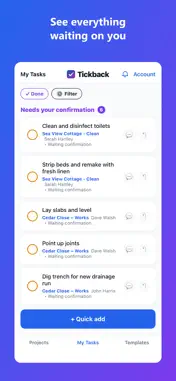
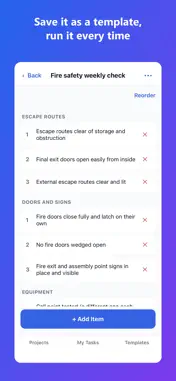
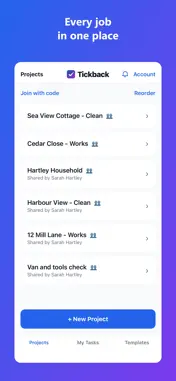
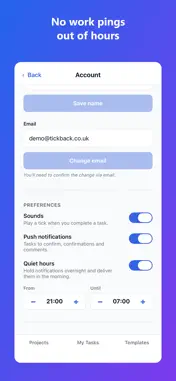
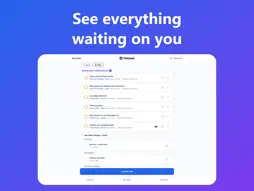
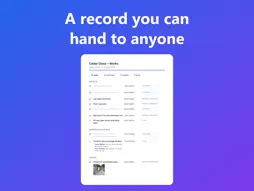
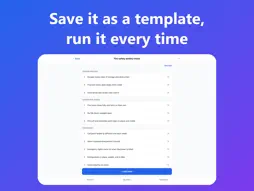
Get it done. Confirm it’s done. Tickback is a shared to-do app with a twist: a task isn’t finished when someone says they’ve done it — it’s finished when it’s confirmed done. That one extra step turns a to-do list into something you can actually trust. WHY IT’S DIFFERENT Most task apps let anyone tick anything off. Tickback separates doing a job from signing it off. Assign a task, mark it done, then confirm it’s actually finished — so “done” means done, not “probably”. BUILT FOR REAL WORK • Trades & site teams — hand out the day’s jobs, see what’s actually finished, and know a job is ready to invoice. • Cleaning teams & holiday lets — run changeovers from a template, and confirm a property is genuinely guest-ready. • Households & families — share the chores, the shopping and the admin, and see who’s done what. FEATURES • Two-stage confirm loop (done → confirmed) • Photo proof — attach a photo when you mark a job done or confirm it • Shared projects with per-person permissions • Assign tasks to anyone on the project • Printable PDF reports — export a project for site meetings, handovers or your records • Reusable templates — start a new project from one, or share them with your team • Sections to group jobs (rooms, weeks, areas) • Due dates, overdue flags and priorities • Recurring tasks — daily, weekly, fortnightly, monthly • Bulk-confirm several jobs at once, and search across a project • Quick add — get a job down in seconds, without hunting for the right list first • Comments on any task • Push notifications and a daily digest — with quiet hours so no work pings out of hours • An Updates list of everything that’s happened, so nothing is lost if you miss the banner • No signal? Your lists stay readable, and Tickback tells you plainly when something needs a connection FREE & PRO Tickback is free to use: up to 2 projects you own, with up to 5 people in each — including the full confirm loop, recurring tasks and templates. Being a member of someone else’s project is always free. Tickback Pro unlocks unlimited projects, with up to 15 people in each — for bigger teams, several sites or a portfolio of properties. £4.99 a month, or £49.99 a year with two months free. Tickback Pro is an auto-renewing subscription billed to your Apple ID. It renews automatically unless cancelled at least 24 hours before the period ends; manage or cancel in your App Store account settings. Terms: https://tickback.co.uk/terms Privacy: https://tickback.co.uk/privacy Get it done. Confirm it’s done.
What's New
Version 1.0.2 2026-09-16
Dark mode. Choose System to follow your phone, or pin Light or Dark in Account. The welcome project has been rebuilt. It now walks you through what Tickback is... Technical Analysis
Package Overview Basic metadata
Bundle ID
uk.co.tickback Current Version 1.0.2
Minimum iOS 16.4
Package Size App Store Size
Package Metadata 0 / 3 version records
Detailed binary, privacy manifest, framework, and Info.plist results have not been indexed for this package yet. The verified App Store and archive metadata above remains available.
Developer Information
Known Version Records
0 version records with stored package metadata • 3 known version records
Stored metadata does not guarantee a package is currently available to download.
| Details | Version / IDs | Version date | Action |
|---|---|---|---|
| Not archived | App Store ID: 891435443 | Unknown | Request Version |
| Not archived | App Store ID: 891203098 | Unknown | Request Version |
| Not archived | App Store ID: 887919100 | Unknown | Request Version |