
Preview




Description
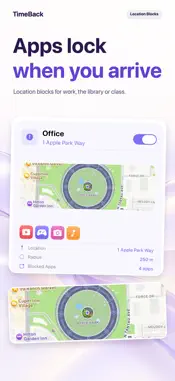
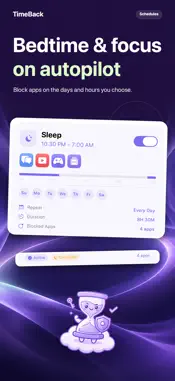
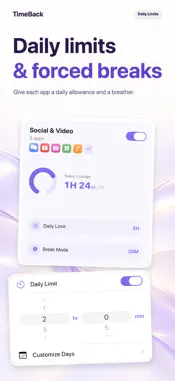
Take your time back. TimeBack helps you cut screen time with real, enforceable blocks — not just gentle reminders. Built on Apple's Screen Time technology, it stays out of your way until the moment you need willpower most. BLOCK YOUR WAY • Daily Limits — give any app a per-day allowance; when it's spent, the app is blocked for the rest of the day • Forced Breaks — auto-pause after continuous use, so marathon sessions get a breather • Schedules — block apps during focus hours, dinner time or bedtime, on the weekdays you choose • Location Blocks — apps lock automatically when you arrive somewhere (library, office, classroom) • Your words on the wall — customize the block screen's title, message and buttons STAY HONEST • Face ID lock protects your settings • Optional guardian passcode — hand the key to someone you trust, so quitting is never one tap away • Prevent App Deletion — stops the impulsive "just delete the blocker" move (iOS applies this to all apps on the device while enabled) SEE PROGRESS • Today's usage and distraction counts at a glance • Weekly Review — a quiet Sunday summary of the time you took back PRIVATE BY DESIGN Everything stays on your device. No account, no analytics, no server. TimeBack asks for Screen Time permission to block apps — that is its only required permission. Location is requested only if you use Location Blocks. Built by an indie developer. If TimeBack helps you, you can buy me a coffee in Settings.
What's New
Version 1.6.2 2026-10-24
v1.6.2 • Redesigned Rules, Schedules and Zones details on iPad. • Shorter, clearer block screen text. • Better iPhone Duo support. • Bug fixes and other improv... Technical Analysis
Package Overview Basic metadata
Bundle ID
com.Hominexis.timeback.TimeBack Current Version 1.6.2
Minimum iOS 26.2
Package Size App Store Size
Package Metadata 0 / 4 version records
Detailed binary, privacy manifest, framework, and Info.plist results have not been indexed for this package yet. The verified App Store and archive metadata above remains available.
Known Version Records
0 version records with stored package metadata • 4 known version records
Stored metadata does not guarantee a package is currently available to download.
| Details | Version / IDs | Version date | Action |
|---|---|---|---|
| Not archived | App Store ID: 886929274 | Unknown | Request Version |
| Not archived | App Store ID: 886267680 | Unknown | Request Version |
| Not archived | App Store ID: 886215533 | Unknown | Request Version |
| Not archived | App Store ID: 882807481 | Unknown | Request Version |