
Preview








Description
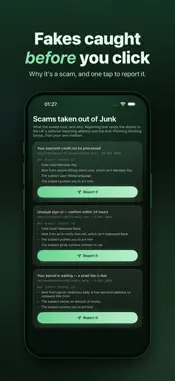
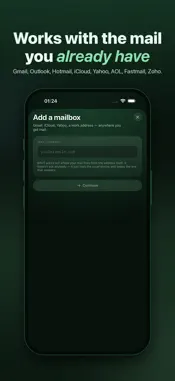
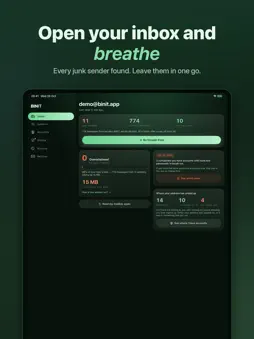
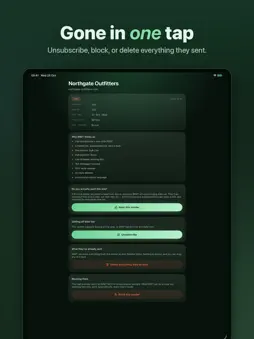
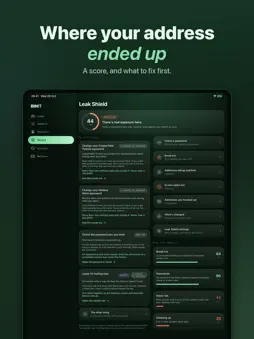
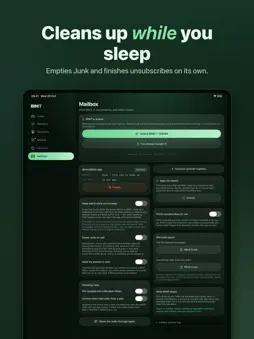
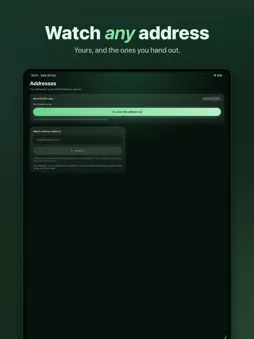
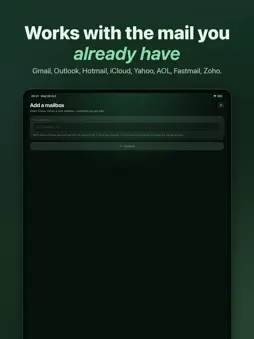
Your inbox is full of mail you never asked for. BINIT finds out who is sending it, and gets you out. It reads your mailbox on your iPhone, works out which senders are junk and which ones you actually want, and then gives you three things to do about it: leave their mailing list, clear out everything they have ever sent, or block them so every future read clears them out too. WHO IT IS FOR If your inbox has thousands of unread email newsletters, promotions and spam in it, or you signed up for one thing years ago and are still being written to about it, that is what this is for. It does not sort mail into folders and it does not hide anything. It gets you off the lists. PRIVACY: NOTHING LEAVES YOUR PHONE There is no BINIT server and no account to make. Your email is read straight from your mailbox, the same way Apple's own Mail app reads it, and everything BINIT works out about it stays in one file on your iPhone that goes when you delete the app. The words in your messages are never read. A scan asks who sent it, what it was called, when it arrived, and whether it carried an unsubscribe link. That is all. NOTHING IS DESTROYED Clearing a sender out moves their mail to your Deleted folder, where it sits until you empty it. Nothing is erased, and anything can be dragged back. WHAT IT SHOWS YOU • Every sender who writes to you, ranked by how much of your mailbox they take up • Which of them offer a way out, and which have to be blocked instead • What you pay: subscriptions worked out from the prices in your receipts, and the monthly total • Which companies holding your address have been broken into, checked against a public list of known breaches on your own phone • Everywhere your address has been used to sign up for something • Which of the addresses you handed out have been passed on to somebody else • Scams pulled out of your spam, with the reasons each one was called a scam • How much space the heaviest mail in your mailbox is taking up WHAT IT DOES • Leaves a mailing list for you, using the sender's own unsubscribe address • Takes you straight to their page when they insist on doing it themselves • Moves everything one sender ever sent you to your Deleted folder in one tap • Blocks a sender, so every read from then on clears what they have sent since • Writes the email asking a company to delete the personal data it holds on you • Reports a scam to the national reporting service, from the details in your own mailbox • Wins space back by moving the heaviest or the oldest mail to Deleted • Files receipts into their own folder and archives old inbox mail on every read • Puts your mailbox score on your home screen, with one tap to go and clear it Blocked senders stay blocked when they change address. Junk mail moves domain constantly, and when a sender you blocked turns up under a new one BINIT recognises it and turns that away too. ANY MAILBOX Outlook and Hotmail sign in on Microsoft's own page — no password is ever typed into BINIT. Gmail, iCloud, Yahoo and work email addresses use an app password made on the provider's own site, never your real one. Connect as many as you like; a read covers all of them. IN 34 LANGUAGES BINIT follows the language your phone is set to, and every word is translated — not just the buttons. COMMON QUESTIONS Does it delete my mail? No. Clearing a sender out moves their messages to your Deleted folder, and they sit there until you empty it yourself. Do I need an account? No. There is no BINIT server and nothing to sign up for. WHAT IT COSTS Reading your mailbox is free, and always will be. Leaving lists, clearing mail out and blocking senders are unlocked by one payment, once. It is not a subscription — nothing renews and there is nothing to cancel. It stays with your Apple Account, so a new phone gets it back.
What's New
Version 1.0.21 2026-10-31
Fixes and small improvements throughout BINIT. Technical Analysis
Package Overview Basic metadata
Bundle ID
com.sixthsxnse.binit Current Version 1.0.21
Minimum iOS 17.0
Package Size App Store Size
Package Metadata 0 / 0 version records
Detailed binary, privacy manifest, framework, and Info.plist results have not been indexed for this package yet. The verified App Store and archive metadata above remains available.
Developer Information
Known Version Records
0 version records with stored package metadata
Stored metadata does not guarantee a package is currently available to download.
| Details | Version / IDs | Version date | Action |
|---|