
Preview









Description
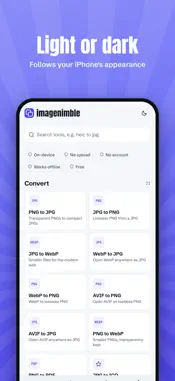
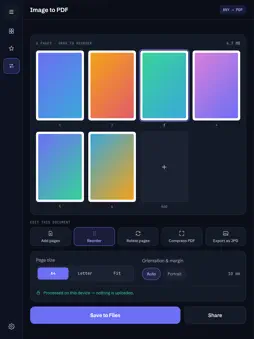
imagenimble is your image toolbox: convert, compress, resize and edit photos right on your device - fast, private, no account. EVERYTHING ON YOUR DEVICE Your photos never leave your phone. All tools run 100% locally - no uploads, no cloud, no sign-up. Works offline. CONVERT - HEIC to JPG, PNG to JPG, JPG to PNG, WebP, BMP and more - GIF to MP4 - hardware-encoded in seconds OPTIMIZE - Compress images - pick your quality, see the size before saving - Video compressor with WhatsApp & mail presets, progress and cancel - Resize, rotate & flip, remove EXIF metadata CREATE - Collage maker with layouts (grid, masonry, magazine, mosaic), masks, frames and text - GIF maker - turn a video clip or a photo series into a looping GIF - Meme generator, QR codes, color tools and more SMART TOOLS (on-device AI) - Background remover - subjects are detected by your phone's built-in machine learning; export as transparent PNG or with a new background - Image to text (OCR) - extract and copy text from photos and screenshots 30+ tools, available in 9 languages. Free.
What's New
Version 1.2.0 2026-10-27
Eight new tools: Flip image, Pixel art, Image color picker, Reduce image size to a target KB, Photo to sketch, Image to ASCII art, Round corners and Invert colo... Technical Analysis
Package Overview Basic metadata
Bundle ID
com.imagenimble.app Current Version 1.2.0
Minimum iOS 16.4
Package Size App Store Size
Package Metadata 0 / 0 version records
Detailed binary, privacy manifest, framework, and Info.plist results have not been indexed for this package yet. The verified App Store and archive metadata above remains available.
Developer Information
Known Version Records
0 version records with stored package metadata
Stored metadata does not guarantee a package is currently available to download.
| Details | Version / IDs | Version date | Action |
|---|