Preview


Description
EqualSet is used to calculate a One Repetition Maximum (1RM) Target (from either direct input of the maximum weight, for by entering a Target Set (Weight and Reps)). And from the 1RM, the app will calculate sets that are equal to the 1RM, or Training Load percentage. Usage Target Set: 1.) Either enter the Target Set -> One Rep Max or enter the set that will be used to calculate the One Rep Max. a.) If the Weight and Reps are entered in the Target Set, the One Rep Max will be calculated. b.) If the One Rep Max is entered directly in the Target Set, the Weight will equal the One Rep Max, and the Reps will equal 1. Equal Sets: 1.) If "Reps" are entered, the "Weight" will be calculated to use to equal the Equal Sets -> Load. 2.) If "Weight" is entered, then the "Reps" will be calculated that are needed to equal the Equal Sets -> Load. a.) If the Weight is more than the Equal Sets -> Load, or the calculated Reps is less than 1 or more than 99, the Reps will show "NA". The Reps will display a valid number after the Weight has been adjusted. Training Load Chart: 1.) After the "Target Set" is entered and the 1RM is calculated, a "Training Load Chart" will be generated in the bottom part of the screen. 2.) The "Training Load Chart" will display the Percent (% 1RM), Reps, and Weight of the Target Set -> One Rep Max. a.) The table will display the % 1RM, Reps, and Weight for up to 20 Reps, or 60% of the Training Load. 3.) If you are wanting to do a workout less than 100% (e.g. ~91%) then you would select the row in the Training Load Chart that contains 91% in the % 1RM. a.) Click on the 91% row and it set the Weight in that row to the Equal Sets -> Load and and recalculate the the calculated Equal Sets (Reps and Weight). Example Usage: You are going to do a bench press workout but don't want to do a max workout. You decide to make it a lite day and do a 70% workout. You know your max is 420, so you enter 420 in the Target Set -> One Rep Max. You look up the the row in the Training Load Chart for a % 1RM of 70% and select the row. The weight of 293 for the selected row will appear in the Equal Sets -> Load and the Equal Sets are recalculated (Reps and Weight) If you are doing 20 Reps or less, you could just use the updated Training Load Chart to see the Weight and Reps you need to lift to equal the Target Set -> One Rep Max, but if you want to do more than 20 reps, or you want to use a weight that is not listed in the Training Load Chart, you would enter those values in the Equal Sets fields to calculate an equivalent set. For example, you want to do a set with 30 Reps. Enter 30 into Equal Sets -> Reps and it will calculate a Weight of 147. Well that is an odd weight and you know that you have the correct bar and plate combinations for 150, or the machine has a setting for 150, so enter 150 into the Equal Sets -> Weight and it will tell you that you need to do 29 Reps to equal the Equal Sets -> Load of 293, which in turn is 70% of the Target Set -> One Rep Max. I have used this approach (equal sets) along with lifting to failure for many years and I am still getting stronger!
What's New
Version 1.1.0 2026-03-04
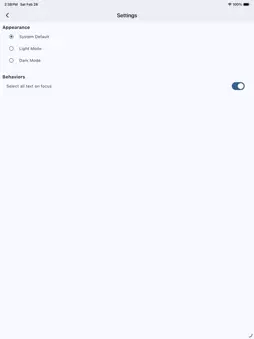
Added Settings page to allow for choosing display mode (System, Light, or Dark) and to automatically select all text with a text field gains focus. Add two add... Technical Analysis
Package Overview Basic metadata
Bundle ID
com.dalkesoft.equalset Current Version 1.1.0
Minimum iOS 13.0
Package Size App Store Size
Package Metadata 0 / 4 version records
Detailed binary, privacy manifest, framework, and Info.plist results have not been indexed for this package yet. The verified App Store and archive metadata above remains available.
Known Version Records
0 version records with stored package metadata • 4 known version records
Stored metadata does not guarantee a package is currently available to download.
| Details | Version / IDs | Version date | Action |
|---|---|---|---|
| Not archived | App Store ID: 882900844 | Unknown | Request Version |
| Not archived | App Store ID: 882806116 | Unknown | Request Version |
| Not archived | App Store ID: 881948723 | Unknown | Request Version |
| Not archived | App Store ID: 881868129 | Unknown | Request Version |