
Preview






Description
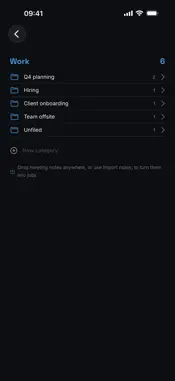
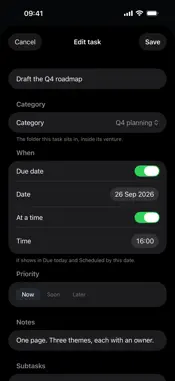
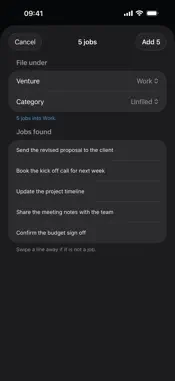
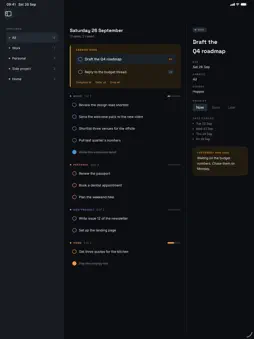
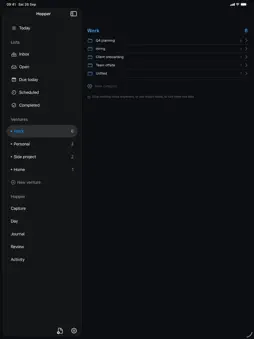
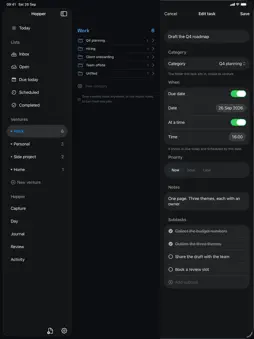
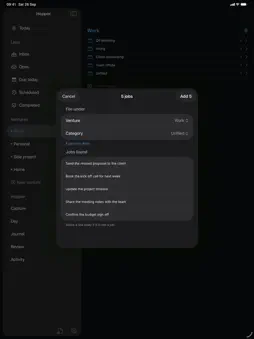
Hopper is one place for the thought you have just had, and the work it turns into. It runs on iPhone, iPad, Mac and Apple Watch, and everything is kept in your own account. CAPTURE A capture box is one tap away on every device. On the Mac it opens over whatever you are doing with Control, Option and Space, and Hopper waits in the menu bar showing the day's count. Type the thought and it is saved. A capture made with no signal is queued on the device and sent when you are back, and the same words caught twice are kept once. Siri and Shortcuts can capture for you: say "Capture to Hopper". VENTURES AND TASKS Your work is grouped into ventures you name and colour yourself, with categories inside them. A task carries a due date, a time, a priority of Now, Soon or Later, notes, and a list of subtasks. Inbox, Open, Due today, Scheduled and Completed cut across every venture. TODAY, AND THE DAY Today says what is open across your ventures, what is due, what is overdue, and what is still waiting in your Inbox to be filed. The Day screen lays the day out venture by venture, with anything carried over from earlier days in a band at the top you can complete, defer or drop in one go. MEETING NOTES Drop a notes file anywhere in the app, or press Import notes: PDF, Word, RTF, plain text and Markdown. Hopper pulls the jobs out of it, you choose the venture and the category, and they are added as tasks. A scanned PDF with no text layer is read on the device, up to ten pages. JOURNAL AND REVIEW Write a line about the day and rate your energy. Review draws the week back: what carried from day to day, how much you finished in each venture, your energy across the week, and your own words as you wrote them. NOTEBOOK An idea you are not ready to act on stays in the Notebook instead of cluttering the task list. THE REST Bring your Apple Reminders in once as tasks. Read the activity log of everything you have created, completed, renamed, rescheduled or moved, and export it. Turn on a morning brief, an evening nudge and due alerts, with quiet hours. Lock Hopper behind Face ID or Touch ID. A widget shows what is open today, and the Watch carries capture and the day. YOUR ACCOUNT An email and a password, and nothing else to set up. Your ventures, tasks, captures and journal are on every device you sign in on. Settings deletes your account and everything in it. Hopper does not show ads, does not track you, and has nothing to buy.
What's New
Version 1.9 2026-11-07
The menu of people now offers the people on that venture, not everybody. Open a venture, choose who a job is for, and you get that venture's own list rather th...The menu of people now offers the people on that venture, not everybody. Open a venture, choose who a job is for, and you get that venture's own list rather than all 33 names. In The Socials there are now two client folders, Vitori and Quill, and opening one narrows the people again to whoever is on that client. StoryNest still offers its agent roles, and now only StoryNest does. Technical Analysis
Package Overview Basic metadata
Bundle ID
com.thesocials.hopper Current Version 1.9
Minimum iOS 17.0
Package Size App Store Size
Package Metadata 0 / 0 version records
Detailed binary, privacy manifest, framework, and Info.plist results have not been indexed for this package yet. The verified App Store and archive metadata above remains available.
Developer Information
Known Version Records
0 version records with stored package metadata
Stored metadata does not guarantee a package is currently available to download.
| Details | Version / IDs | Version date | Action |
|---|